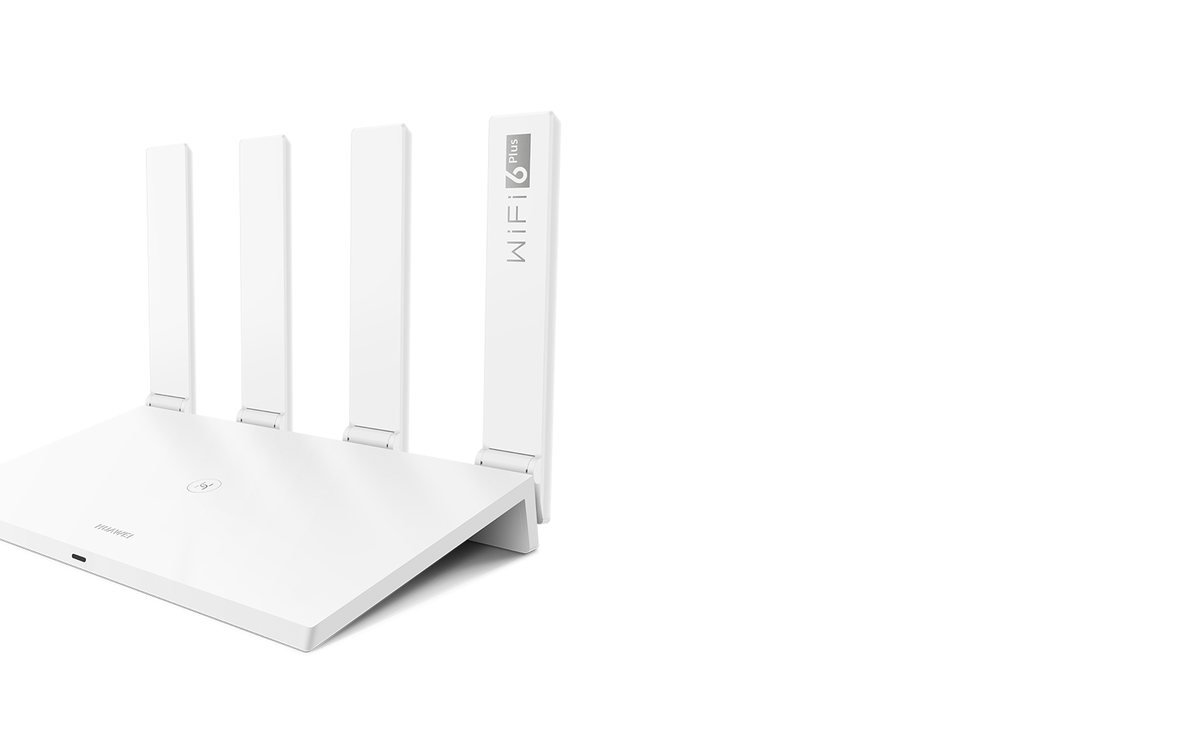
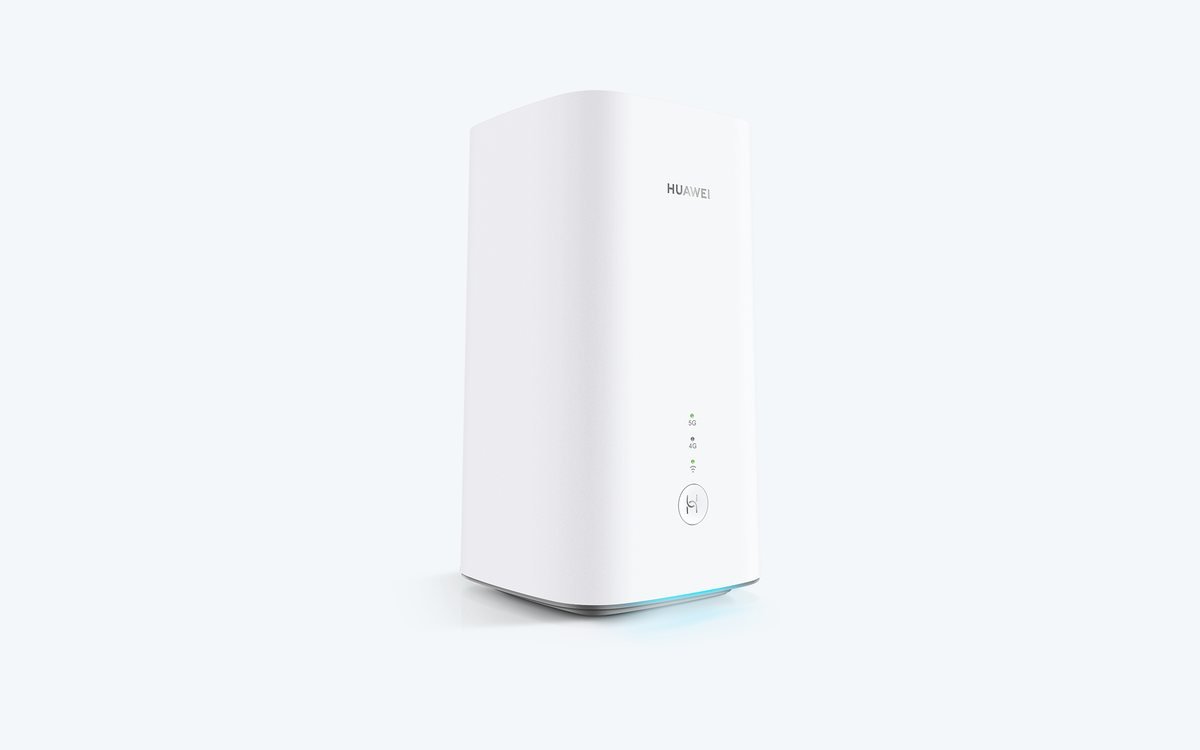
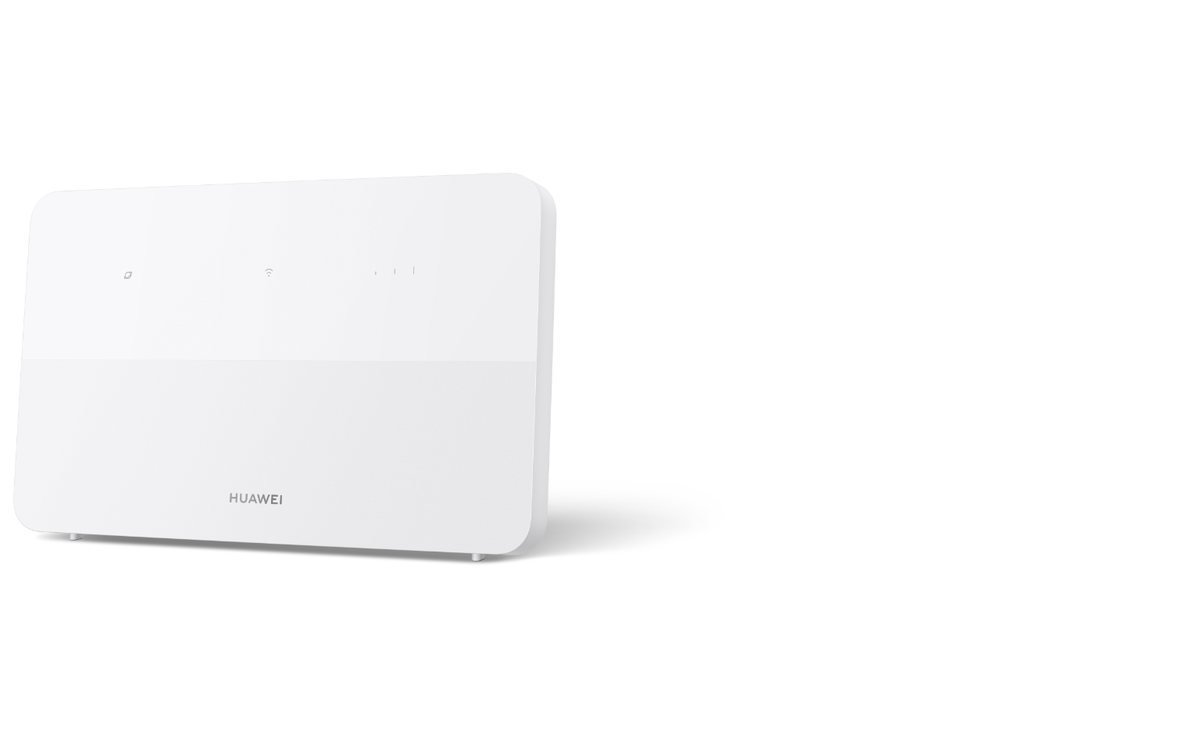
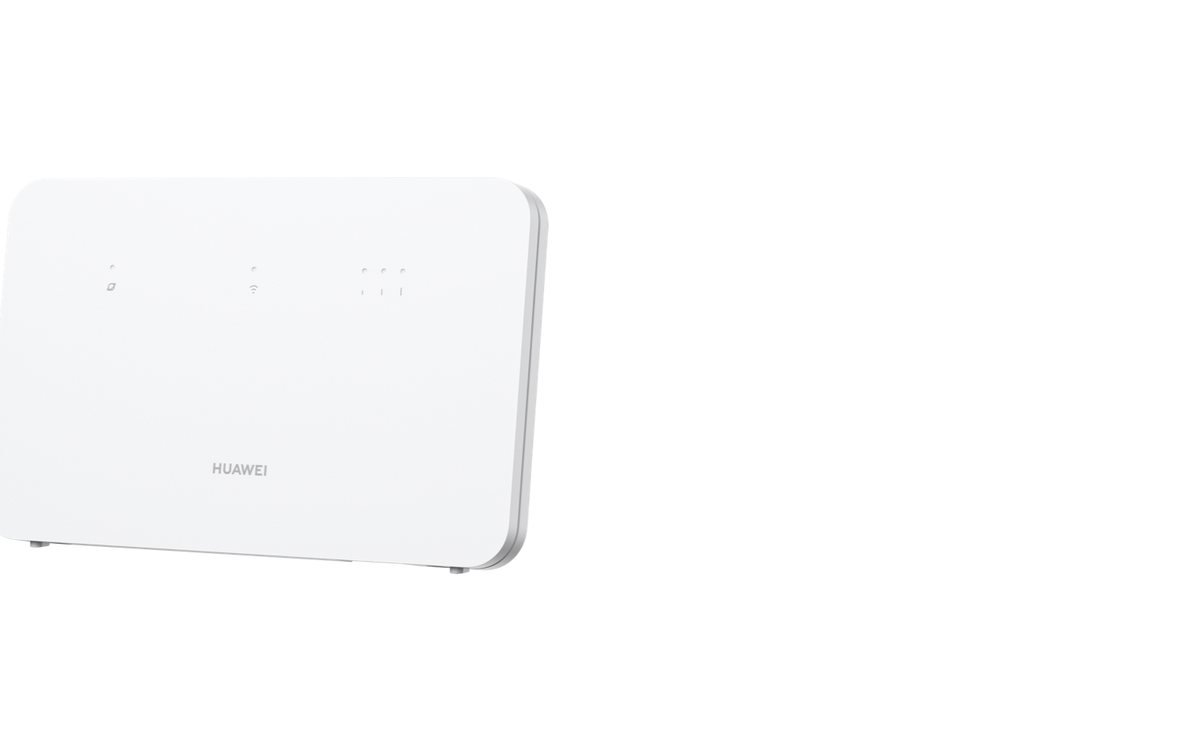
HUAWEI WiFi Mesh X3 Pro HUAWEI WiFi / Mesh (history / pending verification) History / Hard to find GAEA2-PLM21 / GAEA2-PLS20
Type/Region Multiple markets; regional channels and packaging need to be checkedConsumer grade routing or mesh history and pending catalog; verify hardware versions, plugs, firmware, node packages, and sales regions.
HUAWEI WiFi Mesh X1 Pro HUAWEI WiFi / Mesh (history / pending verification) History / Hard to find Complete SKU to be verified
Type/Region Multiple markets; Node package and region need to be verifiedConsumer grade routing or mesh history and pending catalog; verify hardware versions, plugs, firmware, node packages, and sales regions.
HUAWEI WiFi Mesh 3+ HUAWEI WiFi / Mesh (history / pending verification) History / Hard to find Complete SKU to be verified
Type/Region Some markets; package quantity needs to be verifiedConsumer grade routing or mesh history and pending catalog; verify hardware versions, plugs, firmware, node packages, and sales regions.
HUAWEI WiFi Mesh 3 HUAWEI WiFi / Mesh (history / pending verification) History / Hard to find Complete SKU to be verified
Type/Region Multiple markets; package quantity needs to be verifiedConsumer grade routing or mesh history and pending catalog; verify hardware versions, plugs, firmware, node packages, and sales regions.
HUAWEI WiFi Q2 Pro HUAWEI WiFi / Mesh (history / pending verification) History / Hard to find Complete SKU to be verified
Type/Region History in multiple markets; Powerline version needs to be verifiedConsumer grade routing or mesh history and pending catalog; verify hardware versions, plugs, firmware, node packages, and sales regions.
HUAWEI WiFi Q2 HUAWEI WiFi / Mesh (history / pending verification) History / Hard to find Complete SKU to be verified
Type/Region History of multiple markets; basic routing and satellite combination need to be verifiedConsumer grade routing or mesh history and pending catalog; verify hardware versions, plugs, firmware, node packages, and sales regions.
HUAWEI WiFi BE3 HUAWEI WiFi / Mesh (history / pending verification) History / Hard to find WUKUN-BE32
Type/Region Multiple markets; functions and packaging vary with regionConsumer grade routing or mesh history and pending catalog; verify hardware versions, plugs, firmware, node packages, and sales regions.
HUAWEI WiFi AX3 Pro HUAWEI WiFi / Mesh (history / pending verification) History / Hard to find Complete SKU to be verified
Type/Region Multiple markets; dual-core/quad-core and regional versions need to be verifiedConsumer grade routing or mesh history and pending catalog; verify hardware versions, plugs, firmware, node packages, and sales regions.
HUAWEI WiFi AX3 HUAWEI WiFi / Mesh (history / pending verification) History / Hard to find WS7100 Series
Type/Region Multiple markets; hardware versions with the same name cannot be mixed.Consumer grade routing or mesh history and pending catalog; verify hardware versions, plugs, firmware, node packages, and sales regions.
HUAWEI WiFi AX2 NEW HUAWEI WiFi / Mesh (history / pending verification) History / Hard to find Complete SKU to be verified
Type/Region Some markets; version and port need to be verifiedConsumer grade routing or mesh history and pending catalog; verify hardware versions, plugs, firmware, node packages, and sales regions.
HUAWEI WiFi AX2 HUAWEI WiFi / Mesh (history / pending verification) History / Hard to find Complete SKU to be verified
Type/Region Multiple markets; packaging and power supply need to be verifiedConsumer grade routing or mesh history and pending catalog; verify hardware versions, plugs, firmware, node packages, and sales regions.
HUAWEI Router A1 HUAWEI WiFi / Mesh (history / pending verification) History / Hard to find Complete SKU to be verified
Type/Region Historical market; firmware and region need to be verifiedConsumer grade routing or mesh history and pending catalog; verify hardware versions, plugs, firmware, node packages, and sales regions.
HUAWEI Router WS318n HUAWEI WiFi / Mesh (history / pending verification) History / Hard to find WS318n
Type/Region Historical market; power supply and region need to be checkedConsumer grade routing or mesh history and pending catalog; verify hardware versions, plugs, firmware, node packages, and sales regions.
HUAWEI WiFi Mesh 7 Huawei Japan Ends Product Support Regional support has ended WS8800-20
Type/Region End of support in Japan 2026-06-30The exact model in Huawei’s Japanese support list; this status only corresponds to the Japanese support range, other markets need to be checked separately.
HUAWEI WiFi Mesh 3 Huawei Japan Ends Product Support Regional support has ended WS8100-21
Type/Region End of support in Japan 2026-06-30The exact model in Huawei’s Japanese support list; this status only corresponds to the Japanese support range, other markets need to be checked separately.
HUAWEI WiFi Mesh 7 Huawei Japan Ends Product Support Regional support has ended WS8800-22
Type/Region End of support in Japan 2026-06-30The exact model in Huawei’s Japanese support list; this status only corresponds to the Japanese support range, other markets need to be checked separately.
HUAWEI WiFi Mesh 3 Huawei Japan Ends Product Support Regional support has ended WS8100-22
Type/Region End of support in Japan 2026-06-30The exact model in Huawei’s Japanese support list; this status only corresponds to the Japanese support range, other markets need to be checked separately.
HUAWEI WiFi AX3 Huawei Japan Ends Product Support Regional support has ended WS7100-25
Type/Region Japan support ends 2025-12-31The exact model in Huawei’s Japanese support list; this status only corresponds to the Japanese support range, other markets need to be checked separately.
HUAWEI WiFi AX3 Huawei Japan Ends Product Support Regional support has ended WS7200-20
Type/Region Japan support ends 2023-12-31The exact model in Huawei’s Japanese support list; this status only corresponds to the Japanese support range, other markets need to be checked separately.
HUAWEI WiFi AX3 Huawei Japan Ends Product Support Regional support has ended WS7100-20
Type/Region Japan support ends 2023-12-31The exact model in Huawei’s Japanese support list; this status only corresponds to the Japanese support range, other markets need to be checked separately.
HUAWEI WiFi WS5200 Huawei Japan Ends Product Support Regional support has ended WS5200-21
Type/Region End of support in Japan 2023-06-30The exact model in Huawei’s Japanese support list; this status only corresponds to the Japanese support range, other markets need to be checked separately.
HUAWEI WiFi Q2 Huawei Japan Ends Product Support Regional support has ended WS860s
Type/Region Japan support ends 2018-12-31The exact model in Huawei’s Japanese support list; this status only corresponds to the Japanese support range, other markets need to be checked separately.
HUAWEI WiFi Extender Huawei Japan Ends Product Support Regional support has ended WS325
Type/Region Japan support ends 2017-05-31The exact model in Huawei’s Japanese support list; this status only corresponds to the Japanese support range, other markets need to be checked separately.
HUAWEI 4G CPE Mobile broadband sales and service announcement Officially discontinued sales/service B535-232
Type/Region Official announcement scope; Effective on 2025-12-19Huawei’s announcement clarified that it has stopped sales and technical services; it is only available for verification of stock replacement, spare parts, or compliant second-hand items.
HUAWEI 4G CPE Mobile broadband sales and service announcement Officially discontinued sales/service B625-261
Type/Region Official announcement scope; Effective on 2025-12-19Huawei’s announcement clarified that it has stopped sales and technical services; it is only available for verification of stock replacement, spare parts, or compliant second-hand items.
HUAWEI 4G CPE Mobile broadband sales and service announcement Officially discontinued sales/service B818-263
Type/Region Official announcement scope; Effective on 2025-12-19Huawei’s announcement clarified that it has stopped sales and technical services; it is only available for verification of stock replacement, spare parts, or compliant second-hand items.
HUAWEI 4G CPE Mobile broadband sales and service announcement Officially discontinued sales/service B612-533
Type/Region Official announcement scope; Effective on 2025-12-19Huawei’s announcement clarified that it has stopped sales and technical services; it is only available for verification of stock replacement, spare parts, or compliant second-hand items.
HUAWEI 4G CPE Mobile broadband sales and service announcement Officially discontinued sales/service B535-235
Type/Region Official announcement scope; Effective on 2025-12-19Huawei’s announcement clarified that it has stopped sales and technical services; it is only available for verification of stock replacement, spare parts, or compliant second-hand items.
HUAWEI 4G CPE Mobile broadband sales and service announcement Officially discontinued sales/service B628-265
Type/Region Official announcement scope; Effective on 2025-12-19Huawei’s announcement clarified that it has stopped sales and technical services; it is only available for verification of stock replacement, spare parts, or compliant second-hand items.
HUAWEI 5G CPE Pro Mobile broadband sales and service announcement Officially discontinued sales/service H112-370
Type/Region Official announcement scope; Effective on 2025-12-19Huawei’s announcement clarified that it has stopped sales and technical services; it is only available for verification of stock replacement, spare parts, or compliant second-hand items.
HUAWEI 5G Outdoor CPE Mobile broadband sales and service announcement Officially discontinued sales/service N5368X
Type/Region Official announcement scope; Effective on 2025-12-19Huawei’s announcement clarified that it has stopped sales and technical services; it is only available for verification of stock replacement, spare parts, or compliant second-hand items.
HUAWEI 5G Outdoor CPE Mobile broadband sales and service announcement Officially discontinued sales/service H312-371
Type/Region Official announcement scope; Effective on 2025-12-19Huawei’s announcement clarified that it has stopped sales and technical services; it is only available for verification of stock replacement, spare parts, or compliant second-hand items.
HUAWEI 5G CPE Pro Mobile broadband sales and service announcement Officially discontinued sales/service H112-372
Type/Region Official announcement scope; Effective on 2025-12-19Huawei’s announcement clarified that it has stopped sales and technical services; it is only available for verification of stock replacement, spare parts, or compliant second-hand items.
HUAWEI 5G CPE Pro 2 Mobile broadband sales and service announcement Officially discontinued sales/service H122-573
Type/Region Official announcement scope; Effective on 2025-12-19Huawei’s announcement clarified that it has stopped sales and technical services; it is only available for verification of stock replacement, spare parts, or compliant second-hand items.
HUAWEI LTE CPE Huawei Japan Ends Product Support Regional support has ended E5180As-22
Type/Region Japan support ends 2018-12-31Exact CPE model in Huawei Japan support list; this status only corresponds to Japan support range.
HUAWEI 5G CPE Pro 2 HUAWEI 4G / 5G CPE History / Hard to find H122-373
Type/Region Multiple markets; 5G SA/NSA needs to be checked with the operatorFixed cellular CPE; full suffix determines band, carrier, port, antenna, and regional compatibility.
HUAWEI 5G CPE Win HUAWEI 4G / 5G CPE History / Hard to find H312-372
Type/Region Outdoor installation market; antenna and power supply need to be checkedFixed cellular CPE; full suffix determines band, carrier, port, antenna, and regional compatibility.
HUAWEI 4G CPE 5 HUAWEI 4G / 5G CPE History / Hard to find Complete SKU to be verified
Type/Region Multiple markets; external antenna and phone interface by SKUFixed cellular CPE; full suffix determines band, carrier, port, antenna, and regional compatibility.
HUAWEI 4G CPE 3 HUAWEI 4G / 5G CPE History / Hard to find B535-232a
Type/Region Some international markets; LTE frequency band needs to be checkedFixed cellular CPE; full suffix determines band, carrier, port, antenna, and regional compatibility.
HUAWEI 4G Router 3 Pro HUAWEI 4G / 5G CPE History / Hard to find B535 Series
Type/Region Multiple markets; suffix and frequency band need to be checkedFixed cellular CPE; full suffix determines band, carrier, port, antenna, and regional compatibility.
HUAWEI 4G Router 2 Pro HUAWEI 4G / 5G CPE History / Hard to find B525 Series
Type/Region History in multiple markets; operator and port need to be checkedFixed cellular CPE; full suffix determines band, carrier, port, antenna, and regional compatibility.
HUAWEI 4G Router 2 HUAWEI 4G / 5G CPE History / Hard to find B315 Series
Type/Region History in multiple markets; frequency band, voice and antenna need to be checkedFixed cellular CPE; full suffix determines band, carrier, port, antenna, and regional compatibility.
HUAWEI LTE CPE HUAWEI 4G / 5G CPE History / Hard to find B310 Series
Type/Region History of multiple markets; complete suffix determines the frequency bandFixed cellular CPE; full suffix determines band, carrier, port, antenna, and regional compatibility.
HUAWEI LTE CPE HUAWEI 4G / 5G CPE History / Hard to find B593 Series
Type/Region Historical operator market; frequency band and locking status need to be checkedFixed cellular CPE; full suffix determines band, carrier, port, antenna, and regional compatibility.
HUAWEI LTE CPE HUAWEI 4G / 5G CPE History / Hard to find B612 Series
Type/Region Historical operator market; complete suffix needs to be checkedFixed cellular CPE; full suffix determines band, carrier, port, antenna, and regional compatibility.
HUAWEI LTE CPE HUAWEI 4G / 5G CPE History / Hard to find B618 Series
Type/Region History of multiple markets; LTE category and frequency band need to be checkedFixed cellular CPE; full suffix determines band, carrier, port, antenna, and regional compatibility.
HUAWEI LTE CPE HUAWEI 4G / 5G CPE History / Hard to find B715 Series
Type/Region Historical market; carrier aggregation and operator need to be checkedFixed cellular CPE; full suffix determines band, carrier, port, antenna, and regional compatibility.
HUAWEI LTE CPE HUAWEI 4G / 5G CPE History / Hard to find B818 Series
Type/Region Multiple markets with history; complete suffix and frequency band need to be checkedFixed cellular CPE; full suffix determines band, carrier, port, antenna, and regional compatibility.
HUAWEI Outdoor CPE HUAWEI 4G / 5G CPE History / Hard to find N5368 Series
Type/Region Outdoor 5G scenario; operator and accessories need to be checkedFixed cellular CPE; full suffix determines band, carrier, port, antenna, and regional compatibility.
HUAWEI LTE CPE Huawei historical fixed CPE History / Hard to find B593s-12
Type/Region History of multiple markets; complete suffixes listedHuawei fixed cellular terminals whose historical data are available; the complete suffix determines the standard, frequency band, interface and operator.
HUAWEI LTE CPE Huawei historical fixed CPE History / Hard to find B593s-22
Type/Region History of multiple markets; complete suffixes listedHuawei fixed cellular terminals whose historical data are available; the complete suffix determines the standard, frequency band, interface and operator.
HUAWEI LTE CPE Huawei historical fixed CPE History / Hard to find B593s-601
Type/Region Historical regional version; operator needs to checkHuawei fixed cellular terminals whose historical data are available; the complete suffix determines the standard, frequency band, interface and operator.
HUAWEI LTE CPE Huawei historical fixed CPE History / Hard to find B593s-850
Type/Region Historical regional version; operator needs to checkHuawei fixed cellular terminals whose historical data are available; the complete suffix determines the standard, frequency band, interface and operator.
HUAWEI LTE CPE Huawei historical fixed CPE History / Hard to find B593s-516
Type/Region Historical regional version; operator needs to checkHuawei fixed cellular terminals whose historical data are available; the complete suffix determines the standard, frequency band, interface and operator.
HUAWEI LTE CPE Huawei historical fixed CPE History / Hard to find E5172s-22
Type/Region History of multiple markets; complete suffixes listedHuawei fixed cellular terminals whose historical data are available; the complete suffix determines the standard, frequency band, interface and operator.
HUAWEI LTE CPE Huawei historical fixed CPE History / Hard to find E5172As-22
Type/Region History of multiple markets; complete suffixes listedHuawei fixed cellular terminals whose historical data are available; the complete suffix determines the standard, frequency band, interface and operator.
HUAWEI LTE CPE Huawei historical fixed CPE History / Hard to find E5172s-920
Type/Region Historical regional version; operator needs to checkHuawei fixed cellular terminals whose historical data are available; the complete suffix determines the standard, frequency band, interface and operator.
HUAWEI LTE CPE Huawei historical fixed CPE History / Hard to find E5172s-515
Type/Region Historical regional version; operator needs to checkHuawei fixed cellular terminals whose historical data are available; the complete suffix determines the standard, frequency band, interface and operator.
HUAWEI LTE CPE Huawei historical fixed CPE History / Hard to find E5172Bs-920
Type/Region Historical regional version; operator needs to checkHuawei fixed cellular terminals whose historical data are available; the complete suffix determines the standard, frequency band, interface and operator.
HUAWEI LTE CPE Huawei historical fixed CPE History / Hard to find E5172s-927
Type/Region Historical regional version; operator needs to checkHuawei fixed cellular terminals whose historical data are available; the complete suffix determines the standard, frequency band, interface and operator.
HUAWEI LTE CPE Huawei historical fixed CPE History / Hard to find E5172Cs-926
Type/Region Historical regional version; operator needs to checkHuawei fixed cellular terminals whose historical data are available; the complete suffix determines the standard, frequency band, interface and operator.
HUAWEI LTE CPE Huawei historical fixed CPE History / Hard to find E5172Cs-930
Type/Region Historical regional version; operator needs to checkHuawei fixed cellular terminals whose historical data are available; the complete suffix determines the standard, frequency band, interface and operator.
HUAWEI LTE CPE Huawei historical fixed CPE History / Hard to find E5170s-22
Type/Region History of multiple markets; complete suffixes listedHuawei fixed cellular terminals whose historical data are available; the complete suffix determines the standard, frequency band, interface and operator.
HUAWEI LTE CPE Huawei historical fixed CPE History / Hard to find B3000
Type/Region Historical fixed broadband terminalHuawei fixed cellular terminals whose historical data are available; the complete suffix determines the standard, frequency band, interface and operator.
HUAWEI Mobile WiFi Mobile broadband sales and service announcement Officially discontinued sales/service E5785-320
Type/Region Official announcement scope; Effective on 2025-12-19Huawei’s announcement clearly stated that it has stopped sales and technical services; the battery, frequency band, SIM and complete version still need to be verified.
HUAWEI 5G Mobile WiFi Mobile broadband sales and service announcement Officially discontinued sales/service E6878-370
Type/Region Official announcement scope; Effective on 2025-12-19Huawei’s announcement clearly stated that it has stopped sales and technical services; the battery, frequency band, SIM and complete version still need to be verified.
HUAWEI 5G Mobile WiFi Mobile broadband sales and service announcement Officially discontinued sales/service E6878-870
Type/Region Official announcement scope; Effective on 2025-12-19Huawei’s announcement clearly stated that it has stopped sales and technical services; the battery, frequency band, SIM and complete version still need to be verified.
HUAWEI Mobile WiFi Huawei Japan Ends Product Support Regional support has ended E5785-320a
Type/Region Japan support ends 2026-03-31The exact portable hotspot model in Huawei’s Japan support list; this status only corresponds to Japan’s support range.
HUAWEI Mobile WiFi Huawei Japan Ends Product Support Regional support has ended E5577s-324
Type/Region Japan support ends 2023-04-30The exact portable hotspot model in Huawei’s Japan support list; this status only corresponds to Japan’s support range.
HUAWEI Mobile WiFi Huawei Japan Ends Product Support Regional support has ended E5383s-327
Type/Region Japan support ends 2020-12-31The exact portable hotspot model in Huawei’s Japan support list; this status only corresponds to Japan’s support range.
HUAWEI Mobile WiFi Huawei Japan Ends Product Support Regional support has ended E5377s-327
Type/Region Japan support ends 2019-12-31The exact portable hotspot model in Huawei’s Japan support list; this status only corresponds to Japan’s support range.
HUAWEI Mobile WiFi Huawei Japan Ends Product Support Regional support has ended E5377s-32
Type/Region End of support in Japan 2017-12-31The exact portable hotspot model in Huawei’s Japan support list; this status only corresponds to Japan’s support range.
HUAWEI Mobile WiFi 3s HUAWEI Mobile WiFi History / Hard to find E5576-320
Type/Region Multiple markets; SIM, frequency band and lock status need to be checkedPortable cellular hotspot; check battery, SIM, band, carrier lock, charging port and full suffix.
HUAWEI Mobile WiFi HUAWEI Mobile WiFi History / Hard to find E5573 Series
Type/Region History in multiple markets; not to be confused with AirEngine 5773-23HWPortable cellular hotspot; check battery, SIM, band, carrier lock, charging port and full suffix.
HUAWEI Mobile WiFi HUAWEI Mobile WiFi History / Hard to find E5577 Series
Type/Region History of multiple markets; suffix determines frequency band and batteryPortable cellular hotspot; check battery, SIM, band, carrier lock, charging port and full suffix.
HUAWEI Mobile WiFi HUAWEI Mobile WiFi History / Hard to find E5578 Series
Type/Region Historical regional market; complete suffix needs to be checkedPortable cellular hotspot; check battery, SIM, band, carrier lock, charging port and full suffix.
HUAWEI Mobile WiFi HUAWEI Mobile WiFi History / Hard to find E5783 Series
Type/Region Multiple markets; LTE category and frequency band need to be checkedPortable cellular hotspot; check battery, SIM, band, carrier lock, charging port and full suffix.
HUAWEI Mobile WiFi HUAWEI Mobile WiFi History / Hard to find E5785 Series
Type/Region Multiple markets; display, battery and suffix need to be checkedPortable cellular hotspot; check battery, SIM, band, carrier lock, charging port and full suffix.
HUAWEI Mobile WiFi HUAWEI Mobile WiFi History / Hard to find E5786 Series
Type/Region History of multiple markets; carrier aggregation and suffix need to be checkedPortable cellular hotspot; check battery, SIM, band, carrier lock, charging port and full suffix.
HUAWEI Mobile WiFi Pro HUAWEI Mobile WiFi History / Hard to find E5770 Series
Type/Region History in multiple markets; network port, battery and reverse charging need to be checkedPortable cellular hotspot; check battery, SIM, band, carrier lock, charging port and full suffix.
HUAWEI Mobile WiFi Pro 2 HUAWEI Mobile WiFi History / Hard to find E5885 Series
Type/Region History in multiple markets; suffix, network port and battery need to be checkedPortable cellular hotspot; check battery, SIM, band, carrier lock, charging port and full suffix.
HUAWEI 5G Mobile WiFi Pro HUAWEI Mobile WiFi History / Hard to find E6878 Series
Type/Region 5G market; frequency band, SIM and operator need to be checkedPortable cellular hotspot; check battery, SIM, band, carrier lock, charging port and full suffix.
HUAWEI 5G Mobile WiFi HUAWEI Mobile WiFi History / Hard to find E6878 Series
Type/Region 5G Market; The complete suffix is requiredPortable cellular hotspot; check battery, SIM, band, carrier lock, charging port and full suffix.
HUAWEI Mobile WiFi HUAWEI Mobile WiFi History / Hard to find E5330 Series
Type/Region Multiple markets with history; 2G/3G/4G standards need to be checkedPortable cellular hotspot; check battery, SIM, band, carrier lock, charging port and full suffix.
HUAWEI Mobile WiFi HUAWEI Mobile WiFi History / Hard to find E5372 Series
Type/Region Historical operator market; frequency band and locking need to be checkedPortable cellular hotspot; check battery, SIM, band, carrier lock, charging port and full suffix.
HUAWEI Mobile WiFi HUAWEI Mobile WiFi History / Hard to find E5377 Series
Type/Region History of multiple markets; suffix and frequency band need to be checkedPortable cellular hotspot; check battery, SIM, band, carrier lock, charging port and full suffix.
HUAWEI Mobile WiFi HUAWEI Mobile WiFi History / Hard to find E589 Series
Type/Region Early LTE market; battery and operator need to be checkedPortable cellular hotspot; check battery, SIM, band, carrier lock, charging port and full suffix.
HUAWEI Mobile WiFi Huawei History Mobile WiFi History / Hard to find E5151s-2
Type/Region History in multiple markets; complete suffixes listedHuawei portable hotspot with historical data available; battery, frequency band, SIM, locking and charging accessories need to be checked.
HUAWEI Mobile WiFi Huawei History Mobile WiFi History / Hard to find E5756s-2
Type/Region History in multiple markets; complete suffixes listedHuawei portable hotspot with historical data available; battery, frequency band, SIM, locking and charging accessories need to be checked.
HUAWEI Mobile WiFi Huawei History Mobile WiFi History / Hard to find E5776s-32
Type/Region History in multiple markets; complete suffixes listedHuawei portable hotspot with historical data available; battery, frequency band, SIM, locking and charging accessories need to be checked.
HUAWEI Mobile WiFi Huawei History Mobile WiFi History / Hard to find E5372Ts-32
Type/Region History in multiple markets; complete suffixes listedHuawei portable hotspot with historical data available; battery, frequency band, SIM, locking and charging accessories need to be checked.
HUAWEI Mobile WiFi Huawei History Mobile WiFi History / Hard to find E5372s-32
Type/Region History in multiple markets; complete suffixes listedHuawei portable hotspot with historical data available; battery, frequency band, SIM, locking and charging accessories need to be checked.
HUAWEI Mobile WiFi Huawei History Mobile WiFi History / Hard to find E5336s-2
Type/Region History in multiple markets; complete suffixes listedHuawei portable hotspot with historical data available; battery, frequency band, SIM, locking and charging accessories need to be checked.
HUAWEI Mobile WiFi Huawei History Mobile WiFi History / Hard to find E5330As-2
Type/Region History in multiple markets; complete suffixes listedHuawei portable hotspot with historical data available; battery, frequency band, SIM, locking and charging accessories need to be checked.
HUAWEI Mobile WiFi Huawei History Mobile WiFi History / Hard to find E583C-1
Type/Region Early mobile hotspot; area needs to be checkedHuawei portable hotspot with historical data available; battery, frequency band, SIM, locking and charging accessories need to be checked.
HUAWEI Mobile WiFi Huawei History Mobile WiFi History / Hard to find E583C-2
Type/Region Early mobile hotspot; area needs to be checkedHuawei portable hotspot with historical data available; battery, frequency band, SIM, locking and charging accessories need to be checked.
HUAWEI Mobile WiFi Huawei History Mobile WiFi History / Hard to find E583C-52
Type/Region Early mobile hotspot; area needs to be checkedHuawei portable hotspot with historical data available; battery, frequency band, SIM, locking and charging accessories need to be checked.
HUAWEI Mobile WiFi Huawei History Mobile WiFi History / Hard to find E5830
Type/Region Early mobile hotspotHuawei portable hotspot with historical data available; battery, frequency band, SIM, locking and charging accessories need to be checked.
HUAWEI Mobile WiFi Huawei History Mobile WiFi History / Hard to find E5832
Type/Region Early mobile hotspotHuawei portable hotspot with historical data available; battery, frequency band, SIM, locking and charging accessories need to be checked.
HUAWEI Mobile WiFi Huawei History Mobile WiFi History / Hard to find E5836
Type/Region Early mobile hotspotHuawei portable hotspot with historical data available; battery, frequency band, SIM, locking and charging accessories need to be checked.
HUAWEI Mobile WiFi Huawei History Mobile WiFi History / Hard to find E5838
Type/Region Early mobile hotspotHuawei portable hotspot with historical data available; battery, frequency band, SIM, locking and charging accessories need to be checked.
HUAWEI Mobile WiFi Huawei History Mobile WiFi History / Hard to find E585
Type/Region Early mobile hotspotHuawei portable hotspot with historical data available; battery, frequency band, SIM, locking and charging accessories need to be checked.
HUAWEI Mobile WiFi Huawei History Mobile WiFi History / Hard to find E586
Type/Region Early mobile hotspotHuawei portable hotspot with historical data available; battery, frequency band, SIM, locking and charging accessories need to be checked.
HUAWEI Mobile WiFi Huawei History Mobile WiFi History / Hard to find E587
Type/Region Early mobile hotspotHuawei portable hotspot with historical data available; battery, frequency band, SIM, locking and charging accessories need to be checked.
HUAWEI Mobile WiFi Huawei History Mobile WiFi History / Hard to find E560
Type/Region Early mobile hotspotHuawei portable hotspot with historical data available; battery, frequency band, SIM, locking and charging accessories need to be checked.
HUAWEI Mobile WiFi Huawei History Mobile WiFi History / Hard to find E5220
Type/Region Historical mobile hotspotHuawei portable hotspot with historical data available; battery, frequency band, SIM, locking and charging accessories need to be checked.
HUAWEI Mobile WiFi Huawei History Mobile WiFi History / Hard to find E5221
Type/Region Historical mobile hotspotHuawei portable hotspot with historical data available; battery, frequency band, SIM, locking and charging accessories need to be checked.
HUAWEI Mobile WiFi Huawei History Mobile WiFi History / Hard to find E5251
Type/Region Historical mobile hotspotHuawei portable hotspot with historical data available; battery, frequency band, SIM, locking and charging accessories need to be checked.
HUAWEI Mobile WiFi Huawei History Mobile WiFi History / Hard to find E5332
Type/Region Historical mobile hotspotHuawei portable hotspot with historical data available; battery, frequency band, SIM, locking and charging accessories need to be checked.
HUAWEI Mobile WiFi Huawei History Mobile WiFi History / Hard to find E5375
Type/Region Historical mobile hotspotHuawei portable hotspot with historical data available; battery, frequency band, SIM, locking and charging accessories need to be checked.
HUAWEI Mobile Broadband Module Mobile broadband sales and service announcement Officially discontinued sales/service MS2372h-517
Type/Region Official announcement scope; Effective on 2025-12-19Huawei’s announcement clearly stated that it has stopped sales and technical services; the USB form, driver, frequency band and operator need to be checked.
HUAWEI Wingle Mobile broadband sales and service announcement Officially discontinued sales/service E8372h-820
Type/Region Official announcement scope; Effective on 2025-12-19Huawei’s announcement clearly stated that it has stopped sales and technical services; the USB form, driver, frequency band and operator need to be checked.
HUAWEI USB Modem Mobile broadband sales and service announcement Officially discontinued sales/service E3372h-320
Type/Region Official announcement scope; Effective on 2025-12-19Huawei’s announcement clearly stated that it has stopped sales and technical services; the USB form, driver, frequency band and operator need to be checked.
HUAWEI USB Modem Mobile broadband sales and service announcement Officially discontinued sales/service E3372h-608
Type/Region Official announcement scope; Effective on 2025-12-19Huawei’s announcement clearly stated that it has stopped sales and technical services; the USB form, driver, frequency band and operator need to be checked.
HUAWEI Wingle Huawei historical data card and operator terminal History / Hard to find E8278s-603
Type/Region History USB Wi-Fi Data CardHistorical data card or operator-customized terminal; interface, driver, frequency band, locking and regional compliance need to be checked.
HUAWEI Wingle Huawei historical data card and operator terminal History / Hard to find E8231s-1
Type/Region History USB Wi-Fi Data CardHistorical data card or operator-customized terminal; interface, driver, frequency band, locking and regional compliance need to be checked.
HUAWEI Wingle Huawei historical data card and operator terminal History / Hard to find E8231s-2
Type/Region History USB Wi-Fi Data CardHistorical data card or operator-customized terminal; interface, driver, frequency band, locking and regional compliance need to be checked.
HUAWEI Wingle Huawei historical data card and operator terminal History / Hard to find E8231s-3
Type/Region History USB Wi-Fi Data CardHistorical data card or operator-customized terminal; interface, driver, frequency band, locking and regional compliance need to be checked.
HUAWEI Wingle Huawei historical data card and operator terminal History / Hard to find E8231s-6
Type/Region History USB Wi-Fi Data CardHistorical data card or operator-customized terminal; interface, driver, frequency band, locking and regional compliance need to be checked.
Huawei Carrier Device Huawei historical data card and operator terminal History / Hard to find R205
Type/Region Historical carrier versionHistorical data card or operator-customized terminal; interface, driver, frequency band, locking and regional compliance need to be checked.
Huawei Carrier Device Huawei historical data card and operator terminal History / Hard to find R215
Type/Region Historical carrier versionHistorical data card or operator-customized terminal; interface, driver, frequency band, locking and regional compliance need to be checked.
Huawei Carrier Device Huawei historical data card and operator terminal History / Hard to find D25HW
Type/Region Historical carrier versionsHistorical data card or operator-customized terminal; interface, driver, frequency band, locking and regional compliance need to be checked.
Huawei Carrier Device Huawei historical data card and operator terminal History / Hard to find C01HW
Type/Region Historical carrier versionHistorical data card or operator-customized terminal; interface, driver, frequency band, locking and regional compliance need to be checked.
Huawei Carrier Device Huawei historical data card and operator terminal History / Hard to find R201
Type/Region Historical carrier versionHistorical data card or operator-customized terminal; interface, driver, frequency band, locking and regional compliance need to be checked.
Huawei Carrier Device Huawei historical data card and operator terminal History / Hard to find HW-01C
Type/Region Historical carrier versionsHistorical data card or operator-customized terminal; interface, driver, frequency band, locking and regional compliance need to be checked.
Huawei Carrier Device Huawei historical data card and operator terminal History / Hard to find GP01
Type/Region Historical carrier versionHistorical data card or operator-customized terminal; interface, driver, frequency band, locking and regional compliance need to be checked.
Huawei Carrier Device Huawei historical data card and operator terminal History / Hard to find GP02
Type/Region Historical carrier versionHistorical data card or operator-customized terminal; interface, driver, frequency band, locking and regional compliance need to be checked.
Huawei Carrier Device Huawei historical data card and operator terminal History / Hard to find DATA06
Type/Region Historical carrier versionHistorical data card or operator-customized terminal; interface, driver, frequency band, locking and regional compliance need to be checked.
Huawei Carrier Device Huawei historical data card and operator terminal History / Hard to find GL04P
Type/Region Historical carrier versionHistorical data card or operator-customized terminal; interface, driver, frequency band, locking and regional compliance need to be checked.
Huawei Carrier Device Huawei historical data card and operator terminal History / Hard to find 102HW
Type/Region Historical carrier versionHistorical data card or operator-customized terminal; interface, driver, frequency band, locking and regional compliance need to be checked.
Huawei Carrier Device Huawei historical data card and operator terminal History / Hard to find DATA08W
Type/Region Historical carrier versionHistorical data card or operator-customized terminal; interface, driver, frequency band, locking and regional compliance need to be checked.
Huawei Carrier Device Huawei historical data card and operator terminal History / Hard to find EC5072
Type/Region Historical carrier versionHistorical data card or operator-customized terminal; interface, driver, frequency band, locking and regional compliance need to be checked.
Huawei Carrier Device Huawei historical data card and operator terminal History / Hard to find HWD11
Type/Region Historical carrier versionsHistorical data card or operator-customized terminal; interface, driver, frequency band, locking and regional compliance need to be checked.
Huawei Carrier Device Huawei historical data card and operator terminal History / Hard to find AF23
Type/Region Historical carrier versionsHistorical data card or operator-customized terminal; interface, driver, frequency band, locking and regional compliance need to be checked.
Huawei Carrier Device Huawei historical data card and operator terminal History / Hard to find HW-02E
Type/Region Historical carrier versionHistorical data card or operator-customized terminal; interface, driver, frequency band, locking and regional compliance need to be checked.
Huawei Carrier Device Huawei historical data card and operator terminal History / Hard to find HWD14
Type/Region Historical carrier versionsHistorical data card or operator-customized terminal; interface, driver, frequency band, locking and regional compliance need to be checked.
Huawei Carrier Device Huawei historical data card and operator terminal History / Hard to find 301HW
Type/Region Historical carrier versionHistorical data card or operator-customized terminal; interface, driver, frequency band, locking and regional compliance need to be checked.
eKitEngine AR180 NetEngine AR / HUAWEI eKit The catalog can be found on the official website AR180
Type/Region Micro and Small OfficeEnterprise routing or multi-service gateway; interface, software version, license, management platform and BOM need to be confirmed one by one.
eKitEngine AR280 NetEngine AR / HUAWEI eKit The catalog can be found on the official website AR280
Type/Region Small business multi-service gatewayEnterprise routing or multi-service gateway; interface, software version, license, management platform and BOM need to be confirmed one by one.
HUAWEI eKit AR303 NetEngine AR / HUAWEI eKit The catalog can be found on the official website AR303
Type/Region SMB wired gatewayEnterprise routing or multi-service gateway; interface, software version, license, management platform and BOM need to be confirmed one by one.
HUAWEI eKit AR303W NetEngine AR / HUAWEI eKit The catalog can be found on the official website AR303W
Type/Region SMB Wireless GatewayEnterprise routing or multi-service gateway; interface, software version, license, management platform and BOM need to be confirmed one by one.
HUAWEI eKit AR720 NetEngine AR / HUAWEI eKit The catalog can be found on the official website AR720
Type/Region Enterprise Branch WANEnterprise routing or multi-service gateway; interface, software version, license, management platform and BOM need to be confirmed one by one.
HUAWEI eKit AR730 NetEngine AR / HUAWEI eKit The catalog can be found on the official website AR730
Type/Region High-bandwidth enterprise branch WANEnterprise routing or multi-service gateway; interface, software version, license, management platform and BOM need to be confirmed one by one.
NetEngine AR5710-S8T2XE-NRGL NetEngine AR / HUAWEI eKit The catalog can be found on the official website AR5710-S8T2XE-NRGL
Type/Region Built-in 5G dual SIM branchEnterprise routing or multi-service gateway; interface, software version, license, management platform and BOM need to be confirmed one by one.
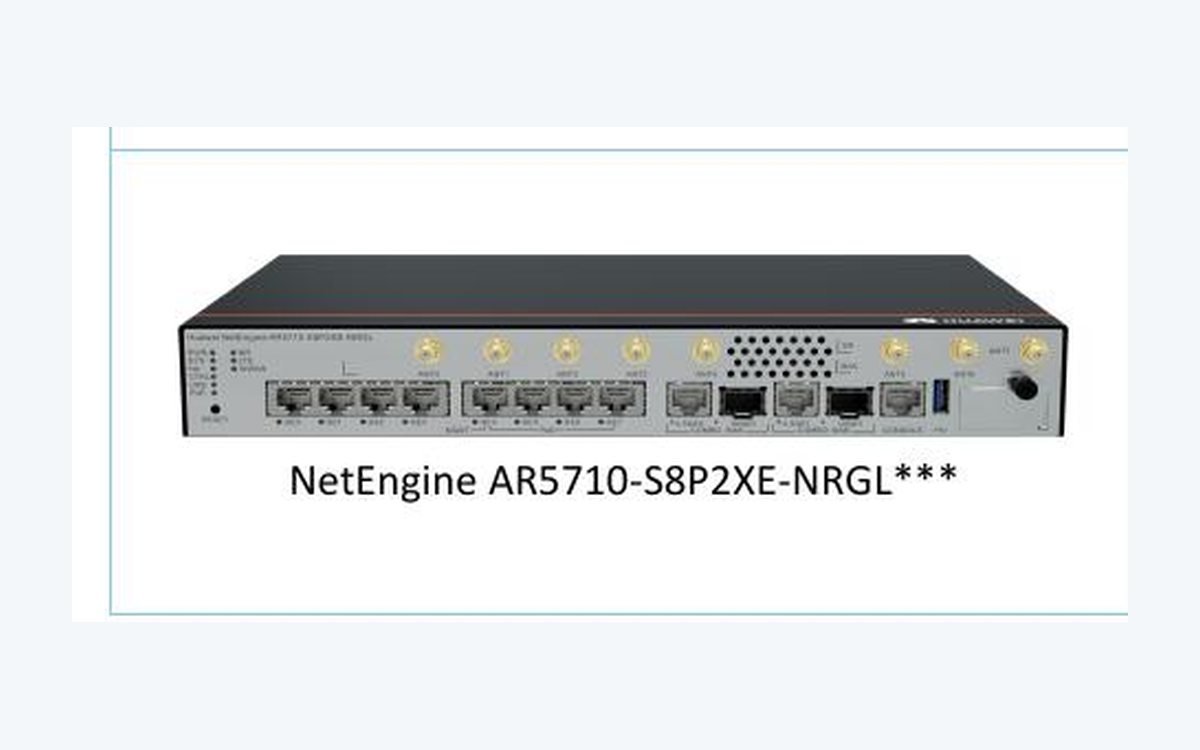
NetEngine AR5710-S8P2XE-NRGL NetEngine AR / HUAWEI eKit The catalog can be found on the official website AR5710-S8P2XE-NRGL
Type/Region Built-in 5G and PoE branchEnterprise routing or multi-service gateway; interface, software version, license, management platform and BOM need to be confirmed one by one.
NetEngine AR5710-S8T1XWE-NRGL NetEngine AR / HUAWEI eKit The catalog can be found on the official website AR5710-S8T1XWE-NRGL
Type/Region Built-in 5G and wireless branchEnterprise routing or multi-service gateway; interface, software version, license, management platform and BOM need to be confirmed one by one.
NetEngine AR5710-H2T4N2X-NRGL NetEngine AR / HUAWEI eKit The catalog can be found on the official website AR5710-H2T4N2X-NRGL
Type/Region Medium 5G BranchEnterprise routing or multi-service gateway; interface, software version, license, management platform and BOM need to be confirmed one by one.
NetEngine AR5710-H2T4PN2X-NRGL NetEngine AR / HUAWEI eKit The catalog can be found on the official website AR5710-H2T4PN2X-NRGL
Type/Region Mid-range 5G with PoE breakoutEnterprise routing or multi-service gateway; interface, software version, license, management platform and BOM need to be confirmed one by one.
NetEngine AR5710I-RU-NRGL NetEngine AR / HUAWEI eKit The catalog can be found on the official website AR5710I-RU-NRGL
Type/Region Outdoor Industrial 5G Routing UnitEnterprise routing or multi-service gateway; interface, software version, license, management platform and BOM need to be confirmed one by one.
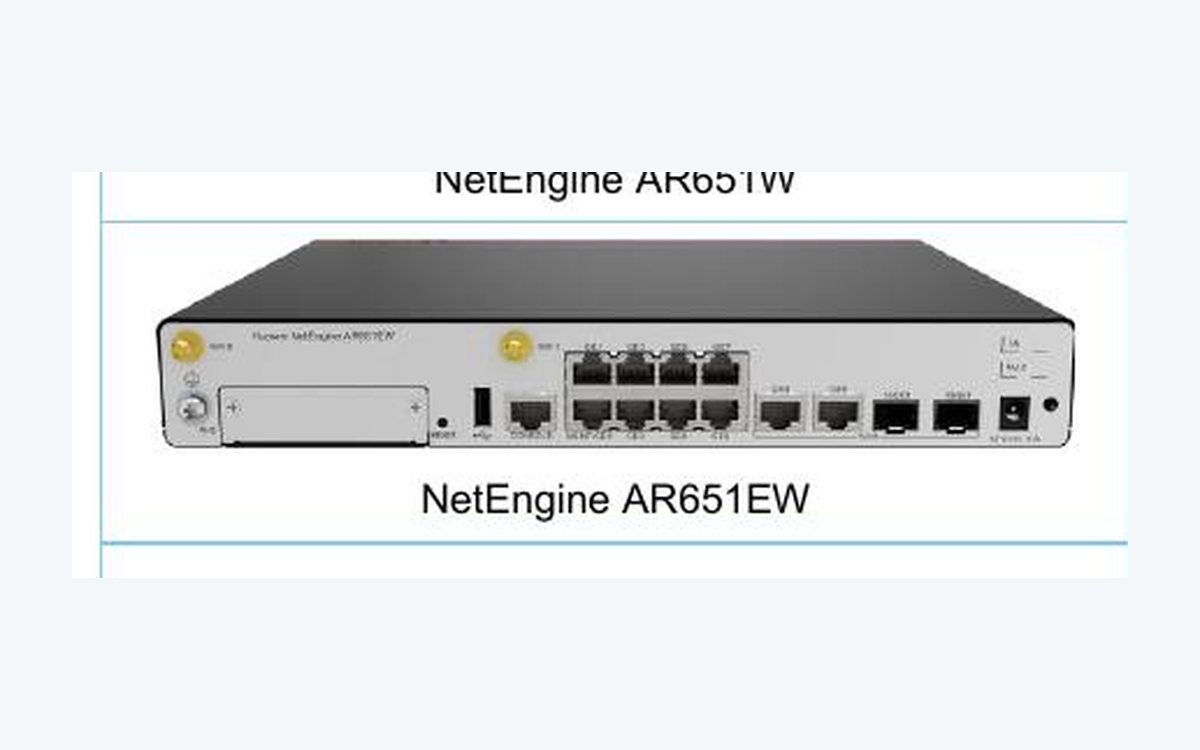
NetEngine AR651EW NetEngine AR / HUAWEI eKit The catalog can be found on the official website AR651EW
Type/Region Wi-Fi 6 enterprise branch gatewayEnterprise routing or multi-service gateway; interface, software version, license, management platform and BOM need to be confirmed one by one.
NetEngine AR6700V NetEngine AR / HUAWEI eKit The catalog can be found on the official website AR6700V
Type/Region Cloud native virtual gatewayEnterprise routing or multi-service gateway; interface, software version, license, management platform and BOM need to be confirmed one by one.
NetEngine AR6700V-L NetEngine AR / HUAWEI eKit The catalog can be found on the official website AR6700V-L
Type/Region Lightweight cloud-native virtual routerEnterprise routing or multi-service gateway; interface, software version, license, management platform and BOM need to be confirmed one by one.
NetEngine AR1000V NetEngine AR / HUAWEI eKit The catalog can be found on the official website AR1000V
Type/Region Virtual Enterprise RouterEnterprise routing or multi-service gateway; interface, software version, license, management platform and BOM need to be confirmed one by one.
AR502H-V2 NetEngine AR / HUAWEI eKit The catalog can be found on the official website AR502H-V2
Type/Region Industrial edge computing gatewayEnterprise routing or multi-service gateway; interface, software version, license, management platform and BOM need to be confirmed one by one.
NetEngine AR5710-S8T2S NetEngine AR5700 / AR6700 / AR8000 life cycle table Current/Unplanned EOM AR5710-S8T2S
Type/Region Small and Medium Enterprise BranchThe accurate enterprise routers listed in Huawei’s official life cycle table; specific EOM/EOS milestones are subject to this table and subsequent announcements.
NetEngine AR5710-S8T2X NetEngine AR5700 / AR6700 / AR8000 life cycle table Current/Unplanned EOM AR5710-S8T2X
Type/Region Multi-Gigabit Enterprise BranchThe accurate enterprise routers listed in Huawei’s official life cycle table; specific EOM/EOS milestones are subject to this table and subsequent announcements.
NetEngine AR5710-S8P2X NetEngine AR5700 / AR6700 / AR8000 life cycle table Current/Unplanned EOM AR5710-S8P2X
Type/Region PoE Enterprise BranchThe accurate enterprise routers listed in Huawei’s official life cycle table; specific EOM/EOS milestones are subject to this table and subsequent announcements.
NetEngine AR5710-S8P2X-LTE4CN NetEngine AR5700 / AR6700 / AR8000 life cycle table Current/Unplanned EOM AR5710-S8P2X-LTE4CN
Type/Region China LTE4 and PoE branchThe accurate enterprise routers listed in Huawei’s official life cycle table; specific EOM/EOS milestones are subject to this table and subsequent announcements.
NetEngine AR5710-S10T1X2 NetEngine AR5700 / AR6700 / AR8000 life cycle table Current/Unplanned EOM AR5710-S10T1X2
Type/Region Multi-port enterprise branchThe accurate enterprise routers listed in Huawei’s official life cycle table; specific EOM/EOS milestones are subject to this table and subsequent announcements.
NetEngine AR5710-S8T2XE NetEngine AR5700 / AR6700 / AR8000 life cycle table Current/Unplanned EOM AR5710-S8T2XE
Type/Region Enhanced Enterprise BranchThe accurate enterprise routers listed in Huawei’s official life cycle table; specific EOM/EOS milestones are subject to this table and subsequent announcements.
NetEngine AR5710-S8T2XE-LTE4CN NetEngine AR5700 / AR6700 / AR8000 life cycle table Current/Unplanned EOM AR5710-S8T2XE-LTE4CN
Type/Region China LTE4 Enterprise BranchThe accurate enterprise routers listed in Huawei’s official life cycle table; specific EOM/EOS milestones are subject to this table and subsequent announcements.
NetEngine AR5710-S28T2S2XE4 NetEngine AR5700 / AR6700 / AR8000 life cycle table Current/Unplanned EOM AR5710-S28T2S2XE4
Type/Region High-density port enterprise branchThe accurate enterprise routers listed in Huawei’s official life cycle table; specific EOM/EOS milestones are subject to this table and subsequent announcements.
NetEngine AR5710-S52T2XE4 NetEngine AR5700 / AR6700 / AR8000 life cycle table Current/Unplanned EOM AR5710-S52T2XE4
Type/Region High-density port enterprise branchThe accurate enterprise routers listed in Huawei’s official life cycle table; specific EOM/EOS milestones are subject to this table and subsequent announcements.
NetEngine AR5710-S8T2XE-NRCN NetEngine AR5700 / AR6700 / AR8000 life cycle table Current/Unplanned EOM AR5710-S8T2XE-NRCN
Type/Region China 5G Enterprise BranchThe accurate enterprise routers listed in Huawei’s official life cycle table; specific EOM/EOS milestones are subject to this table and subsequent announcements.
NetEngine AR5710-S8T1XWE NetEngine AR5700 / AR6700 / AR8000 life cycle table Current/Unplanned EOM AR5710-S8T1XWE
Type/Region Wireless Enterprise BranchThe accurate enterprise routers listed in Huawei’s official life cycle table; specific EOM/EOS milestones are subject to this table and subsequent announcements.
NetEngine AR5710-S8T1XWE-LTE4CN NetEngine AR5700 / AR6700 / AR8000 life cycle table Current/Unplanned EOM AR5710-S8T1XWE-LTE4CN
Type/Region China LTE4 Wireless BranchThe accurate enterprise routers listed in Huawei’s official life cycle table; specific EOM/EOS milestones are subject to this table and subsequent announcements.
NetEngine AR5710-H8T2TS1 NetEngine AR5700 / AR6700 / AR8000 life cycle table Current/Unplanned EOM AR5710-H8T2TS1
Type/Region Medium-sized enterprise headquarters and branchesThe accurate enterprise routers listed in Huawei’s official life cycle table; specific EOM/EOS milestones are subject to this table and subsequent announcements.
NetEngine AR5710-H4T4N2X NetEngine AR5700 / AR6700 / AR8000 life cycle table Current/Unplanned EOM AR5710-H4T4N2X
Type/Region Medium-sized multi-service enterprise branchThe accurate enterprise routers listed in Huawei’s official life cycle table; specific EOM/EOS milestones are subject to this table and subsequent announcements.
NetEngine AR6710-H4T4X2Y7 NetEngine AR5700 / AR6700 / AR8000 life cycle table Current/Unplanned EOM AR6710-H4T4X2Y7
Type/Region Large enterprise branches and headquartersThe accurate enterprise routers listed in Huawei’s official life cycle table; specific EOM/EOS milestones are subject to this table and subsequent announcements.
NetEngine AR6710-L8T3TS1X2 NetEngine AR5700 / AR6700 / AR8000 life cycle table Current/Unplanned EOM AR6710-L8T3TS1X2
Type/Region Large enterprise branchThe accurate enterprise routers listed in Huawei’s official life cycle table; specific EOM/EOS milestones are subject to this table and subsequent announcements.
NetEngine AR6710-L14T2X4 NetEngine AR5700 / AR6700 / AR8000 life cycle table Current/Unplanned EOM AR6710-L14T2X4
Type/Region High-density enterprise branchThe accurate enterprise routers listed in Huawei’s official life cycle table; specific EOM/EOS milestones are subject to this table and subsequent announcements.
NetEngine AR6710-L26T2X4 NetEngine AR5700 / AR6700 / AR8000 life cycle table Current/Unplanned EOM AR6710-L26T2X4
Type/Region High-density enterprise branchThe accurate enterprise routers listed in Huawei’s official life cycle table; specific EOM/EOS milestones are subject to this table and subsequent announcements.
NetEngine AR6710-L50T2X4 NetEngine AR5700 / AR6700 / AR8000 life cycle table Current/Unplanned EOM AR6710-L50T2X4
Type/Region High-density enterprise branchThe accurate enterprise routers listed in Huawei’s official life cycle table; specific EOM/EOS milestones are subject to this table and subsequent announcements.
NetEngine AR8140-12G10XG NetEngine AR5700 / AR6700 / AR8000 life cycle table Current/Unplanned EOM AR8140-12G10XG
Type/Region Large campus and headquarters exitThe accurate enterprise routers listed in Huawei’s official life cycle table; specific EOM/EOS milestones are subject to this table and subsequent announcements.
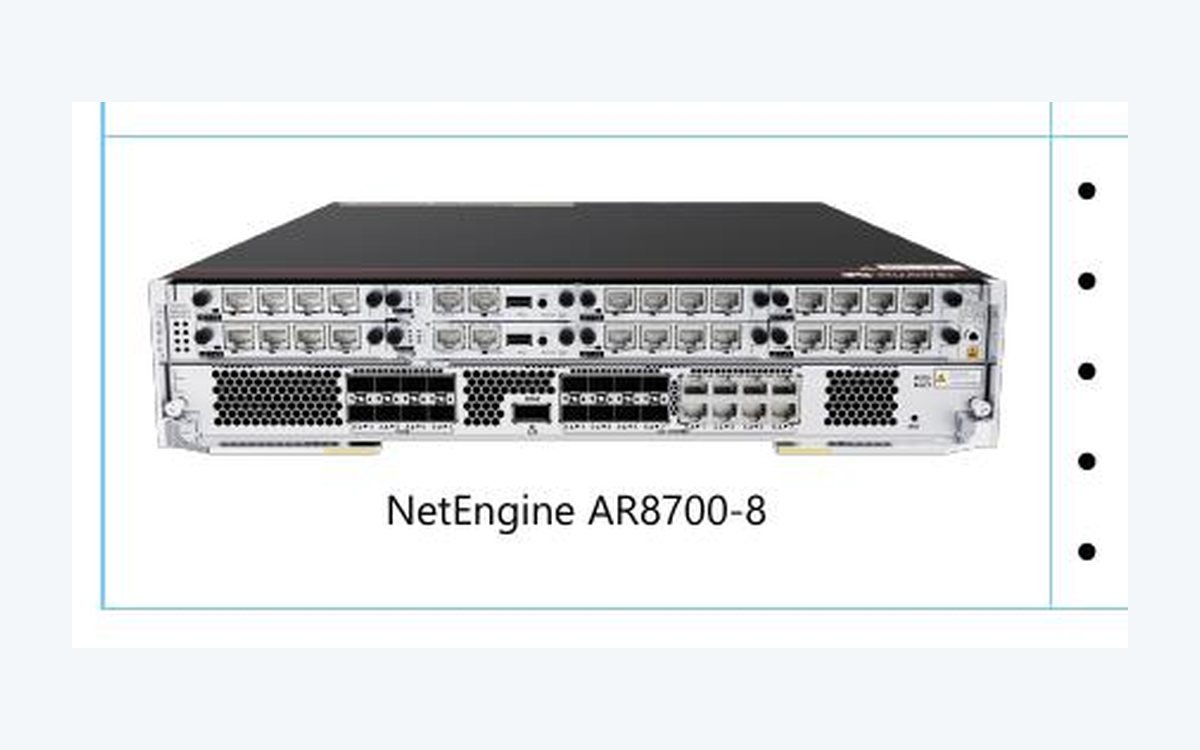
NetEngine AR8700-8 NetEngine AR5700 / AR6700 / AR8000 life cycle table Current/Unplanned EOM AR8700-8
Type/Region Large headquarters and branch chassisThe accurate enterprise routers listed in Huawei’s official life cycle table; specific EOM/EOS milestones are subject to this table and subsequent announcements.
Huawei AR109 AR100 / AR150 / AR160 / AR200 / AR550 Historical Hardware History / Hard to find AR109
Type/Region History small branchOlder enterprise routing hardware is itemized in Huawei maintenance documents; the life cycle, modules, and software must be verified based on the complete model.
Huawei AR109W AR100 / AR150 / AR160 / AR200 / AR550 Historical Hardware History / Hard to find AR109W
Type/Region History Wireless Small BranchOlder enterprise routing hardware is itemized in Huawei maintenance documents; the life cycle, modules, and software must be verified based on the complete model.
Huawei AR109GW-L AR100 / AR150 / AR160 / AR200 / AR550 Historical Hardware History / Hard to find AR109GW-L
Type/Region History Cellular Wireless BranchOlder enterprise routing hardware is itemized in Huawei maintenance documents; the life cycle, modules, and software must be verified based on the complete model.
Huawei AR121 AR100 / AR150 / AR160 / AR200 / AR550 Historical Hardware History / Hard to find AR121
Type/Region History small branchOlder enterprise routing hardware is itemized in Huawei maintenance documents; the life cycle, modules, and software must be verified based on the complete model.
Huawei AR129 AR100 / AR150 / AR160 / AR200 / AR550 Historical Hardware History / Hard to find AR129
Type/Region History small branchOlder enterprise routing hardware is itemized in Huawei maintenance documents; the life cycle, modules, and software must be verified based on the complete model.
Huawei AR121W AR100 / AR150 / AR160 / AR200 / AR550 Historical Hardware History / Hard to find AR121W
Type/Region History Wireless Small BranchOlder enterprise routing hardware is itemized in Huawei maintenance documents; the life cycle, modules, and software must be verified based on the complete model.
Huawei AR129CV AR100 / AR150 / AR160 / AR200 / AR550 Historical Hardware History / Hard to find AR129CV
Type/Region History Cellular Voice BranchOlder enterprise routing hardware is itemized in Huawei maintenance documents; the life cycle, modules, and software must be verified based on the complete model.
Huawei AR129CVW AR100 / AR150 / AR160 / AR200 / AR550 Historical Hardware History / Hard to find AR129CVW
Type/Region History Cellular Voice Wireless BranchOlder enterprise routing hardware is itemized in Huawei maintenance documents; the life cycle, modules, and software must be verified based on the complete model.
Huawei AR121GW-L AR100 / AR150 / AR160 / AR200 / AR550 Historical Hardware History / Hard to find AR121GW-L
Type/Region History Cellular Wireless BranchOlder enterprise routing hardware is itemized in Huawei maintenance documents; the life cycle, modules, and software must be verified based on the complete model.
Huawei AR129GW-L AR100 / AR150 / AR160 / AR200 / AR550 Historical Hardware History / Hard to find AR129GW-L
Type/Region History Cellular Wireless BranchOlder enterprise routing hardware is itemized in Huawei maintenance documents; the life cycle, modules, and software must be verified based on the complete model.
Huawei AR129CGVW-L AR100 / AR150 / AR160 / AR200 / AR550 Historical Hardware History / Hard to find AR129CGVW-L
Type/Region History Cellular Voice Wireless BranchOlder enterprise routing hardware is itemized in Huawei maintenance documents; the life cycle, modules, and software must be verified based on the complete model.
Huawei AR151 AR100 / AR150 / AR160 / AR200 / AR550 Historical Hardware History / Hard to find AR151
Type/Region History small branchOlder enterprise routing hardware is itemized in Huawei maintenance documents; the life cycle, modules, and software must be verified based on the complete model.
Huawei AR157 AR100 / AR150 / AR160 / AR200 / AR550 Historical Hardware History / Hard to find AR157
Type/Region History small branchOlder enterprise routing hardware is itemized in Huawei maintenance documents; the life cycle, modules, and software must be verified based on the complete model.
Huawei AR157G-HSPA+7 AR100 / AR150 / AR160 / AR200 / AR550 Historical Hardware History / Hard to find AR157G-HSPA+7
Type/Region History HSPA+ BranchOlder enterprise routing hardware is itemized in Huawei maintenance documents; the life cycle, modules, and software must be verified based on the complete model.
Huawei AR156 AR100 / AR150 / AR160 / AR200 / AR550 Historical Hardware History / Hard to find AR156
Type/Region History small branchOlder enterprise routing hardware is itemized in Huawei maintenance documents; the life cycle, modules, and software must be verified based on the complete model.
Huawei AR158E AR100 / AR150 / AR160 / AR200 / AR550 Historical Hardware History / Hard to find AR158E
Type/Region Historical enhanced branchOlder enterprise routing hardware is itemized in Huawei maintenance documents; the life cycle, modules, and software must be verified based on the complete model.
Huawei AR158EVW AR100 / AR150 / AR160 / AR200 / AR550 Historical Hardware History / Hard to find AR158EVW
Type/Region History Voice Wireless BranchOlder enterprise routing hardware is itemized in Huawei maintenance documents; the life cycle, modules, and software must be verified based on the complete model.
Huawei AR151W-P AR100 / AR150 / AR160 / AR200 / AR550 Historical Hardware History / Hard to find AR151W-P
Type/Region History Wireless BranchOlder enterprise routing hardware is itemized in Huawei maintenance documents; the life cycle, modules, and software must be verified based on the complete model.
Huawei AR151G-HSPA+7 AR100 / AR150 / AR160 / AR200 / AR550 Historical Hardware History / Hard to find AR151G-HSPA+7
Type/Region History HSPA+ BranchOlder enterprise routing hardware is itemized in Huawei maintenance documents; the life cycle, modules, and software must be verified based on the complete model.
Huawei AR157W AR100 / AR150 / AR160 / AR200 / AR550 Historical Hardware History / Hard to find AR157W
Type/Region History Wireless BranchOlder enterprise routing hardware is itemized in Huawei maintenance documents; the life cycle, modules, and software must be verified based on the complete model.
Huawei AR157VW AR100 / AR150 / AR160 / AR200 / AR550 Historical Hardware History / Hard to find AR157VW
Type/Region History Voice Wireless BranchOlder enterprise routing hardware is itemized in Huawei maintenance documents; the life cycle, modules, and software must be verified based on the complete model.
Huawei AR151G-C AR100 / AR150 / AR160 / AR200 / AR550 Historical Hardware History / Hard to find AR151G-C
Type/Region History Cellular BranchOlder enterprise routing hardware is itemized in Huawei maintenance documents; the life cycle, modules, and software must be verified based on the complete model.
Huawei AR156W AR100 / AR150 / AR160 / AR200 / AR550 Historical Hardware History / Hard to find AR156W
Type/Region History Wireless BranchOlder enterprise routing hardware is itemized in Huawei maintenance documents; the life cycle, modules, and software must be verified based on the complete model.
Huawei AR161EW-M1 AR100 / AR150 / AR160 / AR200 / AR550 Historical Hardware History / Hard to find AR161EW-M1
Type/Region History Wireless BranchOlder enterprise routing hardware is itemized in Huawei maintenance documents; the life cycle, modules, and software must be verified based on the complete model.
Huawei AR161F-DGP AR100 / AR150 / AR160 / AR200 / AR550 Historical Hardware History / Hard to find AR161F-DGP
Type/Region History dedicated branchOlder enterprise routing hardware is itemized in Huawei maintenance documents; the life cycle, modules, and software must be verified based on the complete model.
Huawei AR161FG-L AR100 / AR150 / AR160 / AR200 / AR550 Historical Hardware History / Hard to find AR161FG-L
Type/Region History Cellular BranchOlder enterprise routing hardware is itemized in Huawei maintenance documents; the life cycle, modules, and software must be verified based on the complete model.
Huawei AR161FG-Lc AR100 / AR150 / AR160 / AR200 / AR550 Historical Hardware History / Hard to find AR161FG-Lc
Type/Region History Cellular BranchOlder enterprise routing hardware is itemized in Huawei maintenance documents; the life cycle, modules, and software must be verified based on the complete model.
Huawei AR161FGW-La AR100 / AR150 / AR160 / AR200 / AR550 Historical Hardware History / Hard to find AR161FGW-La
Type/Region History Cellular Wireless BranchOlder enterprise routing hardware is itemized in Huawei maintenance documents; the life cycle, modules, and software must be verified based on the complete model.
Huawei AR161FGW-Lc AR100 / AR150 / AR160 / AR200 / AR550 Historical Hardware History / Hard to find AR161FGW-Lc
Type/Region History Cellular Wireless BranchOlder enterprise routing hardware is itemized in Huawei maintenance documents; the life cycle, modules, and software must be verified based on the complete model.
Huawei AR161FV-1P AR100 / AR150 / AR160 / AR200 / AR550 Historical Hardware History / Hard to find AR161FV-1P
Type/Region History voice branchOlder enterprise routing hardware is itemized in Huawei maintenance documents; the life cycle, modules, and software must be verified based on the complete model.
Huawei AR161FW-P-M5 AR100 / AR150 / AR160 / AR200 / AR550 Historical Hardware History / Hard to find AR161FW-P-M5
Type/Region History Wireless BranchOlder enterprise routing hardware is itemized in Huawei maintenance documents; the life cycle, modules, and software must be verified based on the complete model.
Huawei AR161G-L AR100 / AR150 / AR160 / AR200 / AR550 Historical Hardware History / Hard to find AR161G-L
Type/Region History Cellular BranchOlder enterprise routing hardware is itemized in Huawei maintenance documents; the life cycle, modules, and software must be verified based on the complete model.
Huawei AR161G-U AR100 / AR150 / AR160 / AR200 / AR550 Historical Hardware History / Hard to find AR161G-U
Type/Region History Cellular BranchOlder enterprise routing hardware is itemized in Huawei maintenance documents; the life cycle, modules, and software must be verified based on the complete model.
Huawei AR162F AR100 / AR150 / AR160 / AR200 / AR550 Historical Hardware History / Hard to find AR162F
Type/Region History small branchOlder enterprise routing hardware is itemized in Huawei maintenance documents; the life cycle, modules, and software must be verified based on the complete model.
Huawei AR168F-4P AR100 / AR150 / AR160 / AR200 / AR550 Historical Hardware History / Hard to find AR168F-4P
Type/Region History four-port branchOlder enterprise routing hardware is itemized in Huawei maintenance documents; the life cycle, modules, and software must be verified based on the complete model.
Huawei AR169 AR100 / AR150 / AR160 / AR200 / AR550 Historical Hardware History / Hard to find AR169
Type/Region Historical enterprise branchOlder enterprise routing hardware is itemized in Huawei maintenance documents; the life cycle, modules, and software must be verified based on the complete model.
Huawei AR169CVW AR100 / AR150 / AR160 / AR200 / AR550 Historical Hardware History / Hard to find AR169CVW
Type/Region History Cellular Voice Wireless BranchOlder enterprise routing hardware is itemized in Huawei maintenance documents; the life cycle, modules, and software must be verified based on the complete model.
Huawei AR169CVW-4B4S AR100 / AR150 / AR160 / AR200 / AR550 Historical Hardware History / Hard to find AR169CVW-4B4S
Type/Region Historical regional branchesOlder enterprise routing hardware is itemized in Huawei maintenance documents; the life cycle, modules, and software must be verified based on the complete model.
Huawei AR169BF AR100 / AR150 / AR160 / AR200 / AR550 Historical Hardware History / Hard to find AR169BF
Type/Region History Enterprise BranchOlder enterprise routing hardware is itemized in Huawei maintenance documents; the life cycle, modules, and software must be verified based on the complete model.
Huawei AR169FVW-8S AR100 / AR150 / AR160 / AR200 / AR550 Historical Hardware History / Hard to find AR169FVW-8S
Type/Region History Voice Wireless BranchOlder enterprise routing hardware is itemized in Huawei maintenance documents; the life cycle, modules, and software must be verified based on the complete model.
Huawei AR169FGVW-L AR100 / AR150 / AR160 / AR200 / AR550 Historical Hardware History / Hard to find AR169FGVW-L
Type/Region History Cellular Voice Wireless BranchOlder enterprise routing hardware is itemized in Huawei maintenance documents; the life cycle, modules, and software must be verified based on the complete model.
Huawei AR169G-L AR100 / AR150 / AR160 / AR200 / AR550 Historical Hardware History / Hard to find AR169G-L
Type/Region History Cellular BranchOlder enterprise routing hardware is itemized in Huawei maintenance documents; the life cycle, modules, and software must be verified based on the complete model.
Huawei AR169-P-M9 AR100 / AR150 / AR160 / AR200 / AR550 Historical Hardware History / Hard to find AR169-P-M9
Type/Region Historical regional branchesOlder enterprise routing hardware is itemized in Huawei maintenance documents; the life cycle, modules, and software must be verified based on the complete model.
Huawei AR169W-P-M9 AR100 / AR150 / AR160 / AR200 / AR550 Historical Hardware History / Hard to find AR169W-P-M9
Type/Region Historical wireless regional branchOlder enterprise routing hardware is itemized in Huawei maintenance documents; the life cycle, modules, and software must be verified based on the complete model.
Huawei AR169RW-P-M9 AR100 / AR150 / AR160 / AR200 / AR550 Historical Hardware History / Hard to find AR169RW-P-M9
Type/Region Historical wireless regional branchOlder enterprise routing hardware is itemized in Huawei maintenance documents; the life cycle, modules, and software must be verified based on the complete model.
Huawei AR201 AR100 / AR150 / AR160 / AR200 / AR550 Historical Hardware History / Hard to find AR201
Type/Region History small branchOlder enterprise routing hardware is itemized in Huawei maintenance documents; the life cycle, modules, and software must be verified based on the complete model.
Huawei AR206 AR100 / AR150 / AR160 / AR200 / AR550 Historical Hardware History / Hard to find AR206
Type/Region History small branchOlder enterprise routing hardware is itemized in Huawei maintenance documents; the life cycle, modules, and software must be verified based on the complete model.
Huawei AR207 AR100 / AR150 / AR160 / AR200 / AR550 Historical Hardware History / Hard to find AR207
Type/Region History small branchOlder enterprise routing hardware is itemized in Huawei maintenance documents; the life cycle, modules, and software must be verified based on the complete model.
Huawei AR207V AR100 / AR150 / AR160 / AR200 / AR550 Historical Hardware History / Hard to find AR207V
Type/Region History Voice BranchOlder enterprise routing hardware is itemized in Huawei maintenance documents; the life cycle, modules, and software must be verified based on the complete model.
Huawei AR207V-P AR100 / AR150 / AR160 / AR200 / AR550 Historical Hardware History / Hard to find AR207V-P
Type/Region History voice branchOlder enterprise routing hardware is itemized in Huawei maintenance documents; the life cycle, modules, and software must be verified based on the complete model.
Huawei AR208E AR100 / AR150 / AR160 / AR200 / AR550 Historical Hardware History / Hard to find AR208E
Type/Region Historical enhanced branchOlder enterprise routing hardware is itemized in Huawei maintenance documents; the life cycle, modules, and software must be verified based on the complete model.
Huawei AR207G-HSPA+7 AR100 / AR150 / AR160 / AR200 / AR550 Historical Hardware History / Hard to find AR207G-HSPA+7
Type/Region History HSPA+ BranchOlder enterprise routing hardware is itemized in Huawei maintenance documents; the life cycle, modules, and software must be verified based on the complete model.
Huawei AR201VW-P AR100 / AR150 / AR160 / AR200 / AR550 Historical Hardware History / Hard to find AR201VW-P
Type/Region History Voice Wireless BranchOlder enterprise routing hardware is itemized in Huawei maintenance documents; the life cycle, modules, and software must be verified based on the complete model.
Huawei AR207VW AR100 / AR150 / AR160 / AR200 / AR550 Historical Hardware History / Hard to find AR207VW
Type/Region History Voice Wireless BranchOlder enterprise routing hardware is itemized in Huawei maintenance documents; the life cycle, modules, and software must be verified based on the complete model.
Huawei AR550-8FE-D-H AR100 / AR150 / AR160 / AR200 / AR550 Historical Hardware History / Hard to find AR550-8FE-D-H
Type/Region Historical industrial routerOlder enterprise routing hardware is itemized in Huawei maintenance documents; the life cycle, modules, and software must be verified based on the complete model.
Huawei AR550-24FE-D-H AR100 / AR150 / AR160 / AR200 / AR550 Historical Hardware History / Hard to find AR550-24FE-D-H
Type/Region Historical industrial routerOlder enterprise routing hardware is itemized in Huawei maintenance documents; the life cycle, modules, and software must be verified based on the complete model.
Huawei AR550C-4GE AR100 / AR150 / AR160 / AR200 / AR550 Historical Hardware History / Hard to find AR550C-4GE
Type/Region Historical industrial routerOlder enterprise routing hardware is itemized in Huawei maintenance documents; the life cycle, modules, and software must be verified based on the complete model.
Huawei AR550C-2C6GE AR100 / AR150 / AR160 / AR200 / AR550 Historical Hardware History / Hard to find AR550C-2C6GE
Type/Region Historical industrial routerOlder enterprise routing hardware is itemized in Huawei maintenance documents; the life cycle, modules, and software must be verified based on the complete model.
Huawei AR550C-2C6GE-2D AR100 / AR150 / AR160 / AR200 / AR550 Historical Hardware History / Hard to find AR550C-2C6GE-2D
Type/Region Historical industrial routerOlder enterprise routing hardware is itemized in Huawei maintenance documents; the life cycle, modules, and software must be verified based on the complete model.
Huawei AR111EC AR100 / AR150 / AR160 / AR200 / AR550 Historical Hardware History / Hard to find AR111EC
Type/Region History AREC Access RouterOlder enterprise routing hardware is itemized in Huawei maintenance documents; the life cycle, modules, and software must be verified based on the complete model.
Huawei AR161EC AR100 / AR150 / AR160 / AR200 / AR550 Historical Hardware History / Hard to find AR161EC
Type/Region History AREC Access RouterOlder enterprise routing hardware is itemized in Huawei maintenance documents; the life cycle, modules, and software must be verified based on the complete model.
Huawei AR1220-AC AR1200 Historical Hardware History / Hard to find AR1220-AC
Type/Region History AR1200 Enterprise BranchThe model number can be found in Huawei AR1200 historical product documentation; the exact interfaces, modules, software and life cycle need to be verified.
Huawei AR1220-8GE AR1200 Historical Hardware History / Hard to find AR1220-8GE
Type/Region History AR1200 Enterprise BranchThe model number can be found in Huawei AR1200 historical product documentation; the exact interfaces, modules, software and life cycle need to be verified.
Huawei AR1220EV AR1200 Historical Hardware History / Hard to find AR1220EV
Type/Region History Voice Enterprise BranchThe model number can be found in Huawei AR1200 historical product documentation; the exact interfaces, modules, software and life cycle need to be verified.
Huawei AR1220F AR1200 Historical Hardware History / Hard to find AR1220F
Type/Region History Enterprise BranchThe model number can be found in Huawei AR1200 historical product documentation; the exact interfaces, modules, software and life cycle need to be verified.
Huawei AR1220EC AR1200 Historical Hardware History / Hard to find AR1220EC
Type/Region History Enterprise BranchThe model number can be found in Huawei AR1200 historical product documentation; the exact interfaces, modules, software and life cycle need to be verified.
Huawei AR1220-S AR1200-S / AR2200-S / AR3200-S Historical Hardware History / Hard to find AR1220-S
Type/Region Historical standard enterprise branchOlder enterprise routers clearly listed in Huawei S series hardware installation and maintenance documents; software and life cycle need to be verified item by item.
Huawei AR1220E-S AR1200-S / AR2200-S / AR3200-S Historical Hardware History / Hard to find AR1220E-S
Type/Region Historical standard enterprise branchOlder enterprise routers clearly listed in Huawei S series hardware installation and maintenance documents; software and life cycle need to be verified item by item.
Huawei AR2201-48FE-S AR1200-S / AR2200-S / AR3200-S Historical Hardware History / Hard to find AR2201-48FE-S
Type/Region Historical high-density FE branchOlder enterprise routers clearly listed in Huawei S series hardware installation and maintenance documents; software and life cycle need to be verified item by item.
Huawei AR2204-S AR1200-S / AR2200-S / AR3200-S Historical Hardware History / Hard to find AR2204-S
Type/Region Historical standard enterprise branchOlder enterprise routers clearly listed in Huawei S series hardware installation and maintenance documents; software and life cycle need to be verified item by item.
Huawei AR2204-27GE-S AR1200-S / AR2200-S / AR3200-S Historical Hardware History / Hard to find AR2204-27GE-S
Type/Region Multiple history GE enterprise branchOlder enterprise routers clearly listed in Huawei S series hardware installation and maintenance documents; software and life cycle need to be verified item by item.
Huawei AR2220E-S AR1200-S / AR2200-S / AR3200-S Historical Hardware History / Hard to find AR2220E-S
Type/Region Historical standard medium-sized branchOlder enterprise routers clearly listed in Huawei S series hardware installation and maintenance documents; software and life cycle need to be verified item by item.
Huawei AR2220-S AR1200-S / AR2200-S / AR3200-S Historical Hardware History / Hard to find AR2220-S
Type/Region Historical standard medium-sized branchOlder enterprise routers clearly listed in Huawei S series hardware installation and maintenance documents; software and life cycle need to be verified item by item.
Huawei AR2240-S AR1200-S / AR2200-S / AR3200-S Historical Hardware History / Hard to find AR2240-S
Type/Region Historical standard large branchOlder enterprise routers clearly listed in Huawei S series hardware installation and maintenance documents; software and life cycle need to be verified item by item.
Huawei AR2240C-S AR1200-S / AR2200-S / AR3200-S Historical Hardware History / Hard to find AR2240C-S
Type/Region Historical standard compact branchOlder enterprise routers clearly listed in Huawei S series hardware installation and maintenance documents; software and life cycle need to be verified item by item.
Huawei AR3260E-S AR1200-S / AR2200-S / AR3200-S Historical Hardware History / Hard to find AR3260E-S
Type/Region Historical standard large branchOlder enterprise routers clearly listed in Huawei S series hardware installation and maintenance documents; software and life cycle need to be verified item by item.
Huawei AR3260-S AR1200-S / AR2200-S / AR3200-S Historical Hardware History / Hard to find AR3260-S
Type/Region Historical standard large branchOlder enterprise routers clearly listed in Huawei S series hardware installation and maintenance documents; software and life cycle need to be verified item by item.
Huawei AR611 AR600 V300 History Gateway History / Hard to find AR611
Type/Region History small business gatewayHuawei V300 corporate documents clearly list the AR600 gateway; wireless, LTE, software and life cycle need to be verified based on the complete model.
Huawei AR611-S AR600 V300 History Gateway History / Hard to find AR611-S
Type/Region Historical standard enterprise gatewayHuawei V300 corporate documents clearly list the AR600 gateway; wireless, LTE, software and life cycle need to be verified based on the complete model.
Huawei AR611E-S AR600 V300 History Gateway History / Hard to find AR611E-S
Type/Region History enhanced enterprise gatewayHuawei V300 corporate documents clearly list the AR600 gateway; wireless, LTE, software and life cycle need to be verified based on the complete model.
Huawei AR611-LTE4EA AR600 V300 History Gateway History / Hard to find AR611-LTE4EA
Type/Region Europe/Asia LTE4 GatewayHuawei V300 corporate documents clearly list the AR600 gateway; wireless, LTE, software and life cycle need to be verified based on the complete model.
Huawei AR611W-S AR600 V300 History Gateway History / Hard to find AR611W-S
Type/Region History Wireless Enterprise GatewayHuawei V300 corporate documents clearly list the AR600 gateway; wireless, LTE, software and life cycle need to be verified based on the complete model.
Huawei AR617 AR600 V300 History Gateway History / Hard to find AR617
Type/Region History Enterprise GatewayHuawei V300 corporate documents clearly list the AR600 gateway; wireless, LTE, software and life cycle need to be verified based on the complete model.
Huawei AR617-LTE4EA AR600 V300 History Gateway History / Hard to find AR617-LTE4EA
Type/Region Europe/Asia LTE4 GatewayHuawei V300 corporate documents clearly list the AR600 gateway; wireless, LTE, software and life cycle need to be verified based on the complete model.
Huawei AR6280-S AR6200-S / AR6300-S V300 Historical Hardware History / Hard to find AR6280-S
Type/Region Historical standard enterprise branchThe S model of Huawei V300 hardware compatibility table can be checked; the accurate BOM, version, module and life cycle need to be verified one by one.
Huawei AR6300-S AR6200-S / AR6300-S V300 Historical Hardware History / Hard to find AR6300-S
Type/Region Historical standard large branchThe S model of Huawei V300 hardware compatibility table can be checked; the accurate BOM, version, module and life cycle need to be verified one by one.
Huawei AR6140-9G-2AC AR600 / AR6100 official EOM model Official EOM Announcement AR6140-9G-2AC
Type/Region Enterprise Network; Official EOM Announcement ListingEnterprise routers clearly listed in the Huawei EOM announcement; further verification is required for the full version, EOS date, and spare parts range.
Huawei AR651C AR600 / AR6100 official EOM model Official EOM Announcement AR651C
Type/Region Enterprise Network; Official EOM Announcement ListingEnterprise routers clearly listed in the Huawei EOM announcement; further verification is required for the full version, EOS date, and spare parts range.
Huawei AR6120 AR600 / AR6100 official EOM model Official EOM Announcement AR6120
Type/Region Enterprise Network; Official EOM Announcement ListingEnterprise routers clearly listed in the Huawei EOM announcement; further verification is required for the full version, EOS date, and spare parts range.
Huawei AR6120-VW AR600 / AR6100 official EOM model Official EOM Announcement AR6120-VW
Type/Region Enterprise Network; Official EOM Announcement ListingEnterprise routers clearly listed in the Huawei EOM announcement; further verification is required for the full version, EOS date, and spare parts range.
Huawei AR6121 AR600 / AR6100 official EOM model Official EOM Announcement AR6121
Type/Region Enterprise Network; Official EOM Announcement ListingEnterprise routers clearly listed in the Huawei EOM announcement; further verification is required for the full version, EOS date, and spare parts range.
Huawei AR6140-16G4XG AR600 / AR6100 official EOM model Official EOM Announcement AR6140-16G4XG
Type/Region Enterprise Network; Official EOM Announcement ListingEnterprise routers clearly listed in the Huawei EOM announcement; further verification is required for the full version, EOS date, and spare parts range.
Huawei AR6120-S AR600 / AR6100 official EOM model Official EOM Announcement AR6120-S
Type/Region Enterprise Network; Official EOM Announcement ListingEnterprise routers clearly listed in the Huawei EOM announcement; further verification is required for the full version, EOS date, and spare parts range.
Huawei AR6121-S AR600 / AR6100 official EOM model Official EOM Announcement AR6121-S
Type/Region Enterprise Network; Official EOM Announcement ListingEnterprise routers clearly listed in the Huawei EOM announcement; further verification is required for the full version, EOS date, and spare parts range.
Huawei AR6121C-S AR600 / AR6100 official EOM model Official EOM Announcement AR6121C-S
Type/Region Enterprise Network; Official EOM Announcement ListingEnterprise routers clearly listed in the Huawei EOM announcement; further verification is required for the full version, EOS date, and spare parts range.
Huawei AR6140-S AR600 / AR6100 official EOM model Official EOM Announcement AR6140-S
Type/Region Enterprise Network; Official EOM Announcement ListingEnterprise routers clearly listed in the Huawei EOM announcement; further verification is required for the full version, EOS date, and spare parts range.
Huawei AR6140H-S AR600 / AR6100 official EOM model Official EOM Announcement AR6140H-S
Type/Region Enterprise Network; Official EOM Announcement ListingEnterprise routers clearly listed in the Huawei EOM announcement; further verification is required for the full version, EOS date, and spare parts range.
Huawei AR2201-48FE AR2200 Historical Modular Router History / Hard to find AR2201-48FE
Type/Region Dense FE Enterprise BranchHuawei’s enterprise interface document lists the AR2200 hardware item by item; PoE, power supply, modules, software, and life cycle need to be verified against the complete model.
Huawei AR2202-48FE AR2200 Historical Modular Router History / Hard to find AR2202-48FE
Type/Region Dense FE Enterprise BranchHuawei’s enterprise interface document lists the AR2200 hardware item by item; PoE, power supply, modules, software, and life cycle need to be verified against the complete model.
Huawei AR2204 AR2200 Historical Modular Router History / Hard to find AR2204
Type/Region Modular enterprise branchHuawei’s enterprise interface document lists the AR2200 hardware item by item; PoE, power supply, modules, software, and life cycle need to be verified against the complete model.
Huawei AR2204-27GE AR2200 Historical Modular Router History / Hard to find AR2204-27GE
Type/Region Multiple GE enterprise branchesHuawei’s enterprise interface document lists the AR2200 hardware item by item; PoE, power supply, modules, software, and life cycle need to be verified against the complete model.
Huawei AR2204-27GE-P AR2200 Historical Modular Router History / Hard to find AR2204-27GE-P
Type/Region Multiple GE and PoE enterprise branchHuawei’s enterprise interface document lists the AR2200 hardware item by item; PoE, power supply, modules, software, and life cycle need to be verified against the complete model.
Huawei AR2204-51GE AR2200 Historical Modular Router History / Hard to find AR2204-51GE
Type/Region High-density GE enterprise branchHuawei’s enterprise interface document lists the AR2200 hardware item by item; PoE, power supply, modules, software, and life cycle need to be verified against the complete model.
Huawei AR2204-51GE-P AR2200 Historical Modular Router History / Hard to find AR2204-51GE-P
Type/Region High-density GE and PoE branchHuawei’s enterprise interface document lists the AR2200 hardware item by item; PoE, power supply, modules, software, and life cycle need to be verified against the complete model.
Huawei AR2204-51GE-R AR2200 Historical Modular Router History / Hard to find AR2204-51GE-R
Type/Region High-density GE redundant branchHuawei’s enterprise interface document lists the AR2200 hardware item by item; PoE, power supply, modules, software, and life cycle need to be verified against the complete model.
Huawei AR2204E AR2200 Historical Modular Router History / Hard to find AR2204E
Type/Region Modular enterprise branchHuawei’s enterprise interface document lists the AR2200 hardware item by item; PoE, power supply, modules, software, and life cycle need to be verified against the complete model.
Huawei AR2204E-D AR2200 Historical Modular Router History / Hard to find AR2204E-D
Type/Region DC power supply enterprise branchHuawei’s enterprise interface document lists the AR2200 hardware item by item; PoE, power supply, modules, software, and life cycle need to be verified against the complete model.
Huawei AR2204XE AR2200 Historical Modular Router History / Hard to find AR2204XE
Type/Region Enhanced Enterprise BranchHuawei’s enterprise interface document lists the AR2200 hardware item by item; PoE, power supply, modules, software, and life cycle need to be verified against the complete model.
Huawei AR2220 AR2200 Historical Modular Router History / Hard to find AR2220
Type/Region Modular medium-sized branchHuawei’s enterprise interface document lists the AR2200 hardware item by item; PoE, power supply, modules, software, and life cycle need to be verified against the complete model.
Huawei AR2220E AR2200 Historical Modular Router History / Hard to find AR2220E
Type/Region Enhanced medium branchHuawei’s enterprise interface document lists the AR2200 hardware item by item; PoE, power supply, modules, software, and life cycle need to be verified against the complete model.
Huawei AR2240 AR2200 Historical Modular Router History / Hard to find AR2240
Type/Region Large modular branchHuawei’s enterprise interface document lists the AR2200 hardware item by item; PoE, power supply, modules, software, and life cycle need to be verified against the complete model.
Huawei AR2240C AR2200 Historical Modular Router History / Hard to find AR2240C
Type/Region Compact modular branchHuawei’s enterprise interface document lists the AR2200 hardware item by item; PoE, power supply, modules, software, and life cycle need to be verified against the complete model.
Huawei AR1220C AR and SRG Historical Hardware History / Hard to find AR1220C
Type/Region Enterprise branch; software and modules need to be checkedThe exact model can be found in Huawei enterprise technical documentation; suitable for old network expansion, replacement and spare parts quotation requests.
Huawei AR1220E AR and SRG Historical Hardware History / Hard to find AR1220E
Type/Region Enterprise branch; software and modules need to be checkedThe exact model can be found in Huawei enterprise technical documentation; suitable for old network expansion, replacement and spare parts quotation requests.
Huawei AR1220EVW AR and SRG Historical Hardware History / Hard to find AR1220EVW
Type/Region Enterprise branch; the voice and wireless versions need to be checkedThe exact model can be found in Huawei enterprise technical documentation; suitable for old network expansion, replacement and spare parts quotation requests.
Huawei AR161 AR and SRG Historical Hardware History / Hard to find AR161
Type/Region Small business branchThe exact model can be found in Huawei enterprise technical documentation; suitable for old network expansion, replacement and spare parts quotation requests.
Huawei AR1610-X6 AR and SRG Historical Hardware History / Hard to find AR1610-X6
Type/Region Multi-service enterprise branchThe exact model can be found in Huawei enterprise technical documentation; suitable for old network expansion, replacement and spare parts quotation requests.
Huawei AR161EW AR and SRG Historical Hardware History / Hard to find AR161EW
Type/Region Small wireless branchThe exact model can be found in Huawei enterprise technical documentation; suitable for old network expansion, replacement and spare parts quotation requests.
Huawei AR161F AR and SRG Historical Hardware History / Hard to find AR161F
Type/Region Small business branchThe exact model can be found in Huawei enterprise technical documentation; suitable for old network expansion, replacement and spare parts quotation requests.
Huawei AR161FGW-L AR and SRG Historical Hardware History / Hard to find AR161FGW-L
Type/Region Cellular Small BranchThe exact model can be found in Huawei enterprise technical documentation; suitable for old network expansion, replacement and spare parts quotation requests.
Huawei AR161FW AR and SRG Historical Hardware History / Hard to find AR161FW
Type/Region Wireless small branchThe exact model can be found in Huawei enterprise technical documentation; suitable for old network expansion, replacement and spare parts quotation requests.
Huawei AR161G-Lc AR and SRG Historical Hardware History / Hard to find AR161G-Lc
Type/Region Cellular Small BranchThe exact model can be found in Huawei enterprise technical documentation; suitable for old network expansion, replacement and spare parts quotation requests.
Huawei AR161W AR and SRG Historical Hardware History / Hard to find AR161W
Type/Region Wireless small branchThe exact model can be found in Huawei enterprise technical documentation; suitable for old network expansion, replacement and spare parts quotation requests.
Huawei AR168F AR and SRG Historical Hardware History / Hard to find AR168F
Type/Region Small business branchThe exact model can be found in Huawei enterprise technical documentation; suitable for old network expansion, replacement and spare parts quotation requests.
Huawei AR169EGW-L AR and SRG Historical Hardware History / Hard to find AR169EGW-L
Type/Region Cellular and Wireless BranchThe exact model can be found in Huawei enterprise technical documentation; suitable for old network expansion, replacement and spare parts quotation requests.
Huawei AR169EW AR and SRG Historical Hardware History / Hard to find AR169EW
Type/Region Wireless Enterprise BranchThe exact model can be found in Huawei enterprise technical documentation; suitable for old network expansion, replacement and spare parts quotation requests.
Huawei AR169F AR and SRG Historical Hardware History / Hard to find AR169F
Type/Region Enterprise branchThe exact model can be found in Huawei enterprise technical documentation; suitable for old network expansion, replacement and spare parts quotation requests.
Huawei AR169FGW-L AR and SRG Historical Hardware History / Hard to find AR169FGW-L
Type/Region Cellular and Wireless BranchThe exact model can be found in Huawei enterprise technical documentation; suitable for old network expansion, replacement and spare parts quotation requests.
Huawei AR169FVW AR and SRG Historical Hardware History / Hard to find AR169FVW
Type/Region Voice and wireless branchThe exact model can be found in Huawei enterprise technical documentation; suitable for old network expansion, replacement and spare parts quotation requests.
Huawei AR169JFVW-2S AR and SRG Historical Hardware History / Hard to find AR169JFVW-2S
Type/Region Regional Enterprise BranchThe exact model can be found in Huawei enterprise technical documentation; suitable for old network expansion, replacement and spare parts quotation requests.
Huawei AR169JFVW-4B4S AR and SRG Historical Hardware History / Hard to find AR169JFVW-4B4S
Type/Region Regional Enterprise BranchThe exact model can be found in Huawei enterprise technical documentation; suitable for old network expansion, replacement and spare parts quotation requests.
Huawei AR3260 AR and SRG Historical Hardware History / Hard to find AR3260
Type/Region Enterprise headquarters or large branchThe exact model can be found in Huawei enterprise technical documentation; suitable for old network expansion, replacement and spare parts quotation requests.
Huawei AR336VW AR and SRG Historical Hardware History / Hard to find AR336VW
Type/Region Wireless and Voice Enterprise BranchThe exact model can be found in Huawei enterprise technical documentation; suitable for old network expansion, replacement and spare parts quotation requests.
Huawei AR3670 AR and SRG Historical Hardware History / Hard to find AR3670
Type/Region Large enterprise branchThe exact model can be found in Huawei enterprise technical documentation; suitable for old network expansion, replacement and spare parts quotation requests.
Huawei AR611W AR and SRG Historical Hardware History / Hard to find AR611W
Type/Region Wireless Small Business GatewayThe exact model can be found in Huawei enterprise technical documentation; suitable for old network expansion, replacement and spare parts quotation requests.
Huawei AR611W-LTE6EA AR and SRG Historical Hardware History / Hard to find AR611W-LTE6EA
Type/Region Europe/Asia LTE6 Wireless GatewayThe exact model can be found in Huawei enterprise technical documentation; suitable for old network expansion, replacement and spare parts quotation requests.
Huawei AR611W-LTE4CN AR and SRG Historical Hardware History / Hard to find AR611W-LTE4CN
Type/Region China LTE4 Wireless GatewayThe exact model can be found in Huawei enterprise technical documentation; suitable for old network expansion, replacement and spare parts quotation requests.
Huawei AR631I-LTE4EA AR and SRG Historical Hardware History / Hard to find AR631I-LTE4EA
Type/Region Industrial LTE4 Europe/Asia versionThe exact model can be found in Huawei enterprise technical documentation; suitable for old network expansion, replacement and spare parts quotation requests.
Huawei AR631I-LTE4CN AR and SRG Historical Hardware History / Hard to find AR631I-LTE4CN
Type/Region Industrial LTE4 China versionThe exact model can be found in Huawei enterprise technical documentation; suitable for old network expansion, replacement and spare parts quotation requests.
Huawei AR6121E AR and SRG Historical Hardware History / Hard to find AR6121E
Type/Region Enterprise branch; enhanced versionThe exact model can be found in Huawei enterprise technical documentation; suitable for old network expansion, replacement and spare parts quotation requests.
Huawei AR6121K AR and SRG Historical Hardware History / Hard to find AR6121K
Type/Region Enterprise branch; regional versionThe exact model can be found in Huawei enterprise technical documentation; suitable for old network expansion, replacement and spare parts quotation requests.
Huawei AR6140-9G-R-2AC AR and SRG Historical Hardware History / Hard to find AR6140-9G-R-2AC
Type/Region Enterprise branch; redundant versionThe exact model can be found in Huawei enterprise technical documentation; suitable for old network expansion, replacement and spare parts quotation requests.
Huawei AR6140E-9G-2AC AR and SRG Historical Hardware History / Hard to find AR6140E-9G-2AC
Type/Region Enterprise branch; enhanced versionThe exact model can be found in Huawei enterprise technical documentation; suitable for old network expansion, replacement and spare parts quotation requests.
Huawei AR6140K-9G-2AC AR and SRG Historical Hardware History / Hard to find AR6140K-9G-2AC
Type/Region Enterprise branch; regional versionThe exact model can be found in Huawei enterprise technical documentation; suitable for old network expansion, replacement and spare parts quotation requests.
Huawei AR6160L AR and SRG Historical Hardware History / Hard to find AR6160L
Type/Region Medium and large enterprise branchThe exact model can be found in Huawei enterprise technical documentation; suitable for old network expansion, replacement and spare parts quotation requests.
Huawei AR617VW AR and SRG Historical Hardware History / Hard to find AR617VW
Type/Region Voice and Wireless Enterprise GatewayThe exact model can be found in Huawei enterprise technical documentation; suitable for old network expansion, replacement and spare parts quotation requests.
Huawei AR617VW-LTE4 AR and SRG Historical Hardware History / Hard to find AR617VW-LTE4
Type/Region LTE4 voice wireless gatewayThe exact model can be found in Huawei enterprise technical documentation; suitable for old network expansion, replacement and spare parts quotation requests.
Huawei AR617VW-LTE4EA AR and SRG Historical Hardware History / Hard to find AR617VW-LTE4EA
Type/Region Europe/Asia LTE4 GatewayThe exact model can be found in Huawei enterprise technical documentation; suitable for old network expansion, replacement and spare parts quotation requests.
Huawei AR6280 AR and SRG Historical Hardware History / Hard to find AR6280
Type/Region Medium and large enterprise branchThe exact model can be found in Huawei enterprise technical documentation; suitable for old network expansion, replacement and spare parts quotation requests.
Huawei AR6280K AR and SRG Historical Hardware History / Hard to find AR6280K
Type/Region Medium and large enterprise regional versionThe exact model can be found in Huawei enterprise technical documentation; suitable for old network expansion, replacement and spare parts quotation requests.
Huawei AR6300 AR and SRG Historical Hardware History / Hard to find AR6300
Type/Region Large enterprise branchThe exact model can be found in Huawei enterprise technical documentation; suitable for old network expansion, replacement and spare parts quotation requests.
Huawei AR6300K AR and SRG Historical Hardware History / Hard to find AR6300K
Type/Region Large enterprise regional versionThe exact model can be found in Huawei enterprise technical documentation; suitable for old network expansion, replacement and spare parts quotation requests.
Huawei AR651 AR and SRG Historical Hardware History / Hard to find AR651
Type/Region Small Business GatewayThe exact model can be found in Huawei enterprise technical documentation; suitable for old network expansion, replacement and spare parts quotation requests.
Huawei AR651-X8 AR and SRG Historical Hardware History / Hard to find AR651-X8
Type/Region Multi-port enterprise gatewayThe exact model can be found in Huawei enterprise technical documentation; suitable for old network expansion, replacement and spare parts quotation requests.
Huawei AR651F-Lite AR and SRG Historical Hardware History / Hard to find AR651F-Lite
Type/Region Lightweight enterprise gatewayThe exact model can be found in Huawei enterprise technical documentation; suitable for old network expansion, replacement and spare parts quotation requests.
Huawei AR651K AR and SRG Historical Hardware History / Hard to find AR651K
Type/Region Regional Enterprise GatewayThe exact model can be found in Huawei enterprise technical documentation; suitable for old network expansion, replacement and spare parts quotation requests.
Huawei AR651U-A4 AR and SRG Historical Hardware History / Hard to find AR651U-A4
Type/Region Dedicated enterprise gatewayThe exact model can be found in Huawei enterprise technical documentation; suitable for old network expansion, replacement and spare parts quotation requests.
Huawei AR651W AR and SRG Historical Hardware History / Hard to find AR651W
Type/Region Wireless Enterprise GatewayThe exact model can be found in Huawei enterprise technical documentation; suitable for old network expansion, replacement and spare parts quotation requests.
Huawei AR651W-8P AR and SRG Historical Hardware History / Hard to find AR651W-8P
Type/Region Wireless and PoE Enterprise GatewayThe exact model can be found in Huawei enterprise technical documentation; suitable for old network expansion, replacement and spare parts quotation requests.
Huawei AR651W-X4 AR and SRG Historical Hardware History / Hard to find AR651W-X4
Type/Region Wireless multi-port gatewayThe exact model can be found in Huawei enterprise technical documentation; suitable for old network expansion, replacement and spare parts quotation requests.
Huawei AR657 AR and SRG Historical Hardware History / Hard to find AR657
Type/Region Enterprise branch gatewayThe exact model can be found in Huawei enterprise technical documentation; suitable for old network expansion, replacement and spare parts quotation requests.
Huawei AR657W AR and SRG Historical Hardware History / Hard to find AR657W
Type/Region Wireless enterprise branch gatewayThe exact model can be found in Huawei enterprise technical documentation; suitable for old network expansion, replacement and spare parts quotation requests.
Huawei SRG1301 AR and SRG Historical Hardware History / Hard to find SRG1301
Type/Region History Service Routing GatewayThe exact model can be found in Huawei enterprise technical documentation; suitable for old network expansion, replacement and spare parts quotation requests.
Huawei SRG1321 AR and SRG Historical Hardware History / Hard to find SRG1321
Type/Region History Service Routing GatewayThe exact model can be found in Huawei enterprise technical documentation; suitable for old network expansion, replacement and spare parts quotation requests.
Huawei SRG1340-16G4XG AR and SRG Historical Hardware History / Hard to find SRG1340-16G4XG
Type/Region Historical high-end service routing gatewayThe exact model can be found in Huawei enterprise technical documentation; suitable for old network expansion, replacement and spare parts quotation requests.
Huawei SRG1340-9G AR and SRG Historical Hardware History / Hard to find SRG1340-9G
Type/Region History Service Routing GatewayThe exact model can be found in Huawei enterprise technical documentation; suitable for old network expansion, replacement and spare parts quotation requests.
Huawei SRG3360 AR and SRG Historical Hardware History / Hard to find SRG3360
Type/Region Historical Large Service Routing GatewayThe exact model can be found in Huawei enterprise technical documentation; suitable for old network expansion, replacement and spare parts quotation requests.
Huawei SRG33X0 AR and SRG Historical Hardware History / Hard to find SRG33X0
Type/Region History SRG Model FamilyThe exact model can be found in Huawei enterprise technical documentation; suitable for old network expansion, replacement and spare parts quotation requests.
Other Huawei exact models Other Huawei network equipment Special / hard to find models Please fill in the complete model, suffix or label information
Type/Region Please fill in the product type, destination country and current network versionUnlisted router, CPE, Mobile WiFi or AirEngine models can directly join the quotation request.
AirEngine 8776-X7F-T AirEngine Indoor AP The catalog can be found on the official website 8776-X7F-T
Type/Region Indoor high-performance deploymentAirEngine Indoor Enterprise AP; RF specifications, power supply, licensing, controller and regional certifications to be verified.
AirEngine 8776-X7THP-T AirEngine Indoor AP The catalog can be found on the official website 8776-X7THP-T
Type/Region Indoor high-performance deploymentAirEngine Indoor Enterprise AP; RF specifications, power supply, licensing, controller and regional certifications to be verified.
AirEngine 8776-X7T-T AirEngine Indoor AP The catalog can be found on the official website 8776-X7T-T
Type/Region Indoor high-performance deploymentAirEngine Indoor Enterprise AP; RF specifications, power supply, licensing, controller and regional certifications to be verified.
AirEngine 8776-X7ET-T AirEngine Indoor AP The catalog can be found on the official website 8776-X7ET-T
Type/Region Indoor high-performance deploymentAirEngine Indoor Enterprise AP; RF specifications, power supply, licensing, controller and regional certifications to be verified.
AirEngine 8776-X6THP AirEngine Indoor AP The catalog can be found on the official website 8776-X6THP
Type/Region Indoor high-performance deploymentAirEngine Indoor Enterprise AP; RF specifications, power supply, licensing, controller and regional certifications to be verified.
AirEngine 8771-X1T AirEngine Indoor AP The catalog can be found on the official website 8771-X1T
Type/Region Indoor high-density deploymentAirEngine Indoor Enterprise AP; RF specifications, power supply, licensing, controller and regional certifications to be verified.
AirEngine 8760-X1-PRO AirEngine Indoor AP The catalog can be found on the official website 8760-X1-PRO
Type/Region Indoor high-performance deploymentAirEngine Indoor Enterprise AP; RF specifications, power supply, licensing, controller and regional certifications to be verified.
AirEngine 8761-X1 AirEngine Indoor AP The catalog can be found on the official website 8761-X1
Type/Region Indoor high-performance deploymentAirEngine Indoor Enterprise AP; RF specifications, power supply, licensing, controller and regional certifications to be verified.
AirEngine 6776-X6H AirEngine Indoor AP The catalog can be found on the official website 6776-X6H
Type/Region Indoor Wi-Fi 7 DeploymentAirEngine Indoor Enterprise AP; RF specifications, power supply, licensing, controller and regional certifications to be verified.
AirEngine 6776-X6ETH AirEngine Indoor AP The catalog can be found on the official website 6776-X6ETH
Type/Region Indoor Wi-Fi 7 DeploymentAirEngine Indoor Enterprise AP; RF specifications, power supply, licensing, controller and regional certifications to be verified.
AirEngine 6776-58TI AirEngine Indoor AP The catalog can be found on the official website 6776-58TI
Type/Region Indoor three-radio deploymentAirEngine Indoor Enterprise AP; RF specifications, power supply, licensing, controller and regional certifications to be verified.
AirEngine 6776-57T AirEngine Indoor AP The catalog can be found on the official website 6776-57T
Type/Region Indoor three-radio deploymentAirEngine Indoor Enterprise AP; RF specifications, power supply, licensing, controller and regional certifications to be verified.
AirEngine 6776-56TP AirEngine Indoor AP The catalog can be found on the official website 6776-56TP
Type/Region Indoor three-radio deploymentAirEngine Indoor Enterprise AP; RF specifications, power supply, licensing, controller and regional certifications to be verified.
AirEngine 6760-X1 AirEngine Indoor AP The catalog can be found on the official website 6760-X1
Type/Region Indoor high-performance deploymentAirEngine Indoor Enterprise AP; RF specifications, power supply, licensing, controller and regional certifications to be verified.
AirEngine 6760-X1E AirEngine Indoor AP The catalog can be found on the official website 6760-X1E
Type/Region Indoor high-performance deploymentAirEngine Indoor Enterprise AP; RF specifications, power supply, licensing, controller and regional certifications to be verified.
AirEngine 6761-21 AirEngine Indoor AP The catalog can be found on the official website 6761-21
Type/Region Indoor enterprise deploymentAirEngine Indoor Enterprise AP; RF specifications, power supply, licensing, controller and regional certifications to be verified.
AirEngine 6761-21E AirEngine Indoor AP The catalog can be found on the official website 6761-21E
Type/Region Indoor enterprise deploymentAirEngine Indoor Enterprise AP; RF specifications, power supply, licensing, controller and regional certifications to be verified.
AirEngine 6761-21T AirEngine Indoor AP The catalog can be found on the official website 6761-21T
Type/Region Indoor enterprise deploymentAirEngine Indoor Enterprise AP; RF specifications, power supply, licensing, controller and regional certifications to be verified.
AirEngine 6761-22T AirEngine Indoor AP The catalog can be found on the official website 6761-22T
Type/Region Indoor enterprise deploymentAirEngine Indoor Enterprise AP; RF specifications, power supply, licensing, controller and regional certifications to be verified.
AirEngine 5776-56T AirEngine Indoor AP The catalog can be found on the official website 5776-56T
Type/Region Indoor Wi-Fi 7 DeploymentAirEngine Indoor Enterprise AP; RF specifications, power supply, licensing, controller and regional certifications to be verified.
AirEngine 5776-57T AirEngine Indoor AP The catalog can be found on the official website 5776-57T
Type/Region Indoor Wi-Fi 7 DeploymentAirEngine Indoor Enterprise AP; RF specifications, power supply, licensing, controller and regional certifications to be verified.
AirEngine 5776-57 AirEngine Indoor AP The catalog can be found on the official website 5776-57
Type/Region Indoor enterprise deploymentAirEngine Indoor Enterprise AP; RF specifications, power supply, licensing, controller and regional certifications to be verified.
AirEngine 5776-26 AirEngine Indoor AP The catalog can be found on the official website 5776-26
Type/Region Indoor Wi-Fi 7 DeploymentAirEngine Indoor Enterprise AP; RF specifications, power supply, licensing, controller and regional certifications to be verified.
AirEngine 5776-26-T AirEngine Indoor AP The catalog can be found on the official website 5776-26-T
Type/Region Indoor enterprise deploymentAirEngine Indoor Enterprise AP; RF specifications, power supply, licensing, controller and regional certifications to be verified.
AirEngine 5773-23H AirEngine Indoor AP The catalog can be found on the official website 5773-23H
Type/Region Indoor enterprise deploymentAirEngine Indoor Enterprise AP; RF specifications, power supply, licensing, controller and regional certifications to be verified.
AirEngine 5773-22P AirEngine Indoor AP The catalog can be found on the official website 5773-22P
Type/Region Indoor enterprise deploymentAirEngine Indoor Enterprise AP; RF specifications, power supply, licensing, controller and regional certifications to be verified.
AirEngine 5773-21 AirEngine Indoor AP The catalog can be found on the official website 5773-21
Type/Region Indoor enterprise deploymentAirEngine Indoor Enterprise AP; RF specifications, power supply, licensing, controller and regional certifications to be verified.
AirEngine 5762C-10-V2 AirEngine Indoor AP The catalog can be found on the official website 5762C-10-V2
Type/Region Indoor enterprise deploymentAirEngine Indoor Enterprise AP; RF specifications, power supply, licensing, controller and regional certifications to be verified.
AirEngine 5760-51 AirEngine Indoor AP The catalog can be found on the official website 5760-51
Type/Region Indoor high-density deploymentAirEngine Indoor Enterprise AP; RF specifications, power supply, licensing, controller and regional certifications to be verified.
AirEngine 5761-21 AirEngine Indoor AP The catalog can be found on the official website 5761-21
Type/Region Indoor enterprise deploymentAirEngine Indoor Enterprise AP; RF specifications, power supply, licensing, controller and regional certifications to be verified.
AirEngine 5761-12 AirEngine Indoor AP The catalog can be found on the official website 5761-12
Type/Region Indoor enterprise deploymentAirEngine Indoor Enterprise AP; RF specifications, power supply, licensing, controller and regional certifications to be verified.
AirEngine 5761-11 AirEngine Indoor AP The catalog can be found on the official website 5761-11
Type/Region Indoor enterprise deploymentAirEngine Indoor Enterprise AP; RF specifications, power supply, licensing, controller and regional certifications to be verified.
AirEngine 5762-12 AirEngine Indoor AP The catalog can be found on the official website 5762-12
Type/Region Indoor enterprise deploymentAirEngine Indoor Enterprise AP; RF specifications, power supply, licensing, controller and regional certifications to be verified.
AirEngine 5762-10 AirEngine Indoor AP The catalog can be found on the official website 5762-10
Type/Region Indoor enterprise deploymentAirEngine Indoor Enterprise AP; RF specifications, power supply, licensing, controller and regional certifications to be verified.
Huawei AP7060DN AirEngine Indoor AP The catalog can be found on the official website AP7060DN
Type/Region Indoor high-density enterprise deploymentAirEngine Indoor Enterprise AP; RF specifications, power supply, licensing, controller and regional certifications to be verified.
AirEngine 5773-25HW AirEngine Panel AP The catalog can be found on the official website 5773-25HW
Type/Region Panel and room deploymentWall or room-level enterprise AP; network port, PoE, installation back box, controller and regional certification need to be checked.
AirEngine 5773-23HW AirEngine Panel AP The catalog can be found on the official website 5773-23HW
Type/Region Wi-Fi 7 Wall Enterprise APWall or room-level enterprise AP; network port, PoE, installation back box, controller and regional certification need to be checked.
AirEngine 5773-23WP AirEngine Panel AP The catalog can be found on the official website 5773-23WP
Type/Region Panel and room deploymentWall or room-level enterprise AP; network port, PoE, installation back box, controller and regional certification need to be checked.
AirEngine 5773-23W AirEngine Panel AP The catalog can be found on the official website 5773-23W
Type/Region Panel and room deploymentWall or room-level enterprise AP; network port, PoE, installation back box, controller and regional certification need to be checked.
AirEngine 5773-21HW AirEngine Panel AP The catalog can be found on the official website 5773-21HW
Type/Region Panel and room deploymentWall or room-level enterprise AP; network port, PoE, installation back box, controller and regional certification need to be checked.
AirEngine 5762C-17W-V2 AirEngine Panel AP The catalog can be found on the official website 5762C-17W-V2
Type/Region Panel and room deploymentWall or room-level enterprise AP; network port, PoE, installation back box, controller and regional certification need to be checked.
AirEngine 5762-17W AirEngine Panel AP The catalog can be found on the official website 5762-17W
Type/Region Panel and room deploymentWall or room-level enterprise AP; network port, PoE, installation back box, controller and regional certification need to be checked.
AirEngine 5761-12W AirEngine Panel AP The catalog can be found on the official website 5761-12W
Type/Region Panel and room deploymentWall or room-level enterprise AP; network port, PoE, installation back box, controller and regional certification need to be checked.
AirEngine 5761-11W AirEngine Panel AP The catalog can be found on the official website 5761-11W
Type/Region Panel and room deploymentWall or room-level enterprise AP; network port, PoE, installation back box, controller and regional certification need to be checked.
AirEngine 5762-15HW AirEngine Panel AP The catalog can be found on the official website 5762-15HW
Type/Region Panel and room deploymentWall or room-level enterprise AP; network port, PoE, installation back box, controller and regional certification need to be checked.
AirEngine 5762-13W AirEngine Panel AP The catalog can be found on the official website 5762-13W
Type/Region Panel and room deploymentWall or room-level enterprise AP; network port, PoE, installation back box, controller and regional certification need to be checked.
AirEngine 5762-12SW AirEngine Panel AP The catalog can be found on the official website 5762-12SW
Type/Region Panel and room deploymentWall or room-level enterprise AP; network port, PoE, installation back box, controller and regional certification need to be checked.
AirEngine 8776I-X6ETHP-T AirEngine Outdoor AP The catalog can be found on the official website 8776I-X6ETHP-T
Type/Region Outdoor high-performance deploymentOutdoor AirEngine AP; protection, antennas, PoE, RF regulations, controllers and mounting hardware to be verified.
AirEngine 8760R-X1 AirEngine Outdoor AP The catalog can be found on the official website 8760R-X1
Type/Region Outdoor high-performance deploymentOutdoor AirEngine AP; protection, antennas, PoE, RF regulations, controllers and mounting hardware to be verified.
AirEngine 8760R-X1E AirEngine Outdoor AP The catalog can be found on the official website 8760R-X1E
Type/Region Outdoor high-performance deploymentOutdoor AirEngine AP; protection, antennas, PoE, RF regulations, controllers and mounting hardware to be verified.
AirEngine 6776I-X6TH AirEngine Outdoor AP The catalog can be found on the official website 6776I-X6TH
Type/Region Wi-Fi 7 outdoor high-performance APOutdoor AirEngine AP; protection, antennas, PoE, RF regulations, controllers and mounting hardware to be verified.
AirEngine 6776I-X7TH AirEngine Outdoor AP The catalog can be found on the official website 6776I-X7TH
Type/Region Wi-Fi 7 outdoor high-performance APOutdoor AirEngine AP; protection, antennas, PoE, RF regulations, controllers and mounting hardware to be verified.
AirEngine 6776I-X6ETH AirEngine Outdoor AP The catalog can be found on the official website 6776I-X6ETH
Type/Region Wi-Fi 7 outdoor high-performance APOutdoor AirEngine AP; protection, antennas, PoE, RF regulations, controllers and mounting hardware to be verified.
AirEngine 6760R-51 AirEngine Outdoor AP The catalog can be found on the official website 6760R-51
Type/Region Outdoor enterprise deploymentOutdoor AirEngine AP; protection, antennas, PoE, RF regulations, controllers and mounting hardware to be verified.
AirEngine 6760R-51E AirEngine Outdoor AP The catalog can be found on the official website 6760R-51E
Type/Region Outdoor enterprise deploymentOutdoor AirEngine AP; protection, antennas, PoE, RF regulations, controllers and mounting hardware to be verified.
AirEngine 5776I-X6H AirEngine Outdoor AP The catalog can be found on the official website 5776I-X6H
Type/Region Outdoor enterprise deploymentOutdoor AirEngine AP; protection, antennas, PoE, RF regulations, controllers and mounting hardware to be verified.
AirEngine 5776I-X7H AirEngine Outdoor AP The catalog can be found on the official website 5776I-X7H
Type/Region Outdoor enterprise deploymentOutdoor AirEngine AP; protection, antennas, PoE, RF regulations, controllers and mounting hardware to be verified.
AirEngine 5776I-X6EH AirEngine Outdoor AP The catalog can be found on the official website 5776I-X6EH
Type/Region Outdoor enterprise deploymentOutdoor AirEngine AP; protection, antennas, PoE, RF regulations, controllers and mounting hardware to be verified.
AirEngine 5773I-21 AirEngine Outdoor AP The catalog can be found on the official website 5773I-21
Type/Region Outdoor enterprise deploymentOutdoor AirEngine AP; protection, antennas, PoE, RF regulations, controllers and mounting hardware to be verified.
AirEngine 5761R-11 AirEngine Outdoor AP The catalog can be found on the official website 5761R-11
Type/Region Outdoor enterprise deploymentOutdoor AirEngine AP; protection, antennas, PoE, RF regulations, controllers and mounting hardware to be verified.
AirEngine 5761R-11E AirEngine Outdoor AP The catalog can be found on the official website 5761R-11E
Type/Region Outdoor enterprise deploymentOutdoor AirEngine AP; protection, antennas, PoE, RF regulations, controllers and mounting hardware to be verified.
AirEngine 6776-X7TH AirEngine scene-based device The catalog can be found on the official website 6776-X7TH
Type/Region iGuard high-density sceneScenario-based WLAN equipment; deployment topology, supporting hosts, optical and electrical interfaces, licenses and environmental conditions need to be checked.
AirEngine 6776-26HD AirEngine scene-based device The catalog can be found on the official website 6776-26HD
Type/Region Zero roaming scenarioScenario-based WLAN equipment; deployment topology, supporting hosts, optical and electrical interfaces, licenses and environmental conditions need to be checked.
AirEngine 9700D-S AirEngine scene-based device The catalog can be found on the official website 9700D-S
Type/Region Distributed AP scenarioScenario-based WLAN equipment; deployment topology, supporting hosts, optical and electrical interfaces, licenses and environmental conditions need to be checked.
AirEngine 5760-11DH AirEngine scene-based device The catalog can be found on the official website 5760-11DH
Type/Region Optical RF unitScenario-based WLAN equipment; deployment topology, supporting hosts, optical and electrical interfaces, licenses and environmental conditions need to be checked.
AirEngine 5776I-X7EH AirEngine scene-based device The catalog can be found on the official website 5776I-X7EH
Type/Region Rail transit sceneScenario-based WLAN equipment; deployment topology, supporting hosts, optical and electrical interfaces, licenses and environmental conditions need to be checked.
AirEngine 6760-51EI AirEngine scene-based device The catalog can be found on the official website 6760-51EI
Type/Region Rail transit sceneScenario-based WLAN equipment; deployment topology, supporting hosts, optical and electrical interfaces, licenses and environmental conditions need to be checked.
Huawei AP2030DN WLAN official EOS announcement device Official EOS Announcement AP2030DN
Type/Region Official EOS Announcement ListingWLAN hardware is clearly listed in Huawei’s official EOS announcement; the support date, software and spare parts range are verified according to the announcement.
Huawei AP4030TN WLAN official EOS announcement device Official EOS Announcement AP4030TN
Type/Region Official EOS Announcement ListingWLAN hardware is clearly listed in Huawei’s official EOS announcement; the support date, software and spare parts range are verified according to the announcement.
Huawei AP5030DN WLAN official EOS announcement device Official EOS Announcement AP5030DN
Type/Region Official EOS Announcement ListingWLAN hardware is clearly listed in Huawei’s official EOS announcement; the support date, software and spare parts range are verified according to the announcement.
Huawei R230D WLAN official EOS announcement device Official EOS Announcement R230D
Type/Region Official EOS Announcement ListingWLAN hardware is clearly listed in Huawei’s official EOS announcement; the support date, software and spare parts range are verified according to the announcement.
Huawei R240D WLAN official EOS announcement device Official EOS Announcement R240D
Type/Region Official EOS Announcement ListingWLAN hardware is clearly listed in Huawei’s official EOS announcement; the support date, software and spare parts range are verified according to the announcement.
Huawei AD9430DN-12 AD9000 with complementary AirEngine historical hardware History / Hard to find AD9430DN-12
Type/Region Historical distributed WLAN deviceWLAN devices listed in Huawei’s official hardware or feature documents; form, supporting host, and life cycle need to be verified.
Huawei AD9430DN-24 AD9000 with complementary AirEngine historical hardware History / Hard to find AD9430DN-24
Type/Region Historical distributed WLAN deviceWLAN devices listed in Huawei’s official hardware or feature documents; form, supporting host, and life cycle need to be verified.
Huawei AD9431DN-24X AD9000 with complementary AirEngine historical hardware History / Hard to find AD9431DN-24X
Type/Region Historical distributed WLAN deviceWLAN devices listed in Huawei’s official hardware or feature documents; form, supporting host, and life cycle need to be verified.
AirEngine 6561-21T AD9000 with complementary AirEngine historical hardware History / Hard to find 6561-21T
Type/Region Enterprise WLAN DeploymentWLAN devices listed in Huawei’s official hardware or feature documents; form, supporting host, and life cycle need to be verified.
AirEngine 6761S-21T AD9000 with complementary AirEngine historical hardware History / Hard to find 6761S-21T
Type/Region Enterprise WLAN DeploymentWLAN devices listed in Huawei’s official hardware or feature documents; form, supporting host, and life cycle need to be verified.
Huawei AP263 AD9000 with complementary AirEngine historical hardware History / Hard to find AP263
Type/Region SMB Enterprise APWLAN devices listed in Huawei’s official hardware or feature documents; form, supporting host, and life cycle need to be verified.
Huawei AP271E AD9000 with complementary AirEngine historical hardware History / Hard to find AP271E
Type/Region SMB Enterprise APWLAN devices listed in Huawei’s official hardware or feature documents; form, supporting host, and life cycle need to be verified.
Huawei AP362 AD9000 with complementary AirEngine historical hardware History / Hard to find AP362
Type/Region SMB Enterprise APWLAN devices listed in Huawei’s official hardware or feature documents; form, supporting host, and life cycle need to be verified.
Huawei AP371 AD9000 with complementary AirEngine historical hardware History / Hard to find AP371
Type/Region SMB Enterprise APWLAN devices listed in Huawei’s official hardware or feature documents; form, supporting host, and life cycle need to be verified.
Huawei AP661 AD9000 with complementary AirEngine historical hardware History / Hard to find AP661
Type/Region SMB Enterprise APWLAN devices listed in Huawei’s official hardware or feature documents; form, supporting host, and life cycle need to be verified.
Huawei AP673 AD9000 with complementary AirEngine historical hardware History / Hard to find AP673
Type/Region SMB Enterprise APWLAN devices listed in Huawei’s official hardware or feature documents; form, supporting host, and life cycle need to be verified.
Huawei AP673E AD9000 with complementary AirEngine historical hardware History / Hard to find AP673E
Type/Region SMB Enterprise APWLAN devices listed in Huawei’s official hardware or feature documents; form, supporting host, and life cycle need to be verified.
Huawei AP572 AD9000 with complementary AirEngine historical hardware History / Hard to find AP572
Type/Region SMB Enterprise APWLAN devices listed in Huawei’s official hardware or feature documents; form, supporting host, and life cycle need to be verified.
AirEngine 5760-22W AD9000 with complementary AirEngine historical hardware History / Hard to find 5760-22W
Type/Region Panel and room deploymentWLAN devices listed in Huawei’s official hardware or feature documents; form, supporting host, and life cycle need to be verified.
AirEngine 5761S-11W AD9000 with complementary AirEngine historical hardware History / Hard to find 5761S-11W
Type/Region Panel and room deploymentWLAN devices listed in Huawei’s official hardware or feature documents; form, supporting host, and life cycle need to be verified.
AirEngine 5762S-13W AD9000 with complementary AirEngine historical hardware History / Hard to find 5762S-13W
Type/Region Panel and room deploymentWLAN devices listed in Huawei’s official hardware or feature documents; form, supporting host, and life cycle need to be verified.
AirEngine 5763-11W AD9000 with complementary AirEngine historical hardware History / Hard to find 5763-11W
Type/Region Panel and room deploymentWLAN devices listed in Huawei’s official hardware or feature documents; form, supporting host, and life cycle need to be verified.
AirEngine 5562-17W AD9000 with complementary AirEngine historical hardware History / Hard to find 5562-17W
Type/Region Panel and room deploymentWLAN devices listed in Huawei’s official hardware or feature documents; form, supporting host, and life cycle need to be verified.
AirEngine 5562-17W-V2 AD9000 with complementary AirEngine historical hardware History / Hard to find 5562-17W-V2
Type/Region Panel and room deploymentWLAN devices listed in Huawei’s official hardware or feature documents; form, supporting host, and life cycle need to be verified.
AirEngine 5760-22WD AD9000 with complementary AirEngine historical hardware History / Hard to find 5760-22WD
Type/Region Panel and room deploymentWLAN devices listed in Huawei’s official hardware or feature documents; form, supporting host, and life cycle need to be verified.
AirEngine 5761-10W AD9000 with complementary AirEngine historical hardware History / Hard to find 5761-10W
Type/Region Panel and room deploymentWLAN devices listed in Huawei’s official hardware or feature documents; form, supporting host, and life cycle need to be verified.
AirEngine 5761S-10W AD9000 with complementary AirEngine historical hardware History / Hard to find 5761S-10W
Type/Region Panel and room deploymentWLAN devices listed in Huawei’s official hardware or feature documents; form, supporting host, and life cycle need to be verified.
AirEngine 5761-10WD AD9000 with complementary AirEngine historical hardware History / Hard to find 5761-10WD
Type/Region Panel and room deploymentWLAN devices listed in Huawei’s official hardware or feature documents; form, supporting host, and life cycle need to be verified.
AirEngine 5761-11WD AD9000 with complementary AirEngine historical hardware History / Hard to find 5761-11WD
Type/Region Panel and room deploymentWLAN devices listed in Huawei’s official hardware or feature documents; form, supporting host, and life cycle need to be verified.
AirEngine 5761S-21 AD9000 with complementary AirEngine historical hardware History / Hard to find 5761S-21
Type/Region Indoor enterprise deploymentWLAN devices listed in Huawei’s official hardware or feature documents; form, supporting host, and life cycle need to be verified.
AirEngine 6761S-21 AD9000 with complementary AirEngine historical hardware History / Hard to find 6761S-21
Type/Region Indoor enterprise deploymentWLAN devices listed in Huawei’s official hardware or feature documents; form, supporting host, and life cycle need to be verified.
AirEngine 5761S-11 AD9000 with complementary AirEngine historical hardware History / Hard to find 5761S-11
Type/Region Indoor enterprise deploymentWLAN devices listed in Huawei’s official hardware or feature documents; form, supporting host, and life cycle need to be verified.
AirEngine 5761S-13 AD9000 with complementary AirEngine historical hardware History / Hard to find 5761S-13
Type/Region Indoor enterprise deploymentWLAN devices listed in Huawei’s official hardware or feature documents; form, supporting host, and life cycle need to be verified.
AirEngine 5761S-12 AD9000 with complementary AirEngine historical hardware History / Hard to find 5761S-12
Type/Region Indoor enterprise deploymentWLAN devices listed in Huawei’s official hardware or feature documents; form, supporting host, and life cycle need to be verified.
AirEngine 5762S-12SW AD9000 with complementary AirEngine historical hardware History / Hard to find 5762S-12SW
Type/Region Indoor enterprise deploymentWLAN devices listed in Huawei’s official hardware or feature documents; form, supporting host, and life cycle need to be verified.
AirEngine 5762S-11SW AD9000 with complementary AirEngine historical hardware History / Hard to find 5762S-11SW
Type/Region Indoor enterprise deploymentWLAN devices listed in Huawei’s official hardware or feature documents; form, supporting host, and life cycle need to be verified.
AirEngine 5762S-12 AD9000 with complementary AirEngine historical hardware History / Hard to find 5762S-12
Type/Region Indoor enterprise deploymentWLAN devices listed in Huawei’s official hardware or feature documents; form, supporting host, and life cycle need to be verified.
AirEngine 5762S-11 AD9000 with complementary AirEngine historical hardware History / Hard to find 5762S-11
Type/Region Indoor enterprise deploymentWLAN devices listed in Huawei’s official hardware or feature documents; form, supporting host, and life cycle need to be verified.
Huawei AP365 AD9000 with complementary AirEngine historical hardware History / Hard to find AP365
Type/Region SMB Enterprise APWLAN devices listed in Huawei’s official hardware or feature documents; form, supporting host, and life cycle need to be verified.
Huawei AP363 AD9000 with complementary AirEngine historical hardware History / Hard to find AP363
Type/Region SMB Enterprise APWLAN devices listed in Huawei’s official hardware or feature documents; form, supporting host, and life cycle need to be verified.
Huawei AP165 AD9000 with complementary AirEngine historical hardware History / Hard to find AP165
Type/Region SMB Enterprise APWLAN devices listed in Huawei’s official hardware or feature documents; form, supporting host, and life cycle need to be verified.
Huawei AP163 AD9000 with complementary AirEngine historical hardware History / Hard to find AP163
Type/Region SMB Enterprise APWLAN devices listed in Huawei’s official hardware or feature documents; form, supporting host, and life cycle need to be verified.
AirEngine 5573-23HW AD9000 with complementary AirEngine historical hardware History / Hard to find 5573-23HW
Type/Region Panel and room deploymentWLAN devices listed in Huawei’s official hardware or feature documents; form, supporting host, and life cycle need to be verified.
AirEngine 5573-23H AD9000 with complementary AirEngine historical hardware History / Hard to find 5573-23H
Type/Region Indoor enterprise deploymentWLAN devices listed in Huawei’s official hardware or feature documents; form, supporting host, and life cycle need to be verified.
AirEngine 5576-26 AD9000 with complementary AirEngine historical hardware History / Hard to find 5576-26
Type/Region Indoor enterprise deploymentWLAN devices listed in Huawei’s official hardware or feature documents; form, supporting host, and life cycle need to be verified.
AirEngine 6576-56TP AD9000 with complementary AirEngine historical hardware History / Hard to find 6576-56TP
Type/Region Indoor high-density deploymentWLAN devices listed in Huawei’s official hardware or feature documents; form, supporting host, and life cycle need to be verified.
AirEngine 6576-57T AD9000 with complementary AirEngine historical hardware History / Hard to find 6576-57T
Type/Region Indoor high-density deploymentWLAN devices listed in Huawei’s official hardware or feature documents; form, supporting host, and life cycle need to be verified.
AirEngine 5573-21 AD9000 with complementary AirEngine historical hardware History / Hard to find 5573-21
Type/Region Indoor enterprise deploymentWLAN devices listed in Huawei’s official hardware or feature documents; form, supporting host, and life cycle need to be verified.
AirEngine 3573-21 AD9000 with complementary AirEngine historical hardware History / Hard to find 3573-21
Type/Region Indoor enterprise deploymentWLAN devices listed in Huawei’s official hardware or feature documents; form, supporting host, and life cycle need to be verified.
Huawei AP1010SN AP1000 History / Hard to find AP1010SN
Type/Region Enterprise WLAN; supporting AC, software and regional certification need to be checkedOld enterprise AP; exact version, FAT/FIT form, supporting AC and regional certification need to be verified according to the complete SKU.
Huawei AP1050DN-S AP1000 History / Hard to find AP1050DN-S
Type/Region Enterprise WLAN; supporting AC, software and regional certification need to be checkedOld enterprise AP; exact version, FAT/FIT form, supporting AC and regional certification need to be verified according to the complete SKU.
Huawei AP2010DN AP2000 / Panel with SMB History / Hard to find AP2010DN
Type/Region Enterprise WLAN; supporting AC, software and regional certification need to be checkedOld enterprise AP; exact version, FAT/FIT form, supporting AC and regional certification need to be verified according to the complete SKU.
Huawei AP2030DN-S AP2000 / Panel with SMB History / Hard to find AP2030DN-S
Type/Region Enterprise WLAN; supporting AC, software and regional certification need to be checkedOld enterprise AP; exact version, FAT/FIT form, supporting AC and regional certification need to be verified according to the complete SKU.
Huawei AP2050DN AP2000 / Panel with SMB History / Hard to find AP2050DN
Type/Region Enterprise WLAN; supporting AC, software and regional certification need to be checkedOld enterprise AP; exact version, FAT/FIT form, supporting AC and regional certification need to be verified according to the complete SKU.
Huawei AP2050DN-E AP2000 / Panel with SMB History / Hard to find AP2050DN-E
Type/Region Enterprise WLAN; supporting AC, software and regional certification need to be checkedOld enterprise AP; exact version, FAT/FIT form, supporting AC and regional certification need to be verified according to the complete SKU.
Huawei AP2050DN-S AP2000 / Panel with SMB History / Hard to find AP2050DN-S
Type/Region Enterprise WLAN; supporting AC, software and regional certification need to be checkedOld enterprise AP; exact version, FAT/FIT form, supporting AC and regional certification need to be verified according to the complete SKU.
Huawei AP2051DN AP2000 / Panel with SMB History / Hard to find AP2051DN
Type/Region Enterprise WLAN; supporting AC, software and regional certification need to be checkedOld enterprise AP; exact version, FAT/FIT form, supporting AC and regional certification need to be verified according to the complete SKU.
Huawei AP2051DN-E AP2000 / Panel with SMB History / Hard to find AP2051DN-E
Type/Region Enterprise WLAN; supporting AC, software and regional certification need to be checkedOld enterprise AP; exact version, FAT/FIT form, supporting AC and regional certification need to be verified according to the complete SKU.
Huawei AP2051DN-L-S AP2000 / Panel with SMB History / Hard to find AP2051DN-L-S
Type/Region Enterprise WLAN; supporting AC, software and regional certification need to be checkedOld enterprise AP; exact version, FAT/FIT form, supporting AC and regional certification need to be verified according to the complete SKU.
Huawei AP2051DN-S AP2000 / Panel with SMB History / Hard to find AP2051DN-S
Type/Region Enterprise WLAN; supporting AC, software and regional certification need to be checkedOld enterprise AP; exact version, FAT/FIT form, supporting AC and regional certification need to be verified according to the complete SKU.
Huawei AP210 AP2000 / Panel with SMB History / Hard to find AP210
Type/Region Enterprise WLAN; supporting AC, software and regional certification need to be checkedOld enterprise AP; exact version, FAT/FIT form, supporting AC and regional certification need to be verified according to the complete SKU.
Huawei AP230 AP2000 / Panel with SMB History / Hard to find AP230
Type/Region Enterprise WLAN; supporting AC, software and regional certification need to be checkedOld enterprise AP; exact version, FAT/FIT form, supporting AC and regional certification need to be verified according to the complete SKU.
Huawei AP3010DN-AGN AP3000 History / Hard to find AP3010DN-AGN
Type/Region Enterprise WLAN; supporting AC, software and regional certification need to be checkedOld enterprise AP; exact version, FAT/FIT form, supporting AC and regional certification need to be verified according to the complete SKU.
Huawei AP3010DN-V2 AP3000 History / Hard to find AP3010DN-V2
Type/Region Enterprise WLAN; supporting AC, software and regional certification need to be checkedOld enterprise AP; exact version, FAT/FIT form, supporting AC and regional certification need to be verified according to the complete SKU.
Huawei AP3030DN AP3000 History / Hard to find AP3030DN
Type/Region Enterprise WLAN; supporting AC, software and regional certification need to be checkedOld enterprise AP; exact version, FAT/FIT form, supporting AC and regional certification need to be verified according to the complete SKU.
Huawei AP3050DE AP3000 History / Hard to find AP3050DE
Type/Region Enterprise WLAN; supporting AC, software and regional certification need to be checkedOld enterprise AP; exact version, FAT/FIT form, supporting AC and regional certification need to be verified according to the complete SKU.
Huawei AP310 AP3000 History / Hard to find AP310
Type/Region Enterprise WLAN; supporting AC, software and regional certification need to be checkedOld enterprise AP; exact version, FAT/FIT form, supporting AC and regional certification need to be verified according to the complete SKU.
Huawei AP330 AP3000 History / Hard to find AP330
Type/Region Enterprise WLAN; supporting AC, software and regional certification need to be checkedOld enterprise AP; exact version, FAT/FIT form, supporting AC and regional certification need to be verified according to the complete SKU.
Huawei AP350 AP3000 History / Hard to find AP350
Type/Region Enterprise WLAN; supporting AC, software and regional certification need to be checkedOld enterprise AP; exact version, FAT/FIT form, supporting AC and regional certification need to be verified according to the complete SKU.
Huawei AP4030DN AP4000 History / Hard to find AP4030DN
Type/Region Enterprise WLAN; supporting AC, software and regional certification need to be checkedOld enterprise AP; exact version, FAT/FIT form, supporting AC and regional certification need to be verified according to the complete SKU.
Huawei AP4030DN-E AP4000 History / Hard to find AP4030DN-E
Type/Region Enterprise WLAN; supporting AC, software and regional certification need to be checkedOld enterprise AP; exact version, FAT/FIT form, supporting AC and regional certification need to be verified according to the complete SKU.
Huawei AP4050DE-B-S AP4000 History / Hard to find AP4050DE-B-S
Type/Region Enterprise WLAN; supporting AC, software and regional certification need to be checkedOld enterprise AP; exact version, FAT/FIT form, supporting AC and regional certification need to be verified according to the complete SKU.
Huawei AP4050DE-M AP4000 History / Hard to find AP4050DE-M
Type/Region Enterprise WLAN; supporting AC, software and regional certification need to be checkedOld enterprise AP; exact version, FAT/FIT form, supporting AC and regional certification need to be verified according to the complete SKU.
Huawei AP4050DE-M-S AP4000 History / Hard to find AP4050DE-M-S
Type/Region Enterprise WLAN; supporting AC, software and regional certification need to be checkedOld enterprise AP; exact version, FAT/FIT form, supporting AC and regional certification need to be verified according to the complete SKU.
Huawei AP4050DN AP4000 History / Hard to find AP4050DN
Type/Region Enterprise WLAN; supporting AC, software and regional certification need to be checkedOld enterprise AP; exact version, FAT/FIT form, supporting AC and regional certification need to be verified according to the complete SKU.
Huawei AP4050DN-E AP4000 History / Hard to find AP4050DN-E
Type/Region Enterprise WLAN; supporting AC, software and regional certification need to be checkedOld enterprise AP; exact version, FAT/FIT form, supporting AC and regional certification need to be verified according to the complete SKU.
Huawei AP4050DN-HD AP4000 History / Hard to find AP4050DN-HD
Type/Region Enterprise WLAN; supporting AC, software and regional certification need to be checkedOld enterprise AP; exact version, FAT/FIT form, supporting AC and regional certification need to be verified according to the complete SKU.
Huawei AP4050DN-S AP4000 History / Hard to find AP4050DN-S
Type/Region Enterprise WLAN; supporting AC, software and regional certification need to be checkedOld enterprise AP; exact version, FAT/FIT form, supporting AC and regional certification need to be verified according to the complete SKU.
Huawei AP4051DN AP4000 History / Hard to find AP4051DN
Type/Region Enterprise WLAN; supporting AC, software and regional certification need to be checkedOld enterprise AP; exact version, FAT/FIT form, supporting AC and regional certification need to be verified according to the complete SKU.
Huawei AP4051DN-S AP4000 History / Hard to find AP4051DN-S
Type/Region Enterprise WLAN; supporting AC, software and regional certification need to be checkedOld enterprise AP; exact version, FAT/FIT form, supporting AC and regional certification need to be verified according to the complete SKU.
Huawei AP4051TN AP4000 History / Hard to find AP4051TN
Type/Region Enterprise WLAN; supporting AC, software and regional certification need to be checkedOld enterprise AP; exact version, FAT/FIT form, supporting AC and regional certification need to be verified according to the complete SKU.
Huawei AP4130DN AP4000 History / Hard to find AP4130DN
Type/Region Enterprise WLAN; supporting AC, software and regional certification need to be checkedOld enterprise AP; exact version, FAT/FIT form, supporting AC and regional certification need to be verified according to the complete SKU.
Huawei AP4151DN AP4000 History / Hard to find AP4151DN
Type/Region Enterprise WLAN; supporting AC, software and regional certification need to be checkedOld enterprise AP; exact version, FAT/FIT form, supporting AC and regional certification need to be verified according to the complete SKU.
Huawei AP430-E AP4000 History / Hard to find AP430-E
Type/Region Enterprise WLAN; supporting AC, software and regional certification need to be checkedOld enterprise AP; exact version, FAT/FIT form, supporting AC and regional certification need to be verified according to the complete SKU.
Huawei AP5010DN-AGN AP5000 History / Hard to find AP5010DN-AGN
Type/Region Enterprise WLAN; supporting AC, software and regional certification need to be checkedOld enterprise AP; exact version, FAT/FIT form, supporting AC and regional certification need to be verified according to the complete SKU.
Huawei AP5010SN-GN AP5000 History / Hard to find AP5010SN-GN
Type/Region Enterprise WLAN; supporting AC, software and regional certification need to be checkedOld enterprise AP; exact version, FAT/FIT form, supporting AC and regional certification need to be verified according to the complete SKU.
Huawei AP5030DN-C AP5000 History / Hard to find AP5030DN-C
Type/Region Enterprise WLAN; supporting AC, software and regional certification need to be checkedOld enterprise AP; exact version, FAT/FIT form, supporting AC and regional certification need to be verified according to the complete SKU.
Huawei AP5030DN-S AP5000 History / Hard to find AP5030DN-S
Type/Region Enterprise WLAN; supporting AC, software and regional certification need to be checkedOld enterprise AP; exact version, FAT/FIT form, supporting AC and regional certification need to be verified according to the complete SKU.
Huawei AP5050DN-S AP5000 History / Hard to find AP5050DN-S
Type/Region Enterprise WLAN; supporting AC, software and regional certification need to be checkedOld enterprise AP; exact version, FAT/FIT form, supporting AC and regional certification need to be verified according to the complete SKU.
Huawei AP5130DN AP5000 History / Hard to find AP5130DN
Type/Region Enterprise WLAN; supporting AC, software and regional certification need to be checkedOld enterprise AP; exact version, FAT/FIT form, supporting AC and regional certification need to be verified according to the complete SKU.
Huawei AP5510-W-GP AP5000 History / Hard to find AP5510-W-GP
Type/Region Enterprise WLAN; supporting AC, software and regional certification need to be checkedOld enterprise AP; exact version, FAT/FIT form, supporting AC and regional certification need to be verified according to the complete SKU.
Huawei AP6010DN-AGN AP6000 History / Hard to find AP6010DN-AGN
Type/Region Enterprise WLAN; supporting AC, software and regional certification need to be checkedOld enterprise AP; exact version, FAT/FIT form, supporting AC and regional certification need to be verified according to the complete SKU.
Huawei AP6010SN-GN AP6000 History / Hard to find AP6010SN-GN
Type/Region Enterprise WLAN; supporting AC, software and regional certification need to be checkedOld enterprise AP; exact version, FAT/FIT form, supporting AC and regional certification need to be verified according to the complete SKU.
Huawei AP6050DN AP6000 History / Hard to find AP6050DN
Type/Region Enterprise WLAN; supporting AC, software and regional certification need to be checkedOld enterprise AP; exact version, FAT/FIT form, supporting AC and regional certification need to be verified according to the complete SKU.
Huawei AP6052DN AP6000 History / Hard to find AP6052DN
Type/Region Enterprise WLAN; supporting AC, software and regional certification need to be checkedOld enterprise AP; exact version, FAT/FIT form, supporting AC and regional certification need to be verified according to the complete SKU.
Huawei AP6150DN AP6000 History / Hard to find AP6150DN
Type/Region Enterprise WLAN; supporting AC, software and regional certification need to be checkedOld enterprise AP; exact version, FAT/FIT form, supporting AC and regional certification need to be verified according to the complete SKU.
Huawei AP6310SN-GN AP6000 History / Hard to find AP6310SN-GN
Type/Region Enterprise WLAN; supporting AC, software and regional certification need to be checkedOld enterprise AP; exact version, FAT/FIT form, supporting AC and regional certification need to be verified according to the complete SKU.
Huawei AP6510DN-AGN AP6000 History / Hard to find AP6510DN-AGN
Type/Region Enterprise WLAN; supporting AC, software and regional certification need to be checkedOld enterprise AP; exact version, FAT/FIT form, supporting AC and regional certification need to be verified according to the complete SKU.
Huawei AP6610DN-AGN AP6000 History / Hard to find AP6610DN-AGN
Type/Region Enterprise WLAN; supporting AC, software and regional certification need to be checkedOld enterprise AP; exact version, FAT/FIT form, supporting AC and regional certification need to be verified according to the complete SKU.
Huawei AP6750-10T AP6000 History / Hard to find AP6750-10T
Type/Region Enterprise WLAN; supporting AC, software and regional certification need to be checkedOld enterprise AP; exact version, FAT/FIT form, supporting AC and regional certification need to be verified according to the complete SKU.
Huawei AP7030DE AP7000 History / Hard to find AP7030DE
Type/Region Enterprise WLAN; supporting AC, software and regional certification need to be checkedOld enterprise AP; exact version, FAT/FIT form, supporting AC and regional certification need to be verified according to the complete SKU.
Huawei AP7050DE AP7000 History / Hard to find AP7050DE
Type/Region Enterprise WLAN; supporting AC, software and regional certification need to be checkedOld enterprise AP; exact version, FAT/FIT form, supporting AC and regional certification need to be verified according to the complete SKU.
Huawei AP7050DN-E AP7000 History / Hard to find AP7050DN-E
Type/Region Enterprise WLAN; supporting AC, software and regional certification need to be checkedOld enterprise AP; exact version, FAT/FIT form, supporting AC and regional certification need to be verified according to the complete SKU.
Huawei AP7052DE AP7000 History / Hard to find AP7052DE
Type/Region Enterprise WLAN; supporting AC, software and regional certification need to be checkedOld enterprise AP; exact version, FAT/FIT form, supporting AC and regional certification need to be verified according to the complete SKU.
Huawei AP7052DN AP7000 History / Hard to find AP7052DN
Type/Region Enterprise WLAN; supporting AC, software and regional certification need to be checkedOld enterprise AP; exact version, FAT/FIT form, supporting AC and regional certification need to be verified according to the complete SKU.
Huawei AP7110DN-AGN AP7000 History / Hard to find AP7110DN-AGN
Type/Region Enterprise WLAN; supporting AC, software and regional certification need to be checkedOld enterprise AP; exact version, FAT/FIT form, supporting AC and regional certification need to be verified according to the complete SKU.
Huawei AP7110SN-GN AP7000 History / Hard to find AP7110SN-GN
Type/Region Enterprise WLAN; supporting AC, software and regional certification need to be checkedOld enterprise AP; exact version, FAT/FIT form, supporting AC and regional certification need to be verified according to the complete SKU.
Huawei AP7152DN AP7000 History / Hard to find AP7152DN
Type/Region Enterprise WLAN; supporting AC, software and regional certification need to be checkedOld enterprise AP; exact version, FAT/FIT form, supporting AC and regional certification need to be verified according to the complete SKU.
Huawei AP8030DN AP8000 / Outdoor and High Density History / Hard to find AP8030DN
Type/Region Enterprise WLAN; supporting AC, software and regional certification need to be checkedOld enterprise AP; exact version, FAT/FIT form, supporting AC and regional certification need to be verified according to the complete SKU.
Huawei AP8050DN AP8000 / Outdoor and High Density History / Hard to find AP8050DN
Type/Region Enterprise WLAN; supporting AC, software and regional certification need to be checkedOld enterprise AP; exact version, FAT/FIT form, supporting AC and regional certification need to be verified according to the complete SKU.
Huawei AP8050DN-S AP8000 / Outdoor and High Density History / Hard to find AP8050DN-S
Type/Region Enterprise WLAN; supporting AC, software and regional certification need to be checkedOld enterprise AP; exact version, FAT/FIT form, supporting AC and regional certification need to be verified according to the complete SKU.
Huawei AP8050TN-HD AP8000 / Outdoor and High Density History / Hard to find AP8050TN-HD
Type/Region Enterprise WLAN; supporting AC, software and regional certification need to be checkedOld enterprise AP; exact version, FAT/FIT form, supporting AC and regional certification need to be verified according to the complete SKU.
Huawei AP8082DN AP8000 / Outdoor and High Density History / Hard to find AP8082DN
Type/Region Enterprise WLAN; supporting AC, software and regional certification need to be checkedOld enterprise AP; exact version, FAT/FIT form, supporting AC and regional certification need to be verified according to the complete SKU.
Huawei AP8130DN AP8000 / Outdoor and High Density History / Hard to find AP8130DN
Type/Region Enterprise WLAN; supporting AC, software and regional certification need to be checkedOld enterprise AP; exact version, FAT/FIT form, supporting AC and regional certification need to be verified according to the complete SKU.
Huawei AP8130DN-W AP8000 / Outdoor and High Density History / Hard to find AP8130DN-W
Type/Region Enterprise WLAN; supporting AC, software and regional certification need to be checkedOld enterprise AP; exact version, FAT/FIT form, supporting AC and regional certification need to be verified according to the complete SKU.
Huawei AP8150DN AP8000 / Outdoor and High Density History / Hard to find AP8150DN
Type/Region Enterprise WLAN; supporting AC, software and regional certification need to be checkedOld enterprise AP; exact version, FAT/FIT form, supporting AC and regional certification need to be verified according to the complete SKU.
Huawei AP8182DN AP8000 / Outdoor and High Density History / Hard to find AP8182DN
Type/Region Enterprise WLAN; supporting AC, software and regional certification need to be checkedOld enterprise AP; exact version, FAT/FIT form, supporting AC and regional certification need to be verified according to the complete SKU.
Huawei AP9130DN AP9000 / scene type History / Hard to find AP9130DN
Type/Region Enterprise WLAN; supporting AC, software and regional certification need to be checkedOld enterprise AP; exact version, FAT/FIT form, supporting AC and regional certification need to be verified according to the complete SKU.
Huawei AP9131DN AP9000 / scene type History / Hard to find AP9131DN
Type/Region Enterprise WLAN; supporting AC, software and regional certification need to be checkedOld enterprise AP; exact version, FAT/FIT form, supporting AC and regional certification need to be verified according to the complete SKU.
Huawei AP9132DN AP9000 / scene type History / Hard to find AP9132DN
Type/Region Enterprise WLAN; supporting AC, software and regional certification need to be checkedOld enterprise AP; exact version, FAT/FIT form, supporting AC and regional certification need to be verified according to the complete SKU.
Huawei AP9330DN AP9000 / scene type History / Hard to find AP9330DN
Type/Region Enterprise WLAN; supporting AC, software and regional certification need to be checkedOld enterprise AP; exact version, FAT/FIT form, supporting AC and regional certification need to be verified according to the complete SKU.
Huawei R250D R Series Room Units History / Hard to find R250D
Type/Region Enterprise WLAN; supporting AC, software and regional certification need to be checkedOld enterprise AP; exact version, FAT/FIT form, supporting AC and regional certification need to be verified according to the complete SKU.
Huawei R250D-E R Series Room Units History / Hard to find R250D-E
Type/Region Enterprise WLAN; supporting AC, software and regional certification need to be checkedOld enterprise AP; exact version, FAT/FIT form, supporting AC and regional certification need to be verified according to the complete SKU.
Huawei R251D R Series Room Units History / Hard to find R251D
Type/Region Enterprise WLAN; supporting AC, software and regional certification need to be checkedOld enterprise AP; exact version, FAT/FIT form, supporting AC and regional certification need to be verified according to the complete SKU.
Huawei R251D-E R Series Room Units History / Hard to find R251D-E
Type/Region Enterprise WLAN; supporting AC, software and regional certification need to be checkedOld enterprise AP; exact version, FAT/FIT form, supporting AC and regional certification need to be verified according to the complete SKU.
Huawei AC6005 WLAN official EOS announcement device Official EOS Announcement AC6005
Type/Region Official EOS Announcement ListingThe wireless controller is clearly listed in Huawei’s official EOS announcement; the scope of software, licenses, AP packages and spare parts should be verified according to the announcement.
AirEngine 9703-H AirEngine 9700/AC current directory The catalog can be found on the official website 9703-H
Type/Region Large-scale campus wireless controllerWireless controllers can be found in the Huawei official website catalog; capacity, license, software version, redundancy and supporting APs need to be checked.
AirEngine 9703-S AirEngine 9700/AC current directory The catalog can be found on the official website 9703-S
Type/Region Campus Wireless ControllerWireless controllers can be found in the Huawei official website catalog; capacity, license, software version, redundancy and supporting APs need to be checked.
AirEngine 9700-M1 AirEngine 9700/AC current directory The catalog can be found on the official website 9700-M1
Type/Region Modular Wireless ControllerWireless controllers can be found in the Huawei official website catalog; capacity, license, software version, redundancy and supporting APs need to be checked.
AirEngine 9701-L AirEngine 9700/AC current directory The catalog can be found on the official website 9701-L
Type/Region Wireless ControllerWireless controllers can be found in the Huawei official website catalog; capacity, license, software version, redundancy and supporting APs need to be checked.
Huawei AC6805 AirEngine 9700/AC current directory The catalog can be found on the official website AC6805
Type/Region Wireless Access ControllerWireless controllers can be found in the Huawei official website catalog; capacity, license, software version, redundancy and supporting APs need to be checked.
Huawei AC6508 AirEngine 9700/AC current directory The catalog can be found on the official website AC6508
Type/Region Wireless Access ControllerWireless controllers can be found in the Huawei official website catalog; capacity, license, software version, redundancy and supporting APs need to be checked.
Huawei AC6003 AC and AirEngine controller historical models History / Hard to find AC6003
Type/Region History Wireless Access ControllerWireless controllers that can be found in the Huawei software catalog; life cycle, software, licensing, capacity, and supporting APs need to be verified.
Huawei AC6507S AC and AirEngine controller historical models History / Hard to find AC6507S
Type/Region History Wireless Access ControllerWireless controllers that can be found in the Huawei software catalog; life cycle, software, licensing, capacity, and supporting APs need to be verified.
Huawei AC6605 AC and AirEngine controller historical models History / Hard to find AC6605
Type/Region History Wireless Access ControllerWireless controllers that can be found in the Huawei software catalog; life cycle, software, licensing, capacity, and supporting APs need to be verified.
Huawei AC6800V AC and AirEngine controller historical models History / Hard to find AC6800V
Type/Region Virtual Wireless Access ControllerWireless controllers that can be found in the Huawei software catalog; life cycle, software, licensing, capacity, and supporting APs need to be verified.
AirEngine 9700-M AC and AirEngine controller historical models History / Hard to find 9700-M
Type/Region History Modular Wireless ControllerWireless controllers that can be found in the Huawei software catalog; life cycle, software, licensing, capacity, and supporting APs need to be verified.
AirEngine 9700S-S AC and AirEngine controller historical models History / Hard to find 9700S-S
Type/Region History Wireless ControllerWireless controllers that can be found in the Huawei software catalog; life cycle, software, licensing, capacity, and supporting APs need to be verified.
AirEngine 9701-L-T AC and AirEngine controller historical models History / Hard to find 9701-L-T
Type/Region Wireless controller regional versionWireless controllers that can be found in the Huawei software catalog; life cycle, software, licensing, capacity, and supporting APs need to be verified.
AirEngine 9703-H-T AC and AirEngine controller historical models History / Hard to find 9703-H-T
Type/Region Wireless controller regional versionWireless controllers that can be found in the Huawei software catalog; life cycle, software, licensing, capacity, and supporting APs need to be verified.
AirEngine 9703-S-T AC and AirEngine controller historical models History / Hard to find 9703-S-T
Type/Region Wireless controller regional versionWireless controllers that can be found in the Huawei software catalog; life cycle, software, licensing, capacity, and supporting APs need to be verified.