
Mobile Connectivity Guide
SIM vs. eSIM: Differences, Benefits and Limitations
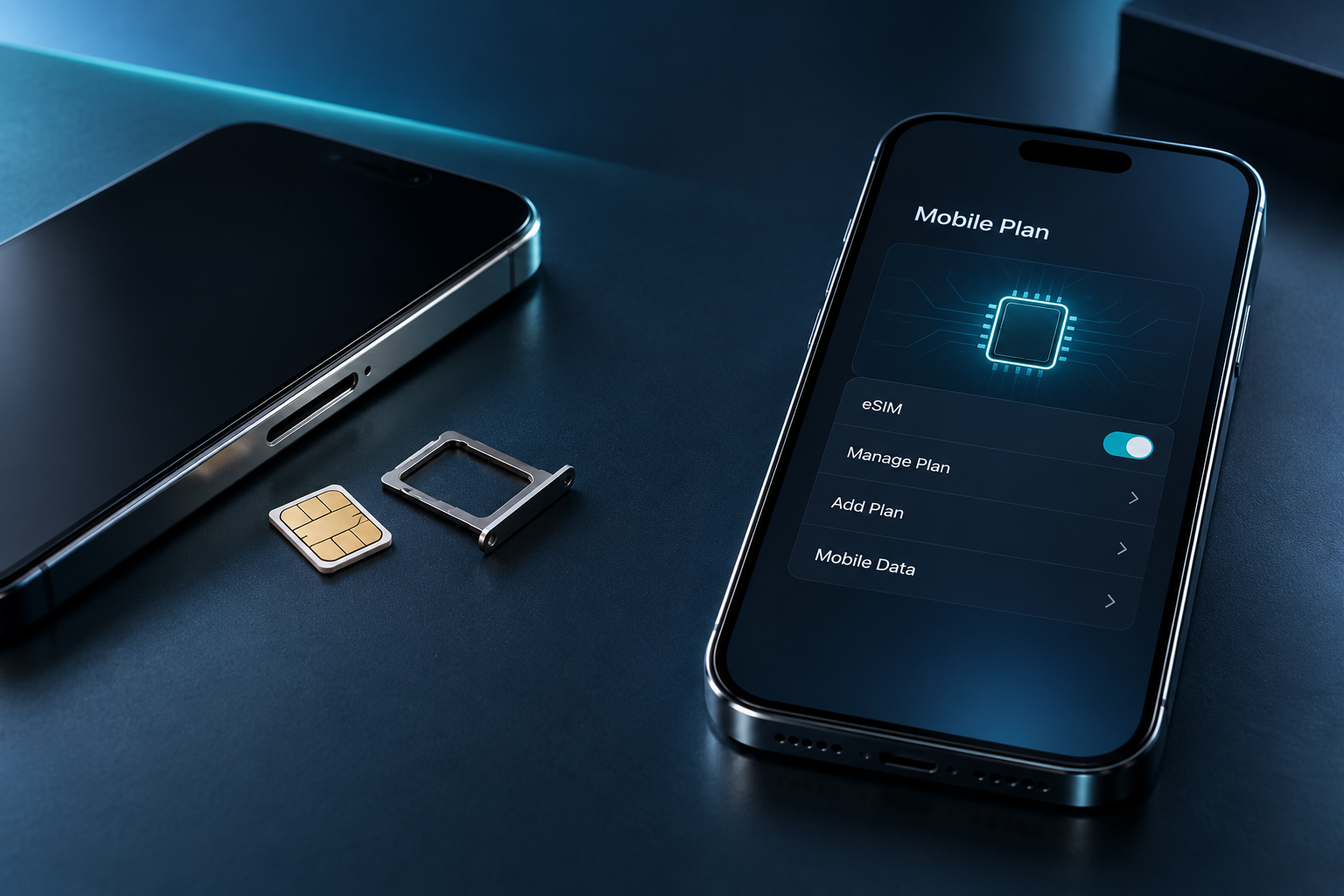
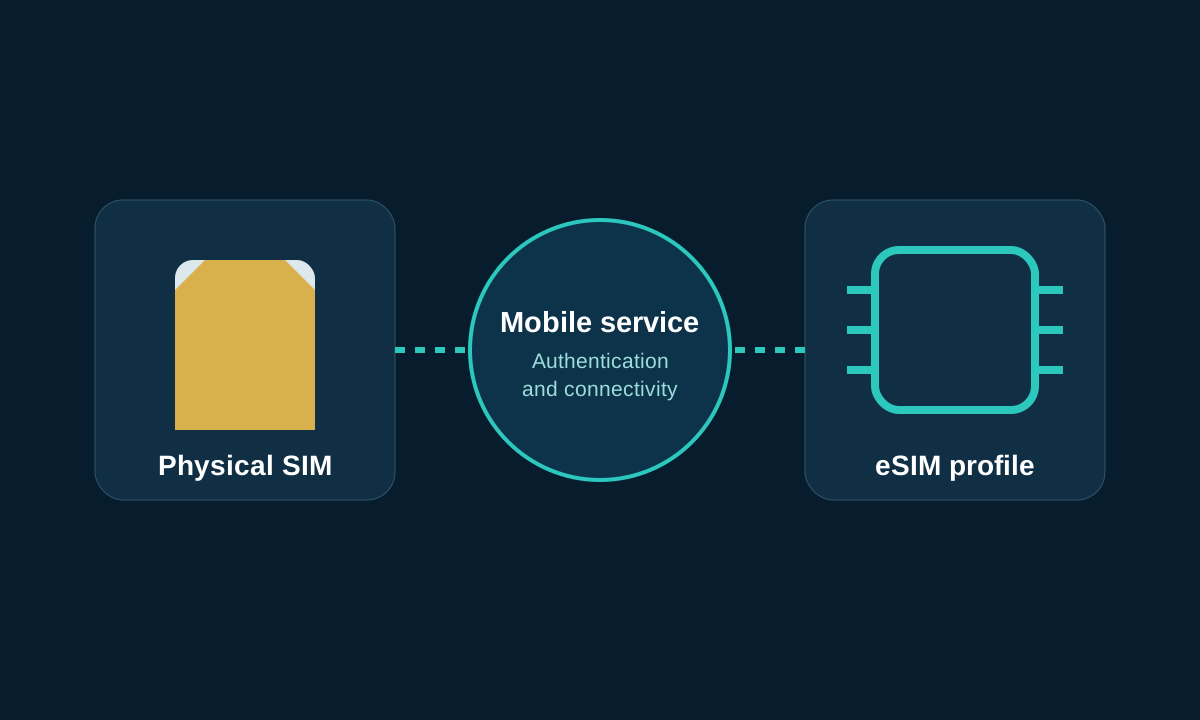
The common purpose of physical SIM and eSIM is to allow compatible devices to recognize and authenticate mobile subscriptions. The main difference is that the physical SIM is a removable secure card; the eSIM uses the device’s built-in security hardware and downloads the subscription profile through operator authorization.
Quick Reference
Short answers to core questions
| question | short answer |
|---|---|
| What is a physical SIM? | Inserts into the compatible card slot a removable security card for authenticating mobile subscriptions. |
| What is eSIM? | An authorized subscription profile downloaded to the compatible device’s built-in security hardware. |
| Will eSIM improve signal or speed? | There will be no natural improvement; coverage, mobile phones, frequency bands, congestion and packages are more important. |
| Can both be used on the same mobile phone? | Some devices support it, the specific combination and number of simultaneous activations need to be checked. |
| What determines the better choice? | Device compatibility, carrier support, replacement, travel and recovery needs. |
Overview
Same mobile connection, different activation methods
Both formats are used to identify and authenticate mobile subscriptions. They don’t choose network coverage, data volume or roaming plans for you; the difference is mainly in the installation, transfer and recovery methods.
- Common uses:Let your carrier authorize mobile services on compatible devices.
- The operations are different:The physical card needs to be inserted into the card slot; eSIM requires an authorization profile.
- Let’s look at support first:Device, regional version, carrier, and plan determine available choices.
This article will check
- Setup and activation
- Compatibility and replacement
- Travel and dual cards
- Performance and security
- Select and restore
01 · Removable security card
What is a physical SIM card?
SIM is the abbreviation of Subscriber Identity Module. The physical SIM is a removable, secure card that holds information used by operators to identify and authenticate mobile subscriptions. Nano-SIM is now the common size, but phones, card slots and carriers still need to be compatible with each other.
- Insert the correct size card into the compatible SIM card slot.
- Complete line activation as required by the operator.
- When possible, move available cards to another compatible device.
- When a card is lost or damaged, the operator will issue a replacement card.
A SIM is not a memory card that holds photos and apps. Some cards can save a limited number of contacts, but a mobile SIM will not migrate all of your phone’s content. Whether the replacement phone can be used directly depends on the card size, network frequency band, network lock status and operator activation policy.
02 · Digital Profile
What is eSIM?
eSIM uses security hardware built into the device. An operator-authorized ”eSIM profile” contains the information required to enable a subscription and can be downloaded and managed. Built-in hardware and downloaded profiles are not the same thing: the hardware provides a secure environment, and the profile represents a specific mobile subscription.
- Compatible devices include eSIM-enabled secure hardware.
- The operator provides authorization activation methods.
- The device downloads or receives a subscription profile.
- After activation, the line uses mobile services supported by the plan.
Common methods include QR codes, carrier apps, carrier push activation, and supported device-to-device transfers. Not every carrier supports every method. Phones without eSIM hardware cannot get native eSIM capabilities by downloading an app.GSMA’s eSIM profileExplains the basic relationship between remote configuration and compatibility ecology.
03 · Main differences
SIM card vs eSIM comparison
| factors | Physical SIM | eSIM |
|---|---|---|
| physical form | removable card | Downloadable configuration files in built-in hardware |
| First time setup | Insert the card and activate as required | Install and activate using carrier authorization method |
| Device compatible | Requires correct size and card slot | Requires eSIM hardware, system and region support |
| Carrier support | Broad coverage, but plans still need to be checked | Carriers, regions and plans vary widely |
| Change machine | You may be able to move the card directly, or you may need to reactivate it | Requires supported transfer or reissue |
| Change carrier | usually get another card | Usually obtain another authorization profile |
| Multiple plans | Limited by the number of card slots | Multiple configurations can be stored, and the number of activations is limited. |
| international travel | Local or travel physical cards available for purchase | Compatible travel profiles available for advance purchase |
| lost or damaged | Cards can be lost, bent, or removed | It cannot be pulled out directly, but mobile phone failure will affect access. |
| Recovery after mobile phone failure | You can try moving to a compatible backup machine | May require re-issuance by carrier |
| speed and signal | Mainly determined by network, device and package | Mainly determined by network, device and package |
| Activation or replacement fee | Determined by operator and channel | Determined by carrier and plan |
Compatibility first
Check the exact model number and regional version first.
Transfers vary depending on conditions
The device and operator decide the process together.
Performance will be judged separately
Network, packages and hardware are more critical.
04 · Qualification check
Activation and Compatibility: What to check first?
Compatibility list
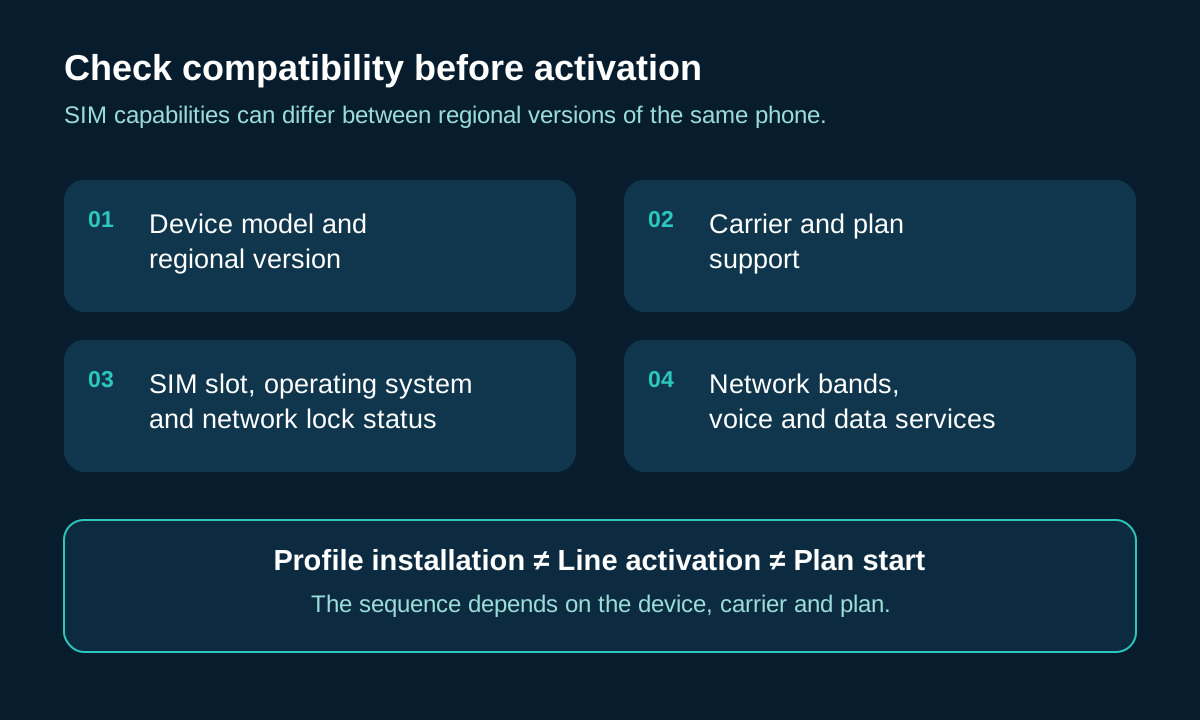
- Exact device model and regional version
- Operating system minimum requirements
- Is there a suitable SIM card slot?
- Carrier and specific plan support
- Network locked or unlocked status
- Network bands, voice and data services
The same product name may correspond to different hardware and SIM combinations in different markets. For example some regional versions reserve card slots, others may only support eSIM. Therefore, you can’t judge just by the appearance or the settings menu.
A physical SIM is usually required
- suitable card
- Compatible card slot
- Carrier activation steps
eSIM usually requires
- Compatible hardware
- Authorization profile
- Installation method specified by the provider
Installing a profile, activating a line, and starting the package validity may be different events. Profile installation typically requires Wi-Fi or another Internet connection, with supported exceptions. Manufacturer specifications and carrier qualification tools should be reviewed and ”seeing the eSIM menu” should not be taken as a guarantee of service.
05·Change phone and number
Change phone, switch SIM and keep number
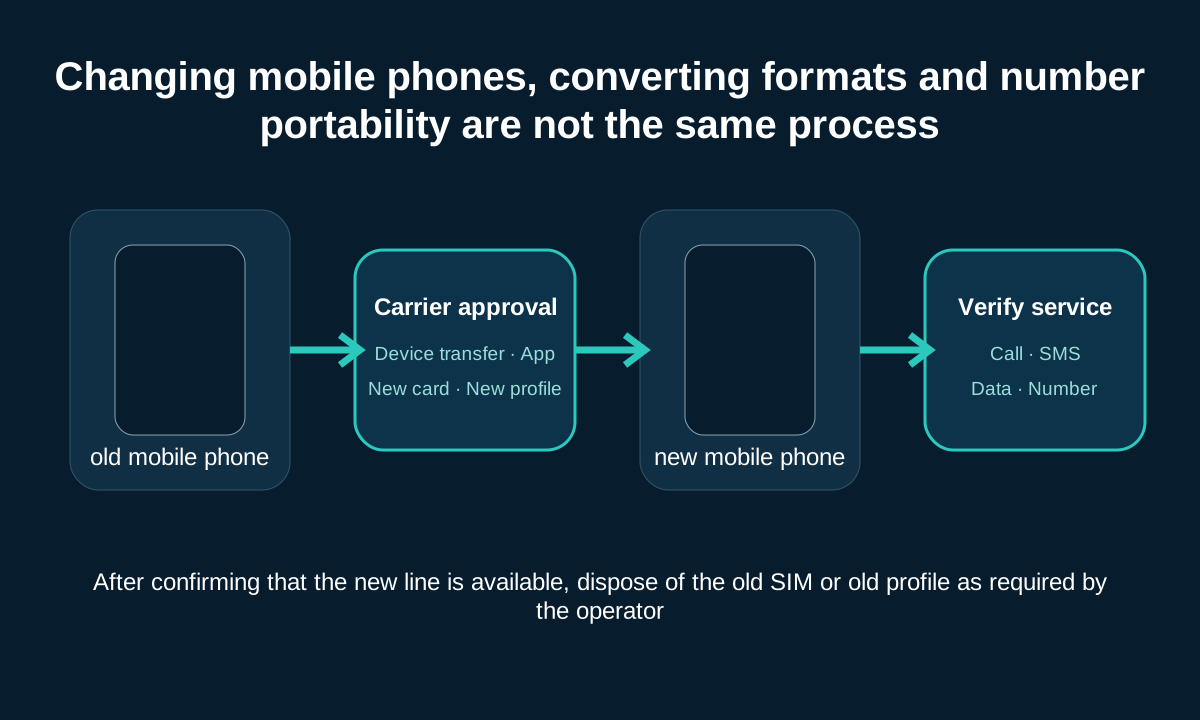
| Operation | Changes | Need confirmation |
|---|---|---|
| Mobile physical SIM | Put the same card into another device | Dimensions, compatibility, locking and activation policies |
| Transfer eSIM | Subscription configuration goes to new device | Device transfer, app or re-issuance method |
| Physical SIM to eSIM | Changing the bearer format on the same line | Whether the operator supports it and the expiration time of the original card |
| eSIM to physical SIM | Operator issues new physical card | Card slots, fees and authentication |
| Number transferred to another carrier | Service providers and packages change | Number portability qualifications, account information and time |
- Confirm device compatibility and supported transfer methods.
- Keep old devices and carrier account access where possible.
- Complete provider-specified authentication and activation.
- Check calls, texts, data and numbers.
- Only delete old configuration files when appropriate.
Once a replacement SIM for the same line is activated, the old SIM usually becomes invalid. Old QR codes cannot be assumed to be reusable. When your phone is lost or damaged, the recovery process may also differ from normal upgrades.
06 · International connections
Physical SIM or eSIM for international travel?
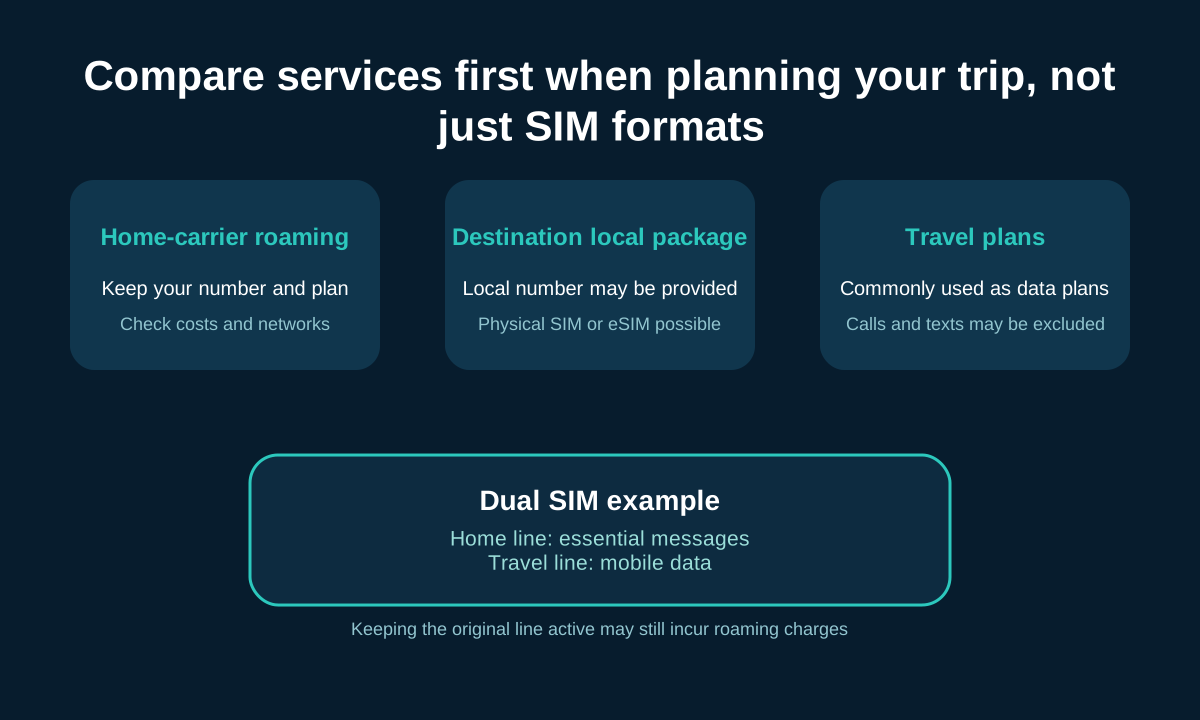
There are three types of services that are commonly compared when traveling: roaming with a home-country operator, purchasing a local package at the destination, or purchasing a regional/international travel plan. SIM format itself does not determine which is cheapest or most suitable.
| Compare items | Why is it important |
|---|---|
| Destination and Partner Network | Decide where you can connect and which network you might use |
| Data volume | Distinguish between fixed traffic, daily quota and so-called unlimited packages |
| Validity period and start time | Purchase, installation, activation or first connection may trigger timing |
| Voice and SMS | Many travel eSIMs only offer data |
| local number | Data plans may not provide callable numbers |
| Hotspot rules | Shared data may be restricted |
| Fair use and slowdown | ”Unlimited” may slow down after a threshold |
| Recharge and refund | Affects processing of delays and failed activations |
| Network lock status | Network-locked phones may not be able to add other carrier plans |
| Activation and support | What you should know about installation, help and recovery before leaving the country |
Compatible with dual-SIM mobile phones, you can keep your original number and set your travel route as mobile data. Roaming charges may still apply if the original line remains active; selecting a travel line for data does not automatically eliminate all charges for the other line. Some travel plans require ”data roaming” to be enabled on the travel route. You should follow the provider’s instructions instead of turning off roaming for all routes.
07 · Two subscriptions
Can physical SIM and eSIM be used together?
Compatible devices can use two subscriptions for personal and work numbers, original numbers and travel data, or plans with different coverage and limits. Support combinations may be physical SIM plus eSIM, dual eSIM, or dual physical cards on some devices.
| Terminology | meaning |
|---|---|
| Profile saved | eSIM plans saved on the device but not necessarily in use |
| Line enabled | Subscriptions currently open and participating in the service |
| Default data line | The line usually responsible for mobile data connections |
| Default call line | The priority line to use when making ordinary calls |
How many configuration files can be stored and how many lines can be used simultaneously are two issues. Whether the second line remains accessible during a call and supports automatic data switching also depends on the device and carrier. Regular dual SIM does not combine two plans into one connection with twice the speed.
08 · Online performance
Will eSIM change speed, signal or battery life?
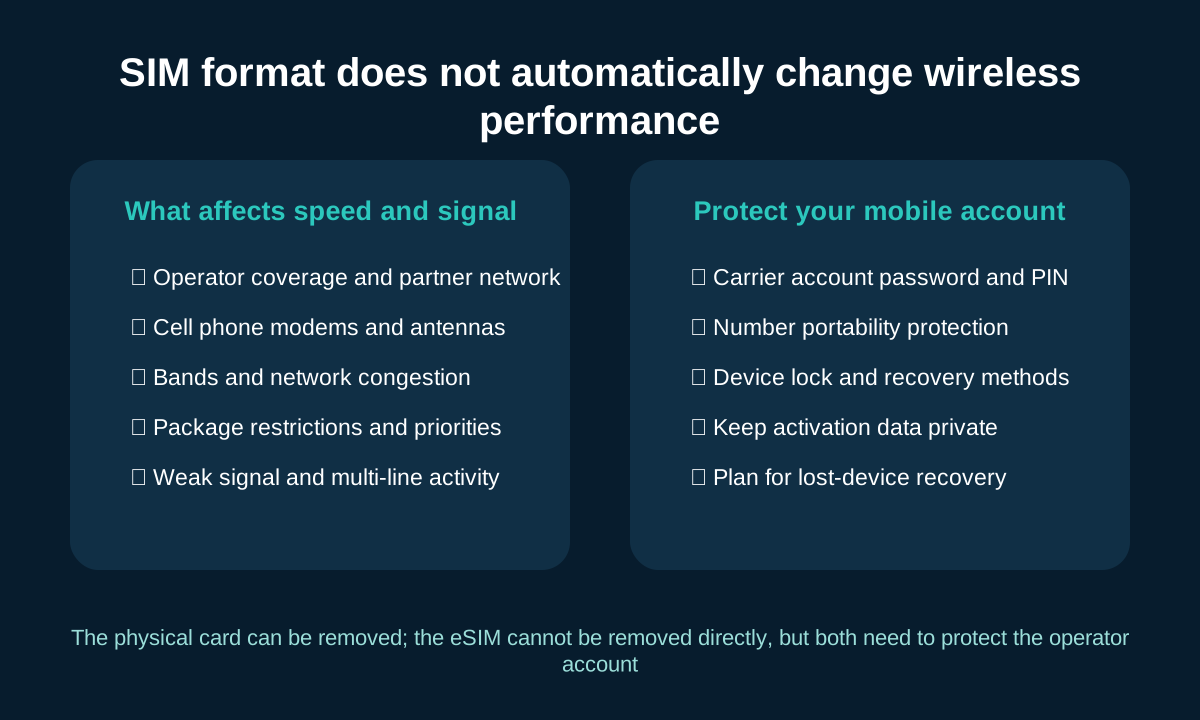
| Argument | actual situation |
|---|---|
| eSIM delivers faster 5G | SIM format alone won’t increase 5G speeds |
| Physical SIM signal is stronger | Whether a card is removable does not inherently enhance reception |
| eSIM automatically improves battery life | Battery life is more affected by signal, search network and active lines |
| Two lines double the data | Ordinary dual SIM will not automatically aggregate bandwidth |
Often more important factors include carrier coverage, cell phone modem and antenna, supported frequency bands, network congestion, plan limits and priorities, and roaming partners. Even if two subscriptions use the same underlying network, plans, access methods, and priorities may result in different experiences.
When multiple lines are activated at the same time or the phone continues to search for networks in a weak signal environment, power consumption may increase; this is different from the plastic card or the built-in profile itself.
09 · Account Protection
Security, loss and recovery
| situation | Physical SIM | eSIM |
|---|---|---|
| Card lost or removed | The card can be taken out of the mobile phone and should be reported lost in time. | The configuration file cannot be pulled out directly like a card |
| cell phone stolen | Both devices and accounts need to be protected | Devices and accounts also need to be protected |
| Mobile phone cannot be used | You can try moving the card to a compatible backup machine | May require re-issuance by carrier |
| Unauthorized line change | May be affected by account takeover or card replacement fraud | May still be affected by account takeover or illegal redistribution |
Account protection checklist
- Protect carrier accounts and emails.
- Use account PIN, number portability protection and available multi-factor authentication.
- Set device locks and maintain trusted recovery methods.
- Do not disclose the QR code and activation information.
- Learn about your carrier’s lost device recovery process in advance.
An eSIM is difficult to remove directly, but it does not prevent all account takeovers, nor does it guarantee that a stolen phone will continue to be traceable. Neither format is invulnerable.
10 · Scene selection
Should you choose a physical SIM or an eSIM?
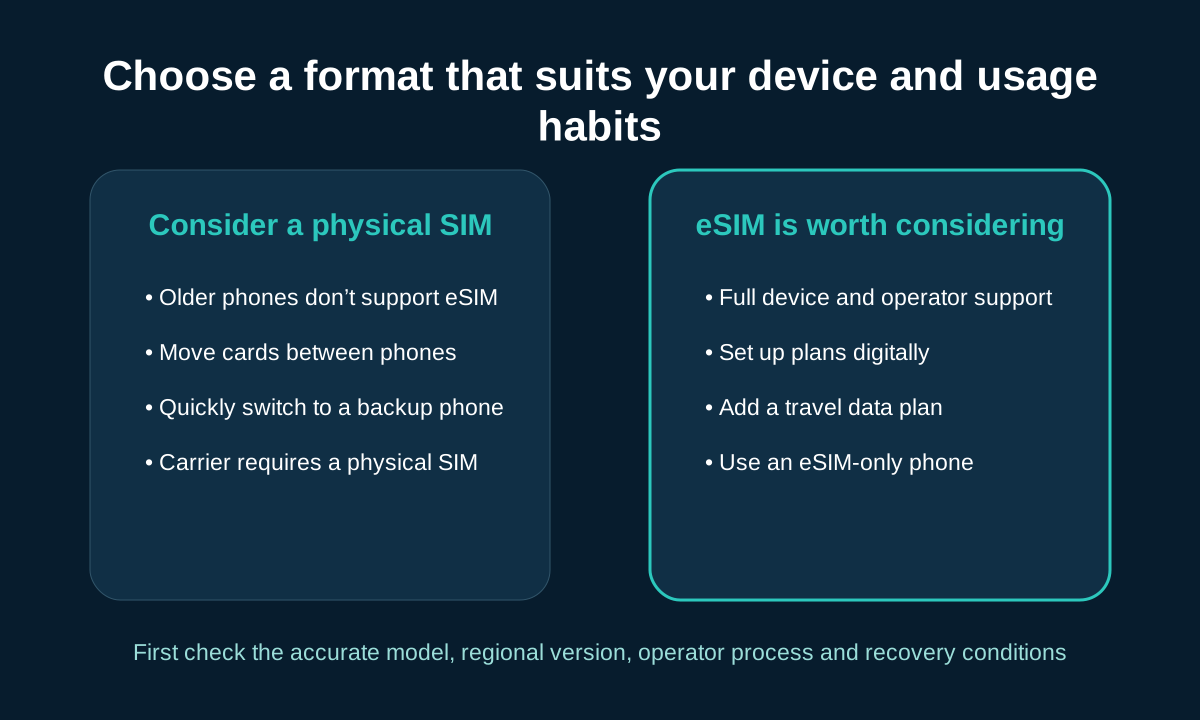
| your situation | worth considering | Need confirmation |
|---|---|---|
| Old phones don’t support eSIM | Physical SIM | Card slot, size, frequency band and operator |
| Compatible devices and easy carrier activation | eSIM | Installation, transfer and recovery methods |
| Often switch between compatible phones | Depends on operator process selection | Whether the SIM card needs to be reactivated; whether eSIM transfer is supported |
| International travel, various packages | Dual SIM or eSIM may be more convenient | Coverage, fees, voice messages and network lock |
| Personal and work numbers | Compatible with dual SIM devices | Support combination and simultaneous activation quantity |
| Rely on a backup phone | Physical SIM may be convenient for emergencies | Backup Compatibility and Account Activation Policy |
| eSIM-only mobile phone | eSIM | Is the target operator fully supported? |
Fee list
- Activation, replacement or transfer fees
- Physical card delivery fee
- Package prices and included services
- Roaming, renewal and automatic renewal conditions
An eSIM may reduce the need to send and process cards and may reduce some card and packaging usage, but it does not guarantee a cheaper service. You should choose a format that is compatible with the exact device and whose activation, transfer, and recovery processes best fit your usage habits.
FAQ
SIM card and eSIM FAQs
Get direct answers to common questions about compatibility, conversion, travel, and recovery.
Is eSIM necessarily better than physical SIM?
uncertain. The eSIM is ideal for those who want to digitally sign up, manage multiple plans, or add a data line while traveling; the physical SIM is easy to remove and swap between compatible phones. The better choice depends on the device, operator, switching habits and recovery process.
Can I convert a physical SIM to an eSIM and keep the number?
Some carriers and compatible devices support intra-carrier conversion, and the number can usually be retained, but the carrier authorization process must be used. This is different from transferring your number to another carrier. Eligibility, fees and original card expiration date should be confirmed by the operator.
Can I switch from an eSIM back to a physical SIM?
It’s possible, but the phone would need a compatible SIM card slot and the operator would have to be willing to issue a physical card for the line. Once a new card is activated, the line is usually no longer serviced by the original eSIM profile.
Can eSIM and physical SIM be used at the same time?
Some phones support physical SIM plus eSIM, dual eSIM, or dual physical cards, but not every phone supports all combinations. The number of profiles that can be stored is also not equal to the number of lines that can be active simultaneously.
Can eSIM be used without Wi-Fi?
Once the profile is successfully installed and activated, the eSIM can use the cellular network just like a regular mobile line. Initial downloading of profiles typically requires a Wi-Fi or other Internet connection, but carriers and devices may have different supported methods.
Does a travel eSIM always include phone numbers, calls and texts?
uncertain. Many travel eSIMs only offer mobile data and don’t include local numbers, carrier voice, or regular text messages. Coverage, data volume, validity period, hotline, SMS, hotspots and fair usage rules should be checked before purchasing.
What happens if I delete my eSIM?
Deleting a profile does not necessarily mean canceling the package or stopping billing, but the device will no longer be able to use the profile. Reinstallation may require new QR codes, carrier applications, or customer service assistance, and old QR codes cannot be assumed to be reusable.
Can I still transfer an eSIM if my old phone is damaged?
The configuration file may need to be re-issued through carrier account verification, customer service or store. When you lose access to your old phone, the process may differ from a normal device transfer, depending on your carrier, account security, and device support.
Will switching to eSIM transfer contacts, photos, and apps?
It won’t be done automatically. The SIM or eSIM is responsible for the mobile subscription; photos, apps, chats, and most contacts are part of the mobile content migration. When changing devices, data backup, device migration and mobile line activation should be completed separately.
Can eSIM be used on network-locked phones?
eSIM does not bypass carrier lock. Network-locked devices can generally only use services from permitted carriers or those that meet unlocking conditions. Also confirm the exact model, regional version, and program eligibility.
Summary
Choose a SIM format that suits your phone and usage habits
- Both formats are used to authenticate mobile subscriptions.
- Physical SIMs are removable cards; eSIMs use digital profiles.
- Device compatibility and carrier support must be confirmed first.
- Network performance and package value differ from SIM format.
- Switching, travel and recovery needs should guide the choice.
Before replacing, please verify the exact device model, regional version, carrier procedures, and program conditions. Physical SIMs are not obsolete for all users, nor are eSIMs the automatic winner in all scenarios.
Reader questions
Still have questions about SIM cards or eSIM?
You can indicate the device model, regional version, operator, and questions about compatibility, activation, replacement, or the content of this article. This form is for general information communication. Please do not submit account passwords, QR codes, verification codes or other sensitive information.

Related Reading
View more mobile connectivity guides
Published articles provide accessible links; unpublished topics only display editorial plans and do not create false addresses.

How do mobile phones work?
Learn how cell phones, wireless signals, and carrier infrastructure work together to deliver calls, messages, and the Internet.
How does dual SIM work?
Explains how a compatible phone can manage different subscriptions and select call, text, and data lines.
How to choose a travel SIM or eSIM?
Compare destination coverage, traffic, validity, voice services and roaming conditions.