
Beginner’s Guide to Communication Networks
What Is Telecom Equipment? Types and Examples
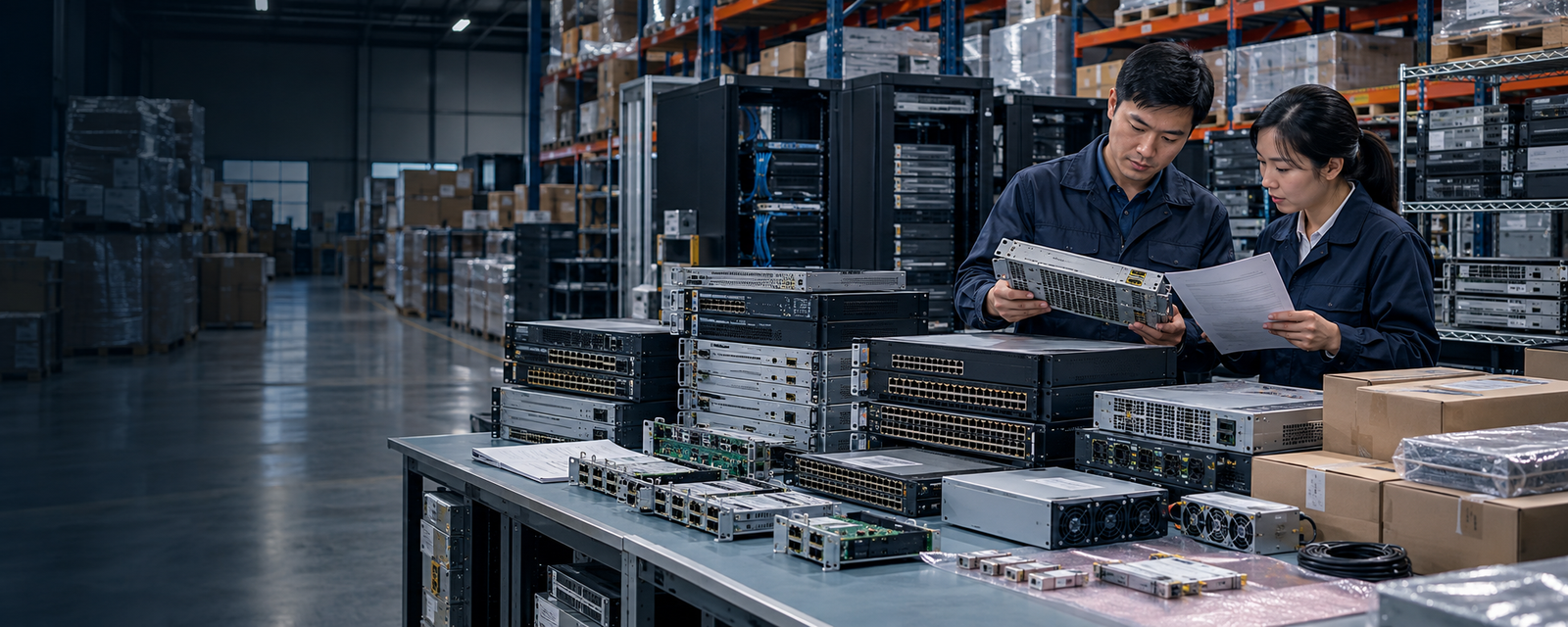
Telecom equipment is the hardware used to send, receive, convert, forward and support communications. It enables voice, video and data to be transmitted between homes, offices, mobile networks and operator networks; the complete system also requires software, wiring, spectrum, power, cabinets and service connections.

QUICK REFERENCE
Five quick answers
| question | brief answer |
|---|---|
| Main function? | Connects devices and delivers, transforms and directs communication traffic. |
| Common examples? | Routers, switches, ONTs, wireless devices and enterprise phones. |
| Who is using it? | Home, enterprise, carrier, data center and industrial sites. |
| Are they all large cabinets? | No, it also includes small gateways, telephones and optical terminals. |
| Can you work alone? | Software, configuration, power, and wiring or service connections are also typically required. |
OVERVIEW
Quick overview of telecom equipment
To understand telecom equipment, you can first look at its functions in the network instead of remembering the brand and model first.
| network role | Equipment example | daily results |
|---|---|---|
| Connect users | ONT, gateway, access point | Connect your mobile phone or computer to the Internet |
| Carrying long distances | Optical transmission, microwave link | Send data across buildings, cities or regions |
| direct traffic | switches, routers | Data reaches the correct network and destination |
| Providing communication services | PBX, voice gateway, core network functions | Complete phone, mobile data and other services |
| Ensure operation | Power supply, fan, monitoring and management system | Equipment works continuously and in a controlled manner |
There are no completely fixed boundaries between communications and IT equipment. Modern communications make heavy use of IP networks, general-purpose servers, storage, and software, so the same equipment may appear on a ”networking” ”IT” or ”communications” shopping list at the same time.
01 · Basic definition
What products are communications equipment?
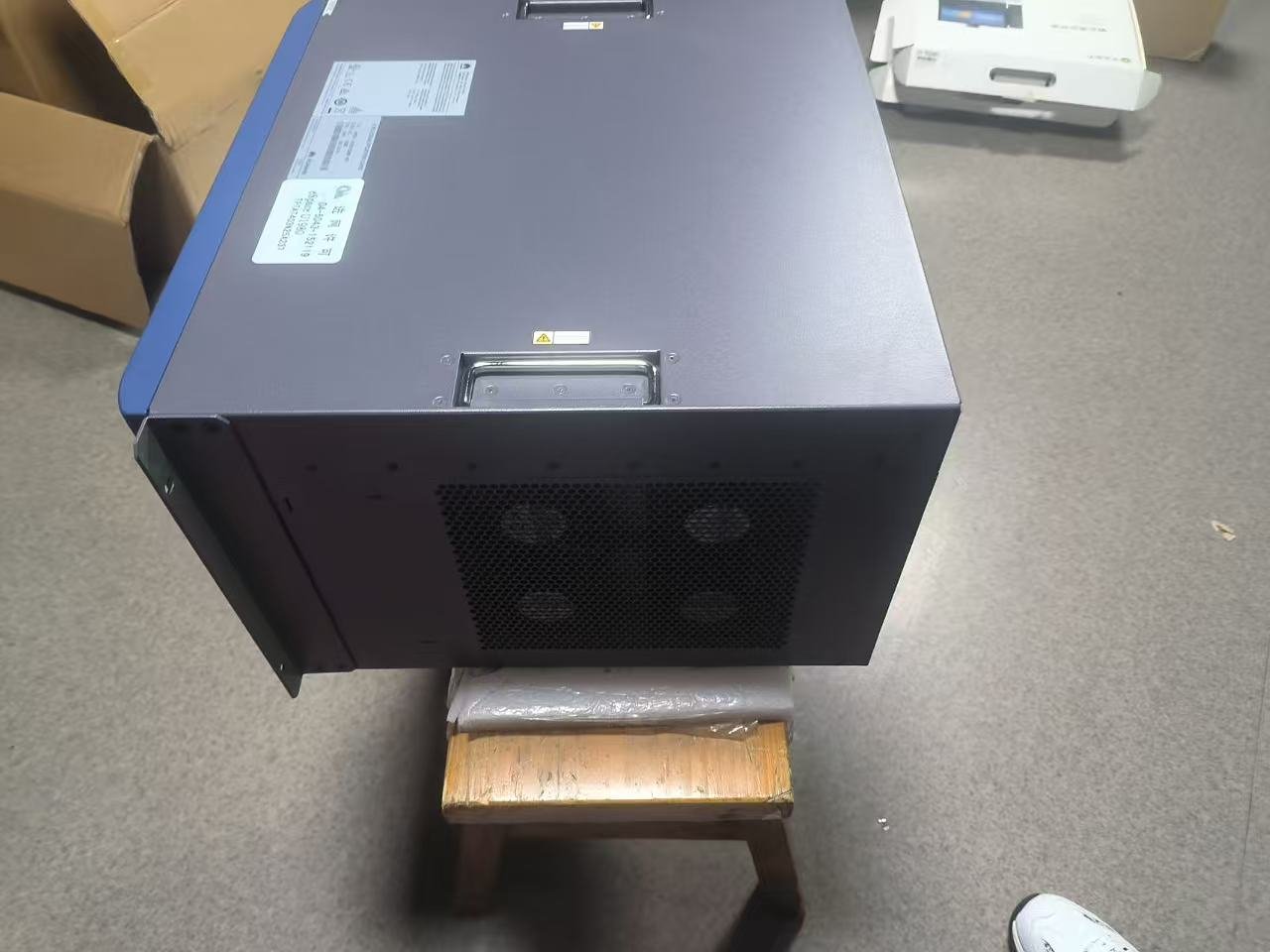
Communications systems include more than just electronic equipment in racks. In order to avoid confusion in the procurement scope, the system can be divided into four layers: communication hardware, network software, supporting infrastructure and connection services.
| Example | what is it | role in communication |
|---|---|---|
| router | Communication hardware | Forward traffic between IP networks |
| Optical fiber | passive transmission media | Carrying data using optical signals |
| Network management platform | Software | Configuration, monitoring and alerting |
| Equipment cabinet | Support infrastructure | Install, secure and organize equipment |
| Internet dedicated line | connection service | Provide external network connectivity |
| Smartphone or IP phone | user terminal | Initiate and receive communications |
The broad definition can include terminals such as mobile phones and telephones, and industry procurement often focuses on network infrastructure. A communications tower is a structure that carries antennas and wireless units and is not equivalent to a complete base station; only the structure, antennas, radio frequencies, processing, transmission, power supply and network configuration work together to form a usable site.
02 · Classification framework
Main types of telecom equipment
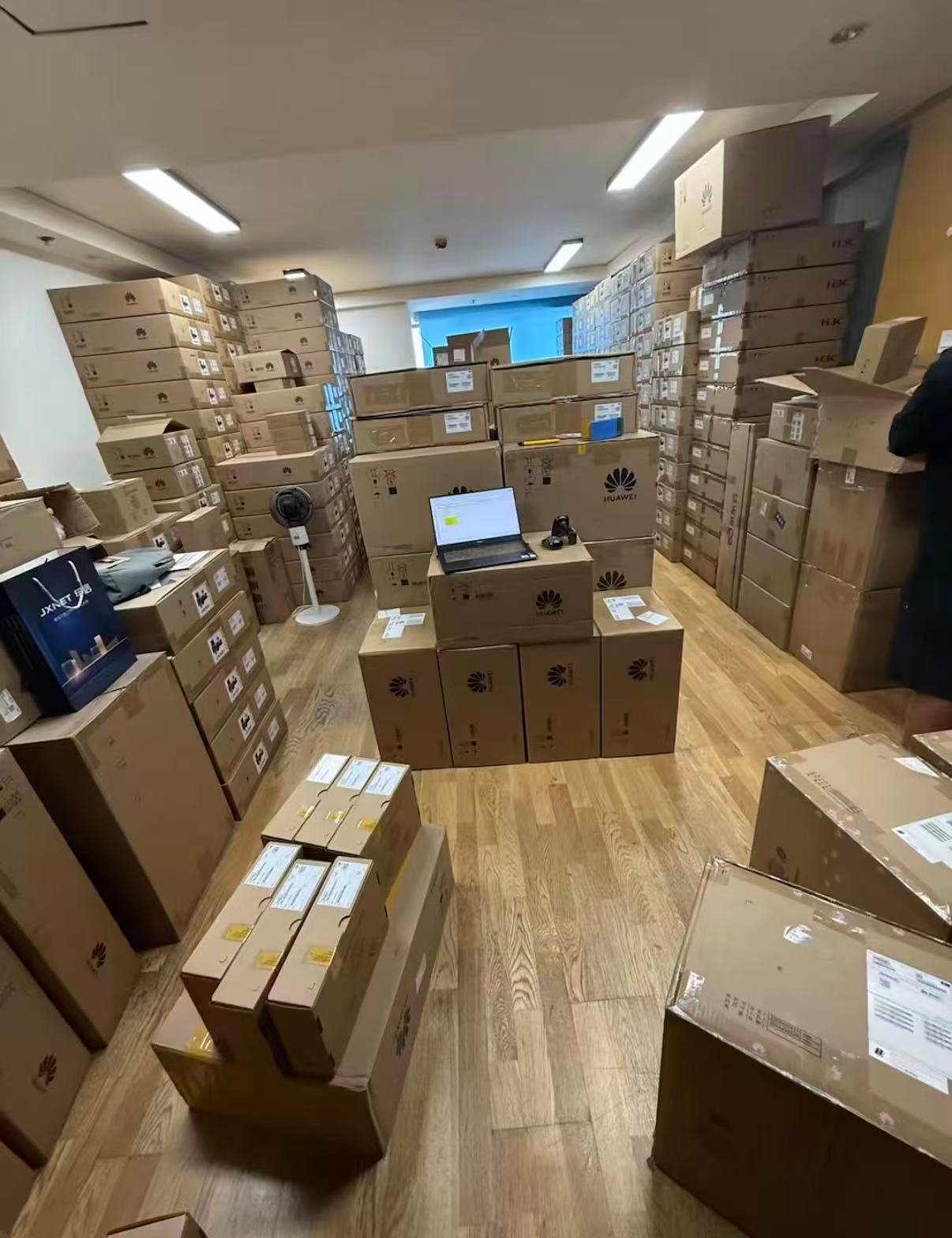
The following classification is suitable for beginners to establish an overall understanding, but it is not the only standard. An integrated gateway may have access, routing, switching, Wi-Fi and voice functions at the same time, so the device type cannot be judged just by its appearance.
| Category | Typical equipment | Main purpose | common locations |
|---|---|---|---|
| User side equipment | Gateway, Modem, ONT, enterprise router | Connect users to the service network | Home and Office |
| local network | Switches, wireless access points | Connect to LAN terminal | Offices, parks, stores |
| fixed access | OLT, broadband access platform | Aggregate user broadband connections | Operator computer room |
| wireless access | Antenna, radio frequency unit, baseband processing | Provides cellular wireless connectivity | Macro base station, small base station and indoor distribution |
| transport network | Optical transmission, microwave equipment | Connect sites to network nodes | Backbone, metro and site links |
| Core and business | Core routing, server, network functions | Authentication, session, routing and service control | Data center or core computer room |
| Enterprise Voice | IP phones, PBX, voice gateways | Handle business phone communications | Office or hosting platform |
| Operational support | Power supplies, cabinets, monitoring and cooling | Ensure stable operation of equipment | All deployment environments |
Active devices require power to complete processing, amplification or switching; passive components such as fiber optics, patch panels and passive optical splitters do not require power for their basic function. However, the OLT and ONT at both ends of the passive optical network still need power supply.
03 · Network path
How do communication devices work together?
Home fiber optic internet:The device first connects to the home gateway through Wi-Fi or network cable, and the gateway processes the local address and traffic; the optical network terminal ONT connects the user-side Ethernet data to the operator’s optical network, and the access and routing equipment then sends the request to the website or cloud service. Return data reaches the user in the opposite direction. Some products will merge the gateway with the ONT.
- A computer or mobile phone generates a data request.
- An access point or gateway provides local connectivity.
- ONTs connect to passive optical access networks.
- Carrier access, transmission and routing systems deliver traffic to its destination.
- The response is returned via the corresponding path.
Cell phone mobile data:The smartphone connects to the wireless access device, and the site sends the traffic to the mobile core network through fiber optic or Microwave Transmission; the core network performs authentication, session and data routing, and then connects to external applications or content services. This example is a logical simplification that omits a lot of signaling, security, policy, and redundancy.
| path | Access | transmission | Business and external connections |
|---|---|---|---|
| Home Fiber | Gateway, ONT, OLT | Metro and backbone networks | Internet and content services |
| mobile data | Cell phones, antennas, wireless units | Backhaul and bearer networks | Mobile core network and application services |
04 · Common equipment
Routers, switches, modems, ONTs and access points
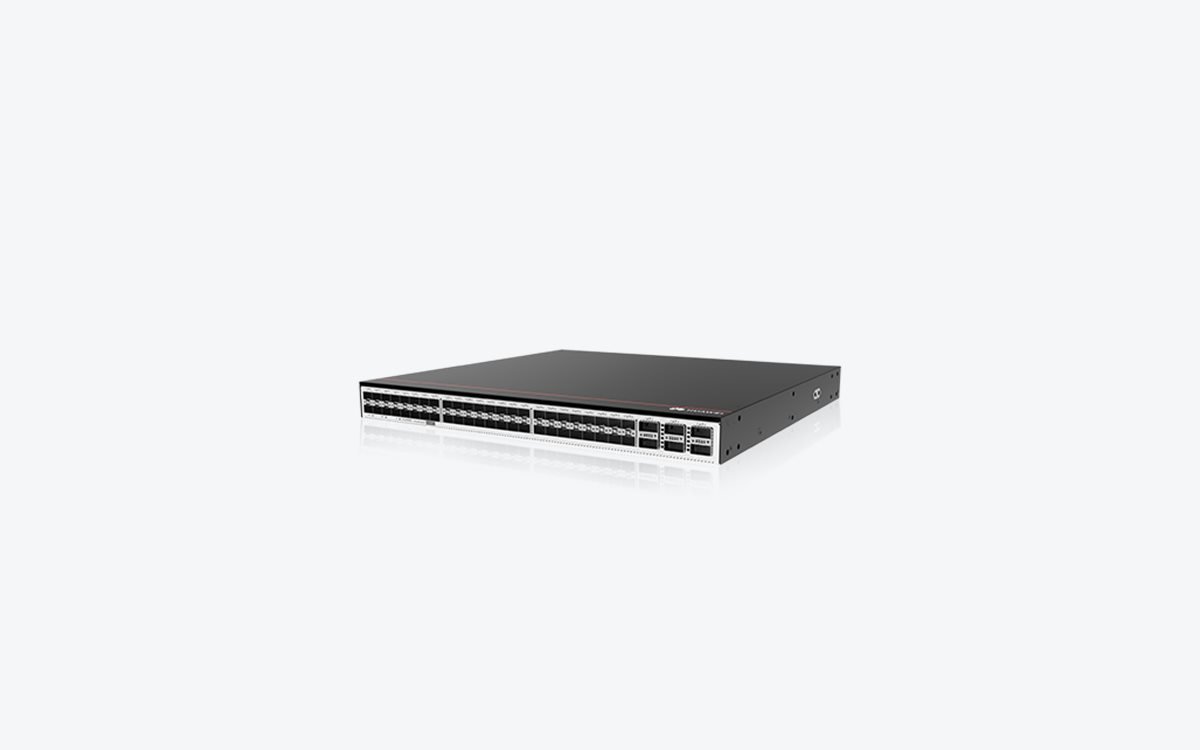
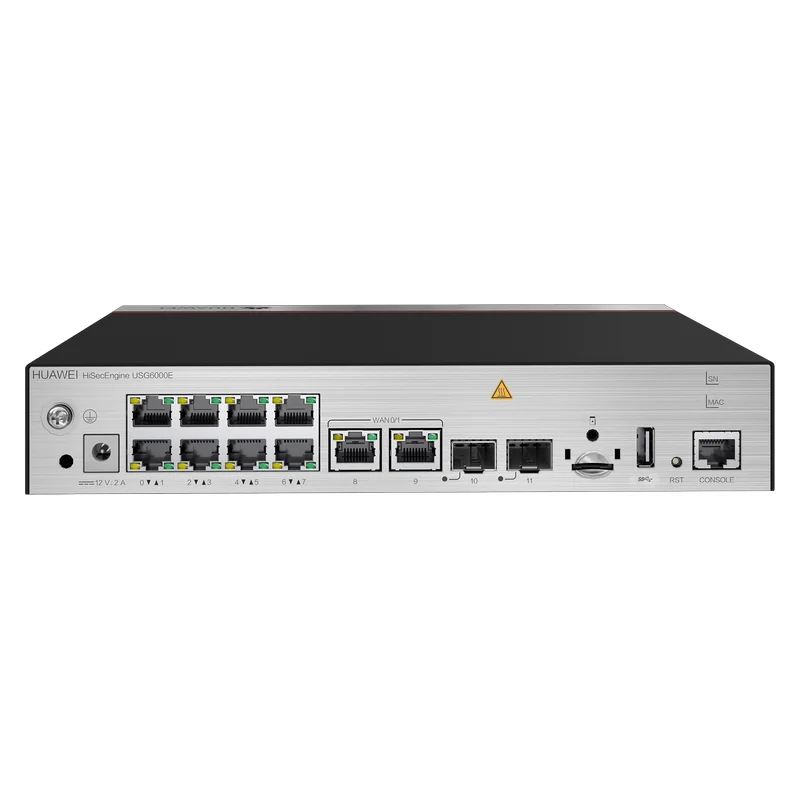
| Equipment | Main functions | What cannot be provided automatically |
|---|---|---|
| router | Forward traffic between IP networks | Internet services are not automatically created |
| Switches | Connect the terminal in the LAN to the uplink | Ordinary layer 2 models are not equivalent to Internet routers |
| Modem | Adapt to DSL, cable TV and other access signals | May not include Wi-Fi or routing capabilities |
| ONT | Terminating passive optical networks at the user side | Not a regular Ethernet switch |
| wireless access point | Connect the Wi-Fi client to the network | Not equal to cell towers or internet plans |
| gateway | Represents a boundary function or combined device | The name alone does not describe the full functionality |
Home gateways often combine routing, switching, Wi-Fi, firewalls and even ONTs into one box; enterprise deployments may separate these functions for independent expansion, management and replacement. Some high-end switches also support routing, but selection should still depend on specific features and licensing.
05 · Optical Network
Optical fiber access and optical transmission equipment
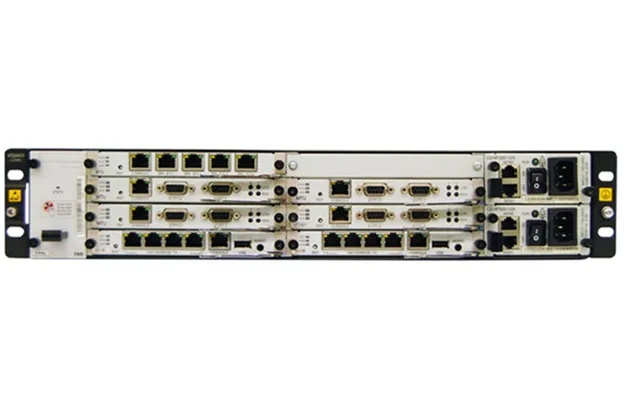
Optical access connects multiple homes or businesses to a carrier network. The optical line terminal OLT is located on the operator side, and the optical network terminal ONT is located on the user side. Passive optical splitters can be used in the middle to distribute one optical fiber to multiple connections. GPON and XGS-PON are different passive optical access standards, and equipment and optical parameters must match.
High-capacity or long-distance transmission uses optical transmission systems. Wavelength division multiplexing WDM allows multiple optical channels of different wavelengths to share the same optical fiber; dense wavelength division multiplexing DWDM provides denser channel planning; optical transport network OTN provides digital encapsulation, management and transmission capabilities. They are not directly interchangeable products with home PON access.
| components | Function | Key points to check |
|---|---|---|
| OLT | Converging optical access users on the operator side | PON standards, boards, software and ONT support |
| Passive beam splitter | Distribute optical signals | Split ratio, wavelength, connection and loss |
| ONT | User side termination optical access | OLT compatibility, firmware, ports and services |
| Optical module | Convert signals between electrical interfaces and fiber optics | Speed, wavelength, distance, optical budget and device support |
| Optical transmission platform | Host and manage high-capacity optical channels | Line system, business interface, licensing and network management |
- Confirm the access standard or Ethernet standard.
- Confirm device model, hardware and firmware support list.
- Check wavelength, fiber type, connectors and transmission distance.
- When calculating the optical power budget, you cannot just look at the interface shape.
Nokia optical network terminal information、Ciena WDM Description。
06 · Wireless access
Wireless and mobile communications equipment

Cell sites typically contain antennas, radio frequency equipment, signal processing, transmission connections, power supply and monitoring. The antenna is responsible for radiating and receiving wireless signals, the radio frequency unit completes related wireless processing, and the baseband or distributed processing equipment is responsible for protocol and signal processing; these parts can be centralized, distributed, or adopt a virtualized architecture.
| device or system | Main function | Typical uses |
|---|---|---|
| Macro station equipment | Provide larger area cellular coverage and capacity | outdoor mobile network |
| small base station | Supplement coverage or capacity in smaller areas | Indoors, neighborhoods and hotspots |
| fixed wireless access | Provide fixed-location broadband over wireless links | Home or business access |
| point-to-point microwave | Establish a transmission link between two fixed sites | Site backhaul or dedicated connection |
| satellite terminal | Establishing connection via satellite system | Remote areas and specific mobility scenarios |
| Wi-Fi access point | Connect the wireless client to the local network | Homes, offices and public spaces |
Coverage and capacity depend on spectrum, antenna, transmit power, site location, obstruction, backhaul and number of users, and cannot be guaranteed by a single wireless specification. Wi-Fi access points and cell towers both use radios, but differ in spectrum, authentication, mobility, and network control.
07 · Business phone number
Enterprise Voice and Telephony Equipment
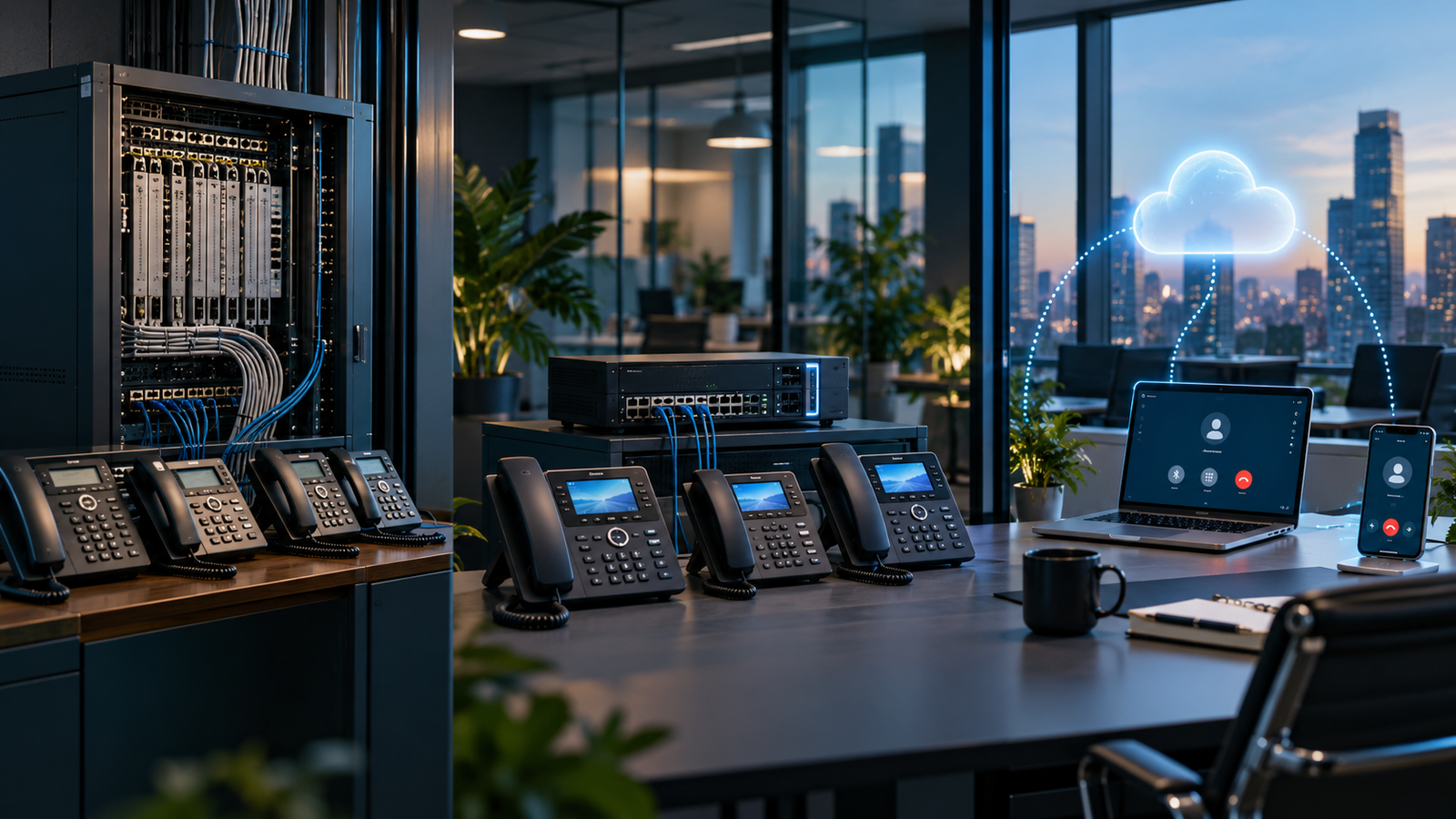
Private branch exchange system PBX manages corporate numbers, extensions, call routing, queues, voicemail and permissions; VoIP means voice is transmitted over an IP network. PBX and VoIP are not mutually exclusive options, both IP PBX and cloud phone systems typically use VoIP.
| Project | function | situations that may be needed |
|---|---|---|
| IP phone | Provide desktop call terminal | Fixed work station and front desk |
| PBX / IP PBX | Manage enterprise calls and extensions | Internal number and call flow required |
| voice gateway | Connect to different voice interfaces or networks | Keep analog equipment or legacy wiring |
| session boundary control | Implement security and interoperability controls at the voice network perimeter | SIP connections and policy boundaries |
| Hosted phone service | Call control provided by service provider | Reduce local platform operation and maintenance |
| softphone | Provides phone client on computer or mobile phone | Mobile office or reduce desk phone |
Voice gateways and session border controllers have different functions, but the functions can be provided by software or combined platforms and do not necessarily correspond to an independent box. Enterprises can go with on-premises, hosted or hybrid options.
08 · Operation Basics
Power, cooling, monitoring and virtualization systems
Core equipment can only operate stably if it is properly powered, cooled, wired, and managed. Different products may use AC, DC, PoE power supply or specific power modules, and the rack size, air inlet and outlet directions, and environmental levels will also be different.
| supporting elements | purpose | Procurement and deployment reconciliation |
|---|---|---|
| Power supply and rectification | Provide the voltage and power required by the equipment | Input format, power, redundancy and modules |
| Batteries and UPS | Maintain operation during short-term power outage or shut down safely | Load, endurance, maintenance and environment |
| Distribution | Safely distribute electricity | Circuits, capacities, protection and plugs |
| Cooling and air ducts | Control device temperature | Heat, airflow direction, filtration and space |
| Cabinets and Racks | Install, secure and organize equipment | Width, height, depth, load bearing and grounding |
| Environmental monitoring | Monitor temperature and humidity, smoke, flooding and access control | Sensors, alarms and platform integration |
| Network management system | Configuration, monitoring, alerting and auditing | Protocol, permissions, logs and version support |
| virtualized server | Carrying software-based network functions | Compute, storage, network cards, licensing and high-availability design |
Software definition and virtualization do not eliminate physical infrastructure, they simply change where functions run and how they are managed. Two power supplies do not mean that the entire network is fault tolerant; upstream lines, software, computer room power supply, configuration and maintenance processes may all become single points.
09 · Deployment scenario
What devices are used in homes, businesses and carriers?
| scene | Common equipment | Main requirements |
|---|---|---|
| home broadband | Modem or ONT, gateway, Wi-Fi | Coverage, ease of use, service compatibility |
| small office | Enterprise gateways, switches, APs, IP phones | Security, management and stability |
| multi-site enterprise | Routing, security, centralized management, voice | Site interconnection, policy and visibility |
| internet service provider | Access, aggregation, transmission, core routing | Capacity, Scaling, Operations and Support |
| mobile network | Wireless access, transmission, mobile core | Coverage, capacity, mobility and spectrum |
| Industrial or remote sites | Industrial switching, wireless, microwave or satellite | Environmental adaptation, remote management and power supply |
As scale increases, requirements for capacity, centralized management, fault isolation, spare parts, support, and change control increase. ”Consumer grade, enterprise grade, carrier grade” can help understand typical positioning, but it is not a globally unified certification; you still need to read the specific specifications, support terms and deployment conditions.
10 · Procurement inspection
How to choose and purchase telecom equipment?

Define the role of the device in the network first, and then compare models. Filtering solely by port count or advertised speed easily overlooks existing systems, software licensing, optical parameters, power supply, and lifecycle support.
| demand | Questions to ask | Evidence to be requested |
|---|---|---|
| expected functionality | Which network character does it address? | Function list and topological location |
| Compatibility | Are existing equipment, standards and software supported? | Support matrix and version requirements |
| interface | What are the port types, speeds, quantities, and modules? | Datasheet, port photos, module list |
| real capacity | How will business traffic, concurrency, and functions perform after they are enabled? | Applicable test conditions and capacity instructions |
| optical or wireless | What are the wavelength, distance, frequency band and licensing conditions? | Part number, RF or optical parameters |
| Power supply | Input, power, PoE and power cord requirements? | Power supply labels and module configuration |
| environment | Temperature, humidity, dust and rack conditions? | Environmental and installation specifications |
| Software and Licensing | Which features require licensing or subscription? | License List and Transfer Conditions |
| Security and life cycle | Update, end of sale and end of support times? | Manufacturer Announcements and Support Policies |
| total cost of ownership | Are there also module, maintenance, power and training costs? | Complete configuration and service quotation |
The nominal port rate, complete device switching capacity and real service throughput are different indicators. Firewalls, encryption, deep inspection, or complex policies may alter actual performance, and comparisons must be made to confirm test conditions.
- Brand new:Check manufacturer channels, warranties and licenses.
- Second hand:Document appearance, configuration cleanup, functional testing, and component integrity.
- Refurbishment:Confirm who refurbishes, testing scope and after-sales responsibilities.
- Discontinued equipment:Verify accurate part numbers, hardware versions, firmware, modules, licensing and support eligibility.
FAQ
Frequently Asked Questions about Communication Equipment
The answers below help beginners differentiate between device roles, deployment scope, and basic procurement risks.
In simple terms, what is a communication device?
Communications equipment is hardware used to send, receive, convert, forward or support voice, video and data communications. Common examples include routers, switches, optical network terminals, cellular wireless equipment, enterprise phones, and optical transmission equipment; they often also rely on software, power, lines, and carrier services.
What are the common communication devices?
Common gateways, modems, ONTs and Wi-Fi access points in homes; common switches, enterprise routers, firewalls, IP phones and PBX in offices; carrier networks also use OLT, cellular base station equipment, optical transmission platforms, microwave links, core routing and bearer systems.
Is a router considered a communication device?
Calculate. Routers forward data between different IP networks and are critical devices in home, business, and carrier networks. However, purchasing a router does not automatically provide you with Internet service. You also need a suitable access line, account configuration, and service provider connection.
Is a smartphone considered a communication device?
In the broad definition, it counts because mobile phones can send and receive information through cellular, Wi-Fi, Bluetooth and satellite-related functions. ”Communications equipment” in the context of industry procurement sometimes focuses more on network infrastructure, so the scope of the discussion should be confirmed first.
What is the difference between communications equipment and IT equipment?
The two are highly overlapping. Telecom equipment puts more emphasis on connection, signal transmission and communication services, while IT equipment often emphasizes computing, storage and business applications. Modern IP networks, servers and virtualization blur the boundaries, and a server may also carry communication network functions.
What is the difference between Modem and ONT?
Modem completes modulation and demodulation functions for a certain access technology, such as cable TV or DSL; ONT is used to terminate the passive optical network connection on the user side. Both may provide Ethernet to a home gateway, but are not interchangeable just because the interfaces are similar.
Are Wi-Fi devices the same as cellular devices?
no the same. Wi-Fi access points typically connect to local networks and use unlicensed frequency bands; cellular base stations are part of the mobile operator’s wireless access network and involve licensed spectrum, mobility, authentication, core network and wider coverage planning. Both use radios, but have different system roles.
Do cloud phone systems still require physical equipment?
need. Core call control can be provided by the service provider’s software, but the user still needs a mobile phone, computer or IP phone, local network, Internet access and power supply; the service provider’s data center also relies on servers, network, storage and power infrastructure.
Can telecom equipment of different brands be interoperable?
uncertain. Interoperability depends on the adopted standards, protocol versions, interface parameters, software versions, licenses, configurations and vendor support scope. Connectors having the same shape or bearing the same broad technical name do not alone prove compatibility.
What should I check before buying second-hand telecom equipment?
First verify the accurate model, part number, hardware version, interfaces and modules, and then confirm that the configuration has been cleared, account and lock status, license ownership, functional testing, device cosmetic condition, fan and power status, and that firmware, security updates, warranty or replacement support are still available.

Summary
Telecom equipment connects terminals, networks and users
- Different devices are responsible for access, transmission, routing, communication services and operation support.
- Modern communications systems are made up of physical devices, software, infrastructure and connectivity services.
- Suitable equipment must match expected functionality, existing networks, interfaces and ongoing support.
Before comparing product specifications, first determine the device’s role in the network, connection objects, and operating environment, and then check compatibility, licensing, power supply, and life cycle item by item.
Equipment identification and procurement issues
Need help identifying your communications device?
Please describe the required equipment or network functions, and fill in the existing model, purpose, interface and compatibility issues in Your Request. You can also contact us directly via WhatsApp or WeChat.

Related Articles
Continue to learn about communication networks

How do mobile phones work?
Learn how radio, base stations, core networks and the Internet work together to carry communications.
PBX and VoIP
Understand the relationship between enterprise phone systems and Voice over IP.
2G, 3G, 4G and 5G
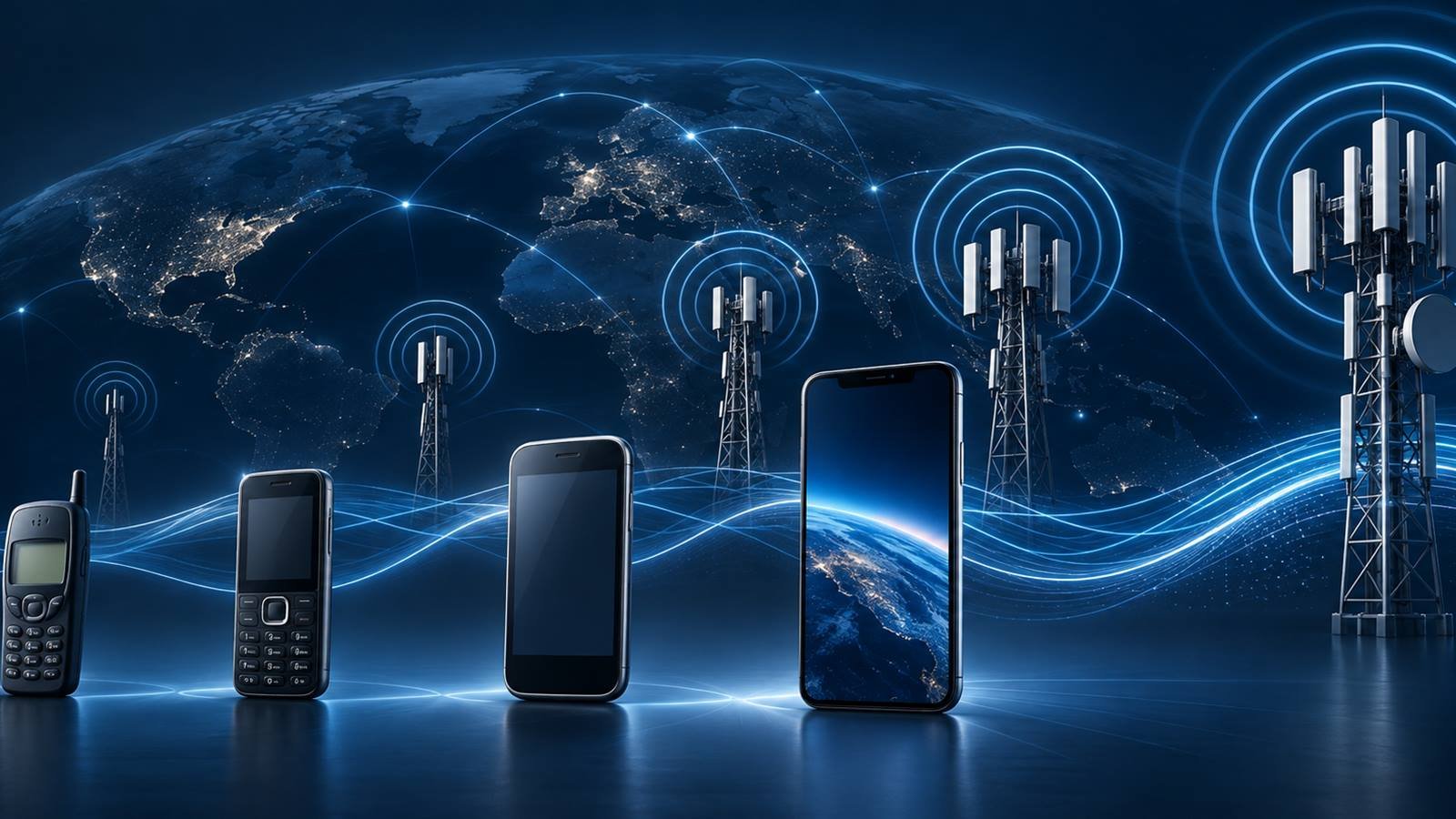
Compare mobile network generations, key capabilities and compatibility requirements.