
Mobile Phone Repair Accessories Guide
Phone Repair Parts: Types, Quality and Compatibility
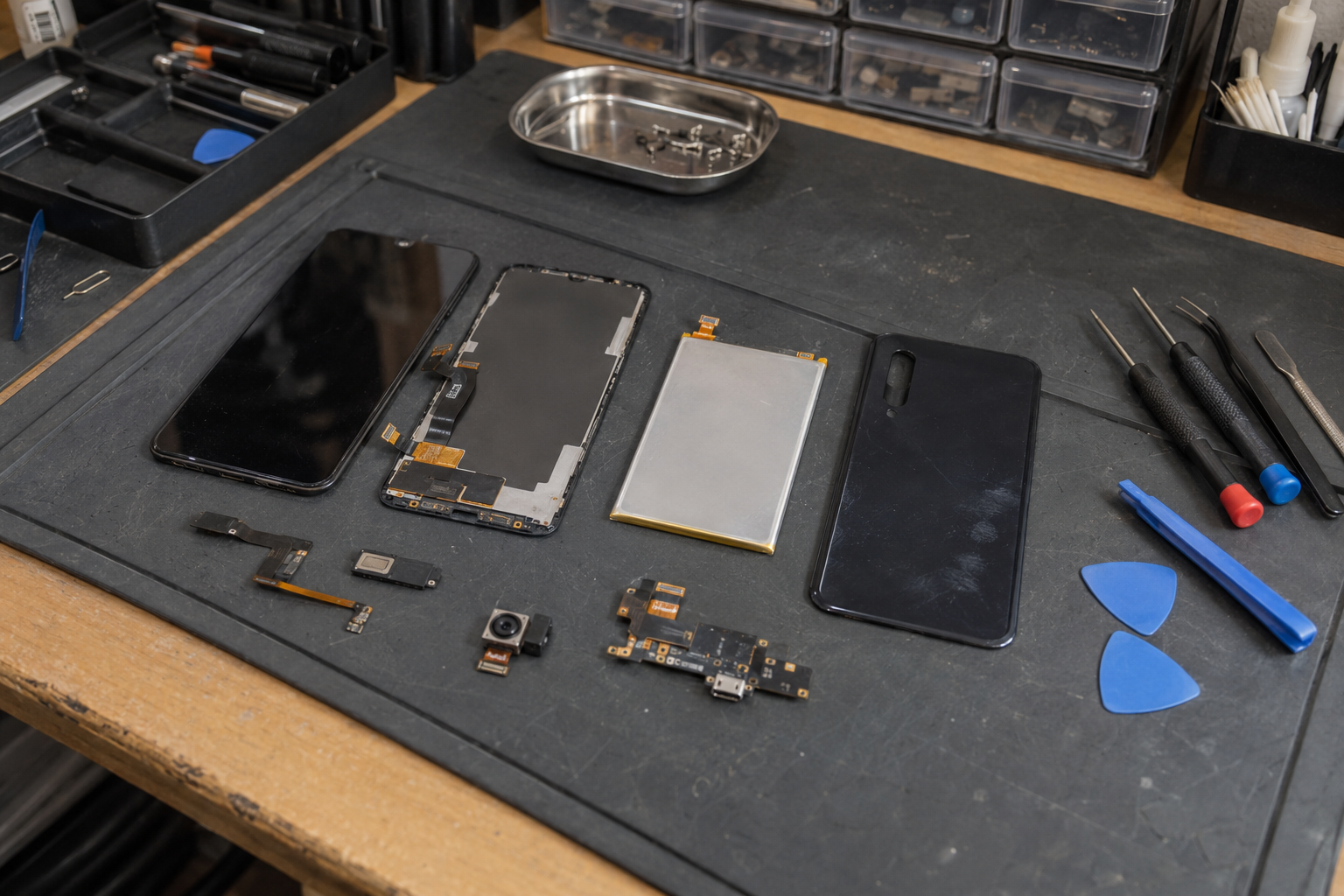
Mobile phone repair parts are replacement components used to restore damaged or aging functions, including display assembly, batteries, charging boards, cameras, speakers, cables and structural parts. Reliable repairs not only depend on the parts themselves, but also require correct diagnosis, accurate matching, standardized installation, functional testing and repair completion software required by the model.
QUICK REFERENCE
Six quick answers
| question | brief answer |
|---|---|
| What accessories do you often replace? | Screen, battery, charging port, camera and audio components. |
| Can similar models be used universally? | Usually you cannot judge based on appearance alone, you must check the exact model number. |
| What does ”original” mean? | Describes the manufacturer’s origin and does not automatically indicate new or disassembled condition. |
| Are third-party products of the same quality? | Different, materials, processes, performance and testing scope may be different. |
| Need calibration? | For some models and parts, please check the current official maintenance information. |
| What should I confirm before placing an order? | Model, part number, assembly content, status, testing and return conditions. |
Match repair-part purchases to the exact phone fleet
Use the Apple iPhone model catalog, Samsung Galaxy model catalog or Huawei phone model catalog to establish the device identity before requesting components. A brand and screen size are not enough: record the complete model, regional variant, component reference and connector or assembly revision where relevant. These catalogs help identify devices; they do not certify that a proposed replacement part is compatible.
Separate a complete display assembly from glass-only repair materials, and distinguish a battery from its associated adhesive or service components. State whether a quotation is for new aftermarket, used original, refurbished or another clearly documented condition. Ask the supplier to describe testing and any required pairing or calibration. Avoid bulk acceptance based solely on a sample photograph or a generic claim of original quality.
When parts support a resale operation, the iPhone wholesale inspection guide helps connect repair decisions to the device's agreed condition. The mixed-SKU sourcing guide provides a method for tracking devices and parts separately in one order. Keep component quantities, test results and return criteria linked to each SKU so a failed batch can be isolated without confusing it with finished phones.

OVERVIEW
Learn about accessories before buying
Before placing an order for accessories, you need to confirm the diagnosis, compatibility, quality status and repair completion requirements respectively; if any of these are unclear, it may cause rework.
- Identify the exact phone model and hardware version.
- Confirm suspected faults with appropriate diagnostics rather than looking at a single symptom.
- Confirm exactly which small parts the replacement assembly contains.
- Check compatibility lists, part numbers and software requirements.
- Learn about testing, warranty, exchange and return conditions after installation.
Low unit price of parts does not necessarily lead to low total maintenance cost. Disassembly and assembly tools, consumables, labor, calibration, transportation, and secondary repairs caused by misjudgment all need to be included in the comparison.
01 · Accessories classification
Common mobile phone repair accessories
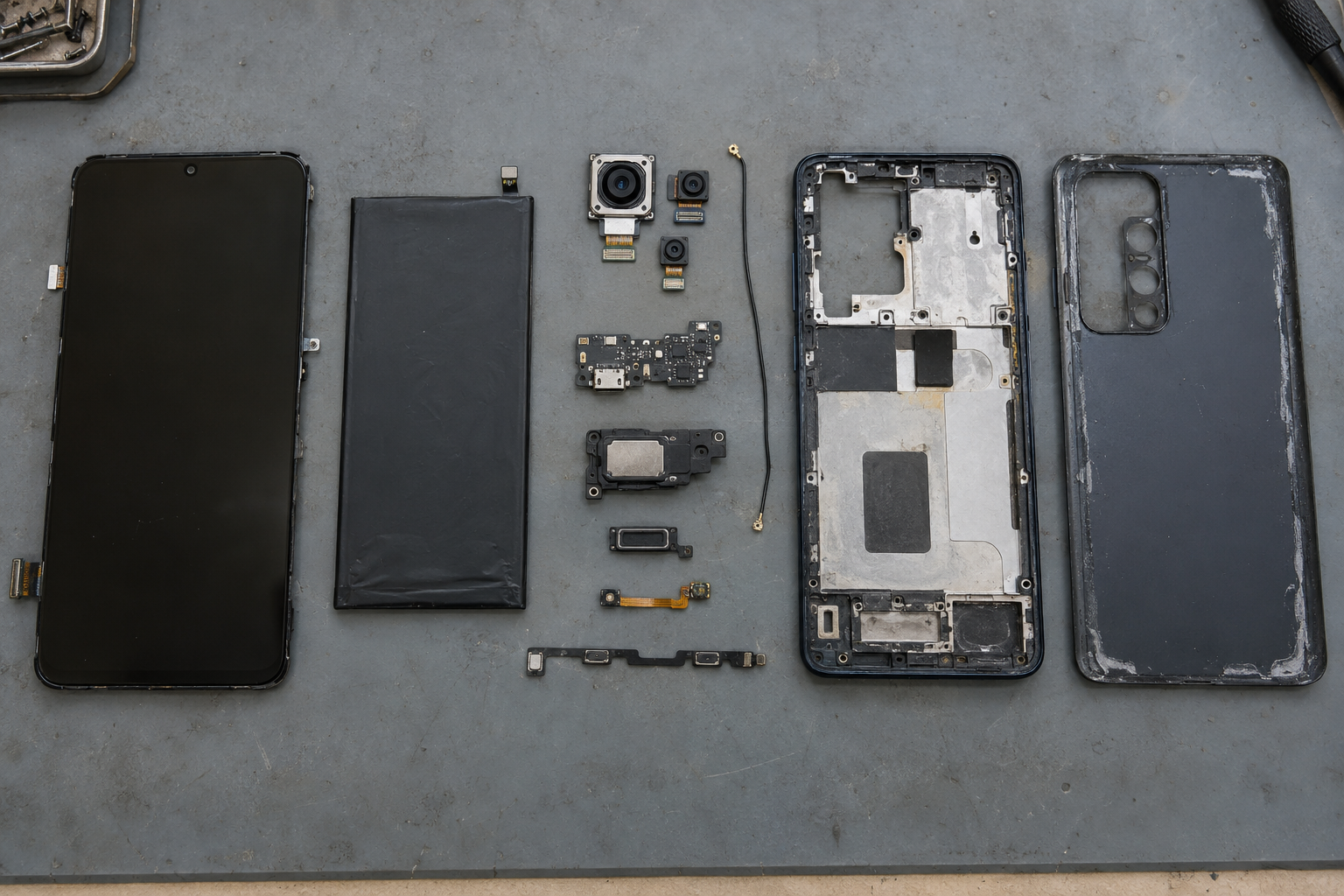
Fault symptoms can only help narrow down the scope, but cannot directly prove that a certain component is broken. Charging abnormalities may come from wires, adapters, interface contamination, batteries, system settings, tail plugs, or motherboard power circuits; diagnosis should be made first before replacement is decided.
| Accessories categories | Main function | Possible phenomena | Important note |
|---|---|---|---|
| display assembly | Display and touch | Broken, broken screen, abnormal touch | Also exclude cables and motherboard display circuitry |
| Battery | Store and supply electrical energy | Reduced battery life and unexpected shutdown | Abnormal power consumption may also come from software or motherboard |
| Charging port/tail plug board | Charging, data and some audio functions | The contact is unstable and data cannot be transmitted. | Microphones and other components may be integrated on the small board |
| camera | Imaging, Focus and Video | Unable to focus, shaking or black screen | Lenses, software and connectors should also be checked |
| Speaker/earpiece/microphone | Play or capture sounds | Noise, silence, low volume | Clogged openings and software can also affect |
| Button/sensor cable | Connect buttons and small sensors | Button or sensor failure | Often combined with multiple components in a line |
| Back cover/middle frame | Support and protect internal structure | Cracked, bent, won’t fit | Preinstalled widgets vary by version |
| Antenna/coaxial line | Connect the RF signal path | Signal is unstable | Also need to exclude the network, antenna base and motherboard |
| motherboard | Computing, storage and system control | Does not turn on or multi-function is abnormal | Whole board replacement and board level repair are different solutions |
Modular replacements typically deal with complete assemblies; board-level repairs require circuit diagnostics, soldering, and higher-level equipment. The risks, costs and data impact of the two are different.
02 · Display components
External screen, touch layer, LCD and OLED
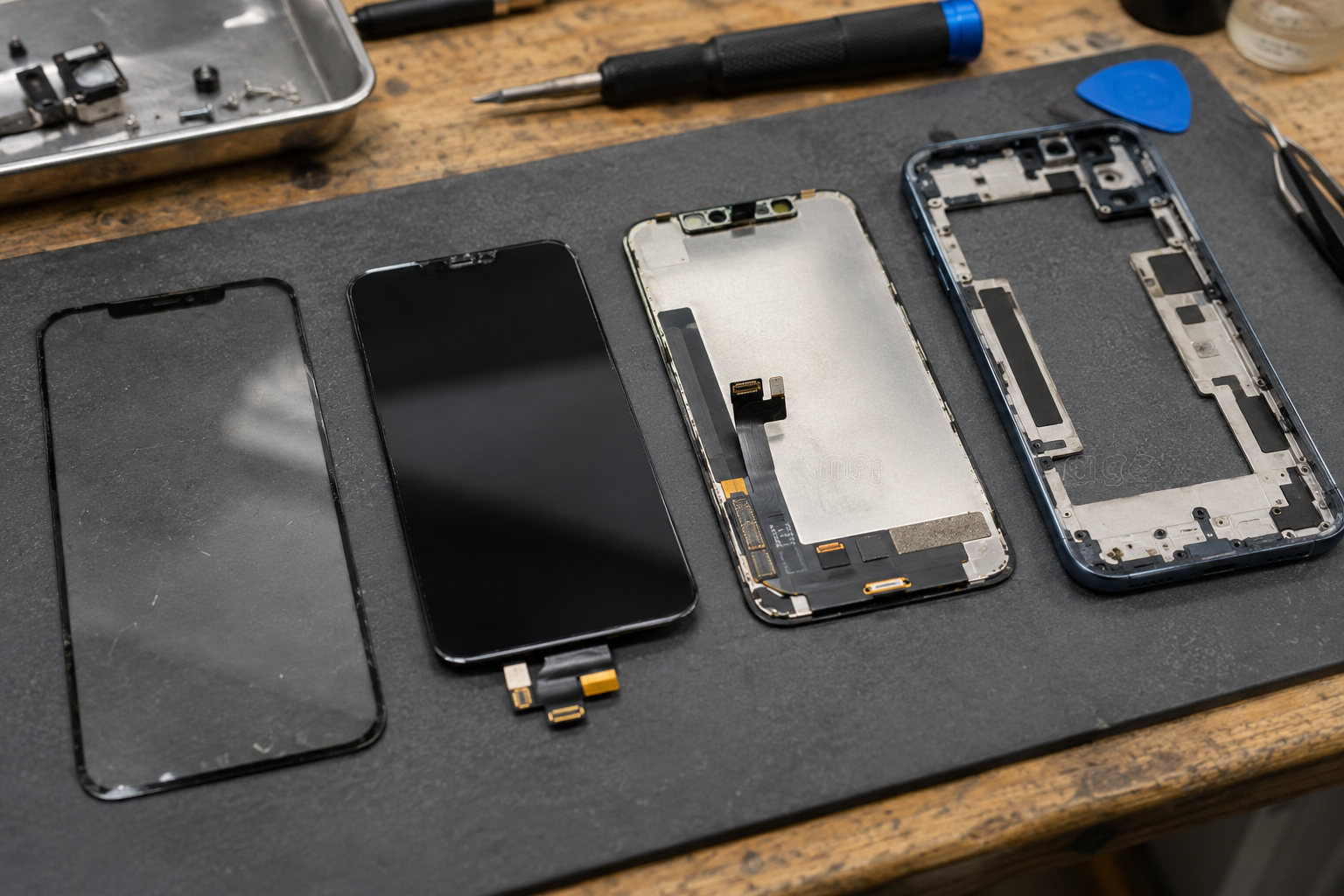
Modern screens usually integrate the cover glass, touch-sensitive layer and display panel into a whole. Replacing only the outer glass is a screen renovation, which requires special processes such as separation, glue removal, lamination, and bubble removal; it is not the same repair as directly replacing the complete display assembly.
| replacement type | contain or describe what | Need to check |
|---|---|---|
| Original display assembly | Complete display parts from manufacturer sources | Condition, provenance and repair completion requirements |
| Renovate the original screen | Keep the original display panel and replace the glass and other layers | Retention of parts, scope of refurbishment and test results |
| Third-party OLED | OLED assemblies from other manufacturing sources | Structure, brightness, color, touch and refresh rate |
| Hard OLED / Soft OLED | Describe panel substrate and structure | This is not a general quality level, it still depends on the specific specifications. |
| LCD replaces OLED | Replace original OLED with LCD solution | Thickness, power consumption, brightness, function and assembly space |
| Frame assembly | The screen is pre-installed on the middle frame or front shell | Colors, pre-installed widgets, antennas and regional versions |
- Check touch location, edge response and multi-touch.
- Compare brightness, color, uniformity, and refresh rate support.
- Check compatibility with under-screen fingerprint, proximity or ambient light sensors.
- Confirm the openings, brackets, cable locations and calibration requirements.
Apple reminds that display components and system functions may affect each other. The current model should refer to the corresponding maintenance manual.View Apple display instructions
03·Battery
Replacement Battery Specifications and Safety
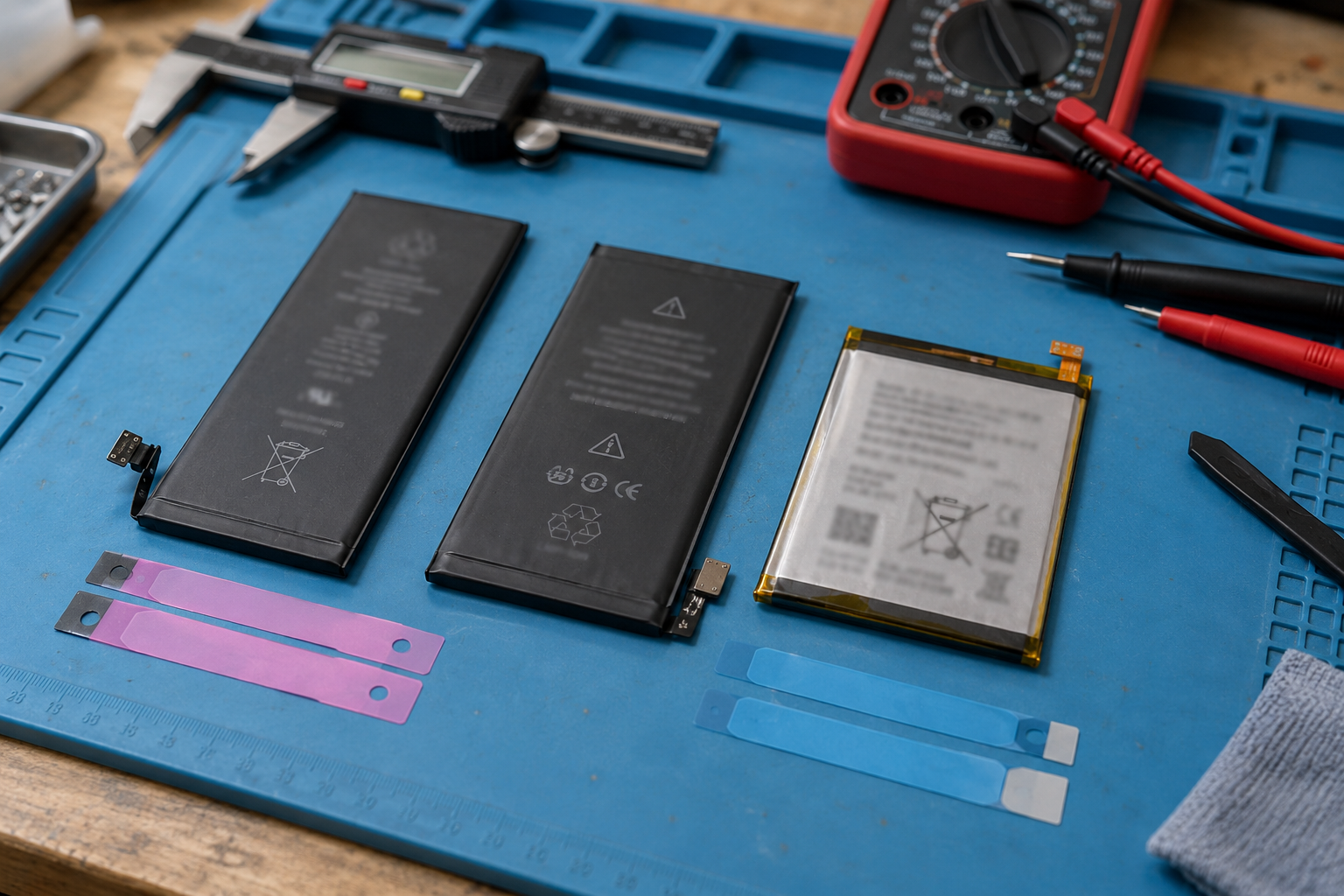
Battery aging can result in reduced battery life, limited peak performance, or unexpected shutdowns, but background applications, signal conditions, screen, temperature, and motherboard power consumption can also affect battery life. The physical dimensions and interfaces appear to be the same, but that still doesn’t prove electrical and software compatibility.
| battery information | Why is it important | Check content |
|---|---|---|
| Compatible models | Determine structural and electrical matching | Exact hardware models and support list |
| Rated voltage and capacity | Affects power supply and reasonable battery life expectations | Tag data and trusted specifications to be wary of unusually high volumes |
| Dimensions and connectors | Affects installation and signal definition | Position, cable length, pins and fixing methods |
| Manufacturing and traceability | Help determine batch and source | Labels, batches, packaging and supply documents |
| Storage conditions | High temperature and long-term improper storage will accelerate aging | Inventory rotation, appearance, terminal voltage and packaging |
| Adhesive strips and disassembly parts | Affects fixation and subsequent repairs | Does it contain new glue that matches the model? |
| health information | Some systems appear to be affected by the verification process | Support scope and repair completion requirements |
04 · Small components
Charging port, cable and vibration components
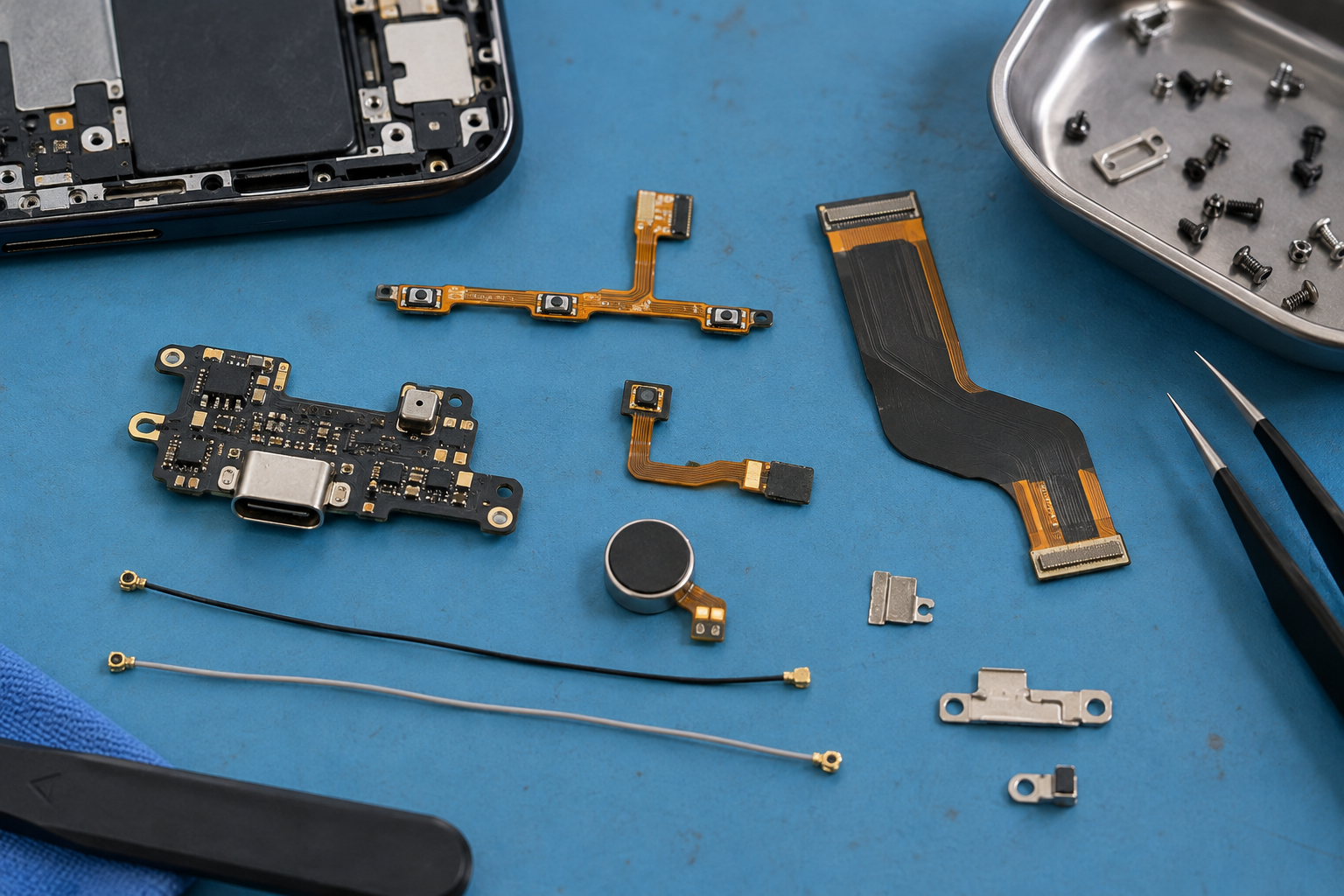
The charging port may be welded to the motherboard, or it may be an independent tail plug board; the small board may also integrate microphones, antenna contacts, headphone jacks or other control circuits. The same socket appearance does not mean that the pins, protocols and board versions are the same.
| components | Common effects | Compatibility details |
|---|---|---|
| Charging pad | Charging, data and some audio | Board number, microphone, region and fast charging support |
| Power/volume cable | Connect the side buttons and related contacts | Cable routing, connector and bracket locations |
| Main and auxiliary board connection cables | Transmits power and data signals | Interface definition and hardware revision |
| Antenna coaxial line | Connect the RF module and antenna | Length, terminal and band design |
| Vibration or haptic motor | Provide vibration feedback | Dimensions, interfaces, fixing and driving methods |
- Check the correct small board or wiring revision number.
- Compare connectors, screw locations, and cable placement.
- Confirm if a microphone, sensor or stand is included.
- Confirm charging, data, audio and fast charging support.
- Check for regional or hardware version differences.
05 · Photography and Structure
Camera, audio components, back cover and seal

| parts | Replace object | will not be solved automatically |
|---|---|---|
| camera module | Sensor, lens and focusing components | Software error, motherboard power supply or outer lens contamination |
| camera cover | External protective glass | Internal jitter, focus or sensor failure of the module |
| Speaker/earpiece | Sound playback component | System settings, audio codec or congestion issues |
| Microphone | Sound collection component | Permissions, blocked openings, or motherboard audio failure |
| Back cover/middle frame | Shell and load-bearing structure | Bent motherboard or damaged internal components |
| Sealant and dustproof net | Assembly sealing and opening protection | Restoring the factory waterproof rating will not be individually certified |
The camera cover and camera module are different parts. Some devices require a supported configuration or calibration after replacing the camera; audio anomalies may be caused by blockage, software, connectors, or board-level circuitry. When purchasing the back cover and middle frame, you should also confirm whether buttons, coils, antennas, lenses or plastic parts are pre-installed.
06 · Source and status
Original, third-party, refurbished and used original parts
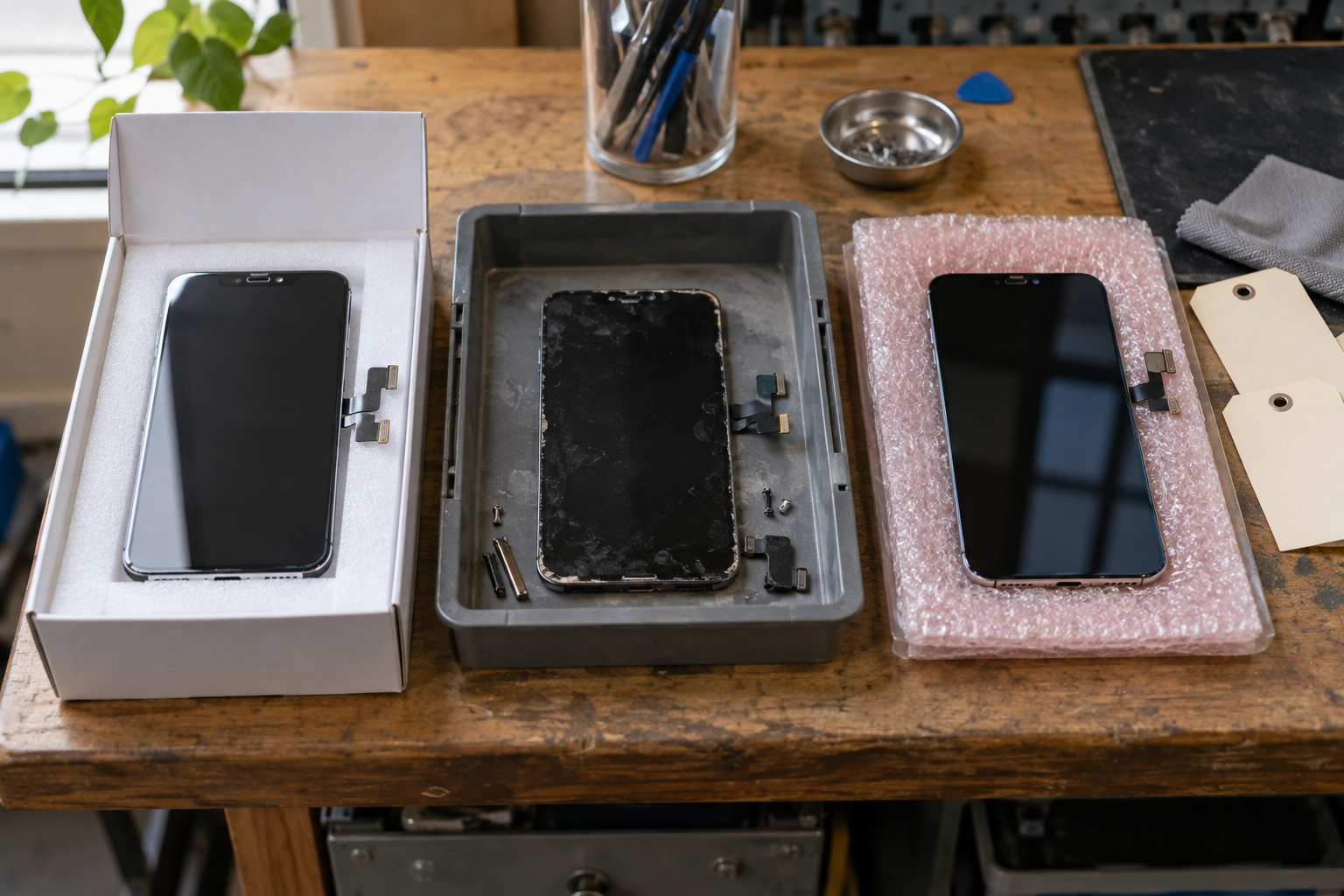
”Source” and ”status” are two independent dimensions. The original part may be a new service part or a second-hand part removed from another device; a refurbished screen may retain the original display panel but replace the glass; third-party parts may use different panels, materials, and control schemes.
| Terminology | Usually described | Buyers should confirm |
|---|---|---|
| Original manufacturer accessories | Sourced or manufactured by the device manufacturer | Whether it is brand new, applicable models, acquisition channels and procedures |
| Official service package | Accessories for maintenance systems | Packaging, part numbers, regions and support eligibility |
| Original disassembly parts | Original parts removed from another device | Usage history, wear, locking and support coverage |
| Refurbished originals | Some original components retained and restored | What to keep, what to replace, how to test |
| third party replacement parts | Produced by other manufacturing sources | Technical specifications, materials, batch consistency and after-sales |
| OEM quality / AAA / Premium | Seller’s quality label | Not unified certification, requires verifiable specifications and testing standards |
Third party does not automatically equal counterfeiting; counterfeiting involves a false representation of a brand or source. Packaging and printed logos cannot independently prove authenticity. Purchasers should check source documents, scope of refurbishment, test records, and return and exchange conditions.
07 · Model matching
How to check accessory compatibility
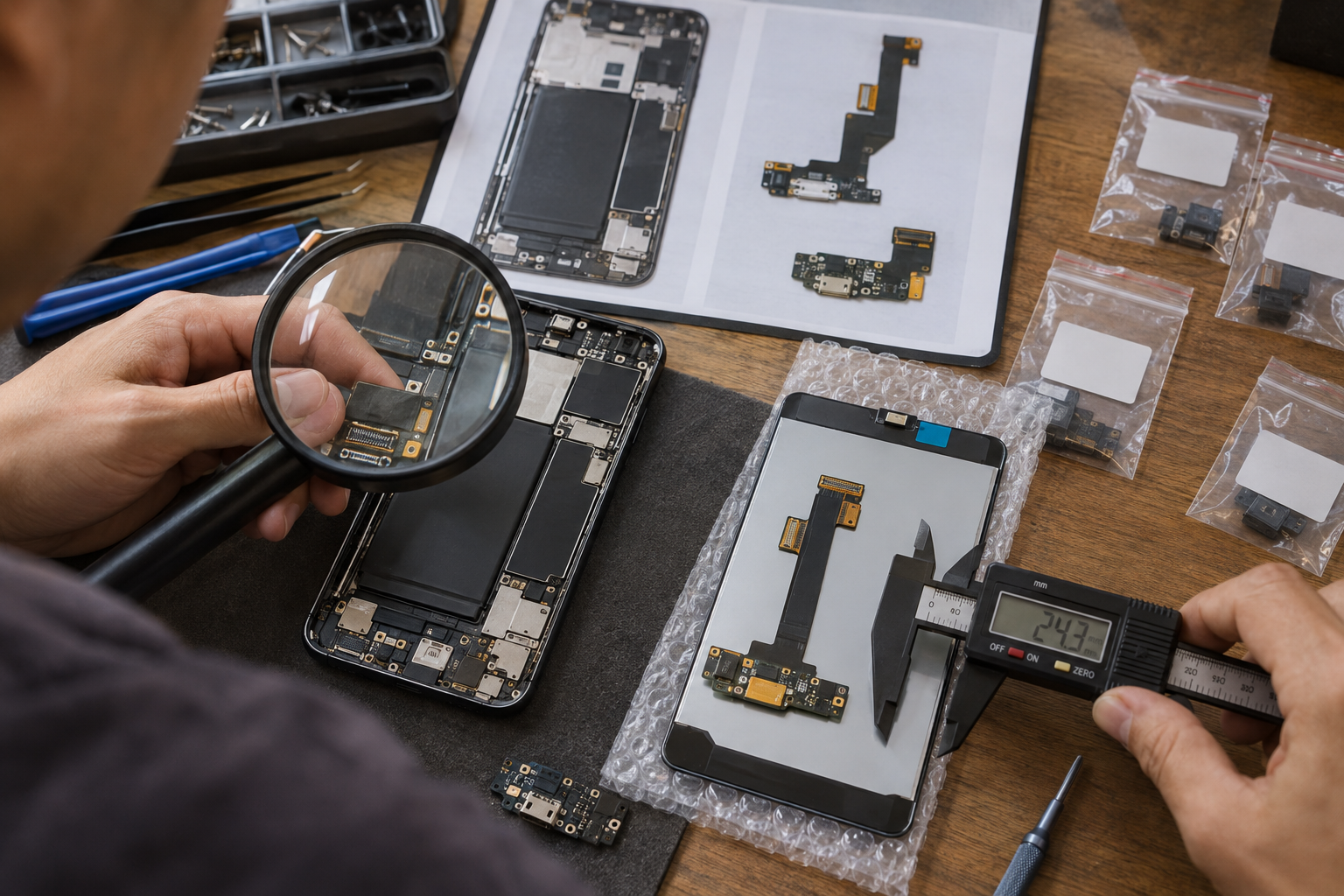
- Find the exact product name and hardware model number.
- Confirm Generation, Standard, Plus, Pro, Ultra or other editions.
- Check the vendor’s clearly listed supported models.
- When a part number is available, priority is given to comparing the part number with the revision number.
- Check for 4G/5G, region, carrier or motherboard version differences.
- Confirm the scope of the assembly including frames, brackets, sensors or plastic parts.
- Check the current service manual for software, calibration and testing requirements.
| Identification information | important reasons |
|---|---|
| marketing name | Similar names may correspond to different years and hardware |
| Hardware model | Qualify device variants more precisely than series names |
| Part number/board number | Interface, functionality and revision differences can be distinguished |
| Regional or network version | May affect antennas, tail plugs and small motherboard parts |
| Color and frame size | Affect appearance and structural installation |
| Sensors and biometrics | May involve original part migration or supported processes |
Don’t place an order based solely on product pictures and visual similarity, and don’t disclose the IMEI or full serial number for general compatibility confirmation. Accurate model numbers, part numbers, and necessary interface photos should usually be given priority.
08 · Software process
Pairing, calibration and repair completed
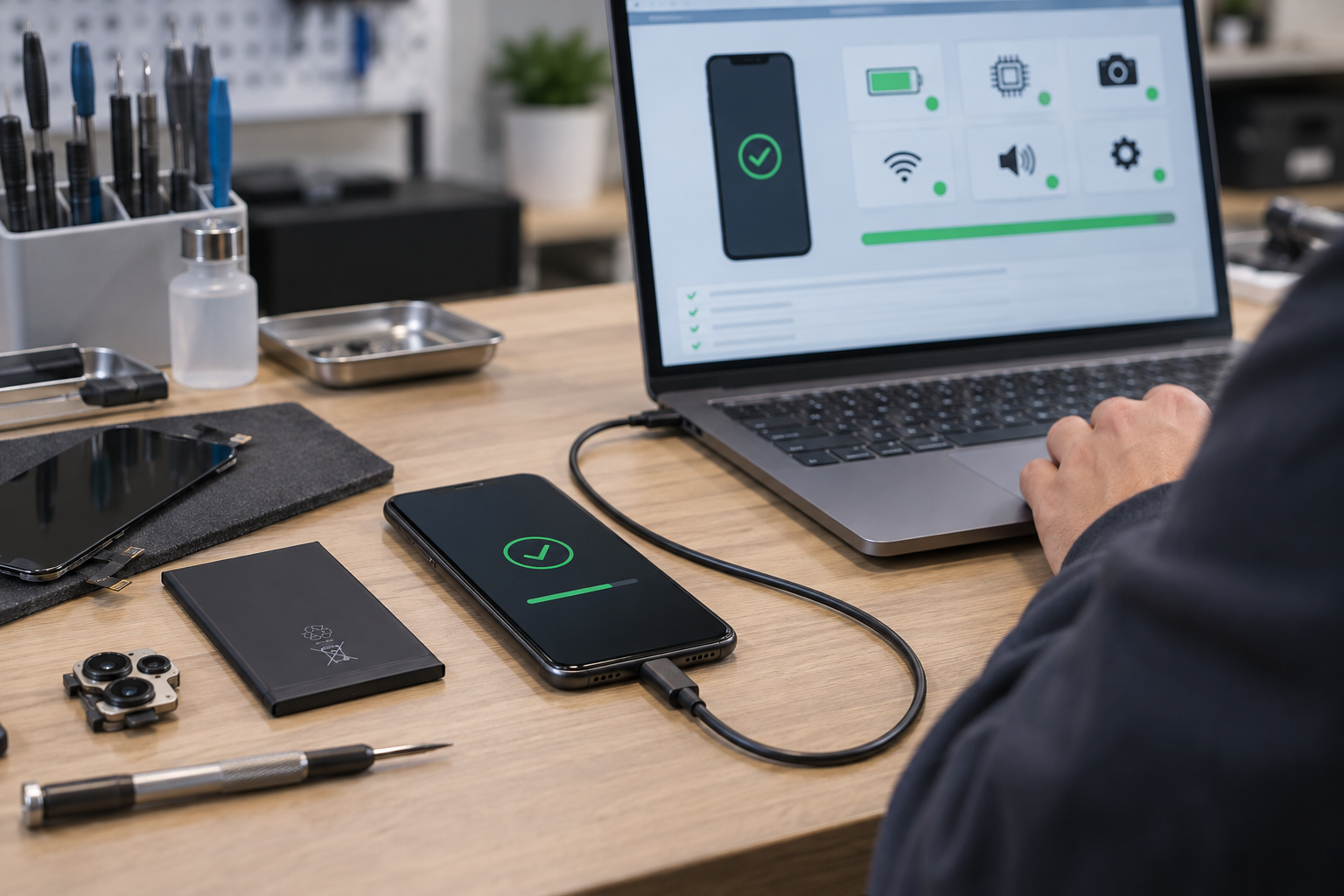
Hardware compatibility means parts are structurally and electrically suitable; component verification or pairing is used to allow the system to recognize the part and its data; calibration is used to adjust display, camera, sensing or battery information; repair completion software may integrate verification, configuration and testing into a supported process.
| request | possible purpose | Need confirmation |
|---|---|---|
| Hardware compatible | Ensure that the interface, size and electrical parameters match | Exact model number, part number and revision |
| Component verification | Identify part source or installation status | Supported models, account/lock conditions and networks |
| Calibration | Establish display, camera or sensing parameters | Tools, software versions and completion status |
| Repair completed | Perform configuration, diagnostics, and logging | Brand official process and regional availability |
| Maintenance history | Display replaced component information to user | System version and supported component categories |
Apple’s ”unknown parts” may be triggered by a variety of situations such as non-original, abnormal working, unverified association, or modified parts, and cannot be concluded as fakes alone. Samsung’s self-service repair instructions also highlight that supported models, diagnostics and battery recalibration procedures may vary by product. You must check the current information by brand, model, component, system version and market, and there is no promise that all prompts can be eliminated.
09 · Supply and acceptance
Evaluate suppliers and test accessories

| question | Recommended evidence to request |
|---|---|
| Which models exactly are they compatible with? | Supported models, part numbers, and hardware revision lists |
| What is the source and status? | New, disassembled, refurbished or third party clear instructions |
| What parts does the assembly contain? | Packing list, actual pictures and items not included |
| Screen or battery specs? | Panel technology, capacity, voltage and supply specifications |
| What tests have been done? | Test items, passing standards and batch records |
| How to trace back? | batch, label or available supply file |
| How to deal with arrival failure? | DOA Process, Evidence Requirements, and Time Conditions |
| Is it possible to return after installation? | Clear policy after sealing, fitting, welding and gluing |
Functional testing is performed in accordance with the device maintenance documentation and safe assembly sequence: the screen checks display and touch; the tail plug checks charging and data; the camera checks imaging and focus; the audio components check speakers and microphones; while verifying buttons, sensors, battery reporting and supported biometric functions. Do not plug or unplug components at will while the power is on.
When a repair shop makes bulk purchases, it can first evaluate the samples and then compare the consistency of subsequent batches. The passing of samples does not mean that all batches are automatically qualified. The acceptance standards should be consistent and records should be kept.
10 · Maintenance decisions
Maintenance cost, difficulty and time to seek help

| cost factor | Why is it important |
|---|---|
| replacement parts | Quality, condition and assembly range change prices and results |
| Tools and Supplies | Glue, seals, cutters and clamps may be additional costs |
| Labor and diagnostics | Disassembly and assembly difficulty and fault location time are different |
| Calibration and Service Process | Some models require supported software or service resources |
| Shipping and Returns | Cross-border shipping and returns add time and cost |
| potential additional damage | Liquid intrusion, deformation or old glue may expose more problems |
| residual value | Equipment status, system support and life expectancy impact appropriate investment |
Uncertain diagnosis, battery bulge, liquid intrusion, board-level failure, foldable screen, biometric components or important data that has not been backed up are all suitable for evaluation by professionals first. Replacing the motherboard does not mean recovering data from the original motherboard. The goals and technical paths are different.
- Has the fault been reasonably confirmed?
- Can it meet the remaining usage requirements after repair?
- Does the device still have appropriate software and security support?
- Are the total cost and risk of rework acceptable?

FAQ
Frequently Asked Questions about Mobile Phone Repair Accessories
These answers are used to help confirm the purchasing and maintenance direction. For specific installation, you should still refer to the official or professional maintenance information of the corresponding model.
What accessories are most commonly replaced for mobile phones?
Common items include display assembly, battery, charging port or tail board, front and rear cameras, earpieces, speakers, microphones, button cables, back cover and middle frame. Being common does not mean that the fault has been identified. Software, connector and motherboard problems should still be eliminated before repair.
How to find the right mobile phone replacement parts?
First confirm the accurate model and hardware model in the system, body label or official information, and then check the regional version, capacity version, 4G/5G version, part number, cable interface, color and assembly content. Similar appearance does not prove compatibility.
What is the difference between original accessories and third-party accessories?
Original describes the manufacturer’s source, and third party describes another manufacturing source; both also need to indicate the condition, technical specifications, and testing scope. Third-party products are not inherently counterfeit, but performance and consistency may vary depending on materials, design, and supplier quality control.
Is a refurbished original screen equivalent to a brand new original screen?
Not equal to. Refurbishing the original screen usually retains the original display panel while replacing the outer glass, polarizing layer or other damaged parts. When purchasing, you should confirm which original parts are retained, the scope of refurbishment, display technology, test items and after-sales conditions.
Can I replace only the outer glass without replacing the display assembly?
Some screens may be eligible for refurbishment when the display and touch controls are normal and the damage is limited to the outer glass. However, modern screens are multi-layered and require special equipment to separate, remove glue and re-attach. Suitability should be judged by maintenance personnel with corresponding skills.
Are mobile phone batteries interchangeable?
Usually not interchangeable based on size or interface alone. Also check for accurate model number, rated voltage, capacity, connector definitions, temperature and identification circuitry, mounting methods and software support. Just because it looks like it can be loaded doesn’t mean it’s safe or compatible.
Does replacement of accessories require calibration or pairing?
uncertain. Requirements depend on brand, model, part, system version, and region. Some screen, battery, camera, or biometric components may require an officially supported repair completion process; other components can simply be installed and tested.
Does the “unknown part” prompt mean that the accessory is fake?
This cannot be judged alone. Taking Apple’s instructions as an example, relevant prompts may appear in various situations such as unverification, incomplete association, abnormal working, modification, or non-original. Further judgment should be made based on the maintenance history, parts source and official diagnosis.
Will the phone still remain waterproof after repair?
Just replacing the glue with new ones cannot guarantee that the factory waterproof performance will be restored. The sealing effect also depends on the condition of the frame, cleaning, adhesive materials, lamination process and assembly accuracy; disassembly, dropping and aging will also affect the sealing. Avoid equating re-taping with waterproofing certification.
When should it be left to professional maintenance personnel?
When the diagnosis is uncertain, the battery is bulging, liquid has entered, the motherboard is faulty, the foldable screen, biometric components, or there is important data that has not been backed up in the device, you should give priority to seeking professional evaluation. The difficulty of repair is determined not only by the price of the parts, but also by safety, tooling, calibration and rework risks.

Summary
Choose the right accessories for reliable repairs
- Confirm the fault first before ordering suspected related components.
- Match exact equipment and verify source, condition, specifications and assembly content.
- Complete the software process of standardized installation, functional testing and model requirements.
The cheapest item does not necessarily bring the lowest repair costs. Accessories that can clearly define compatibility, quality status, testing, and return and exchange boundaries are more conducive to reducing mispurchases and rework.
Parts identification and procurement issues
Need help identifying cell phone repair parts?
Please fill in the exact model of the mobile phone, suspected accessories, existing part number, quantity and compatibility issues in Your Request. You can also contact directly via WhatsApp or WeChat and send the necessary label or interface reference information.

Related Articles
Related mobile guides
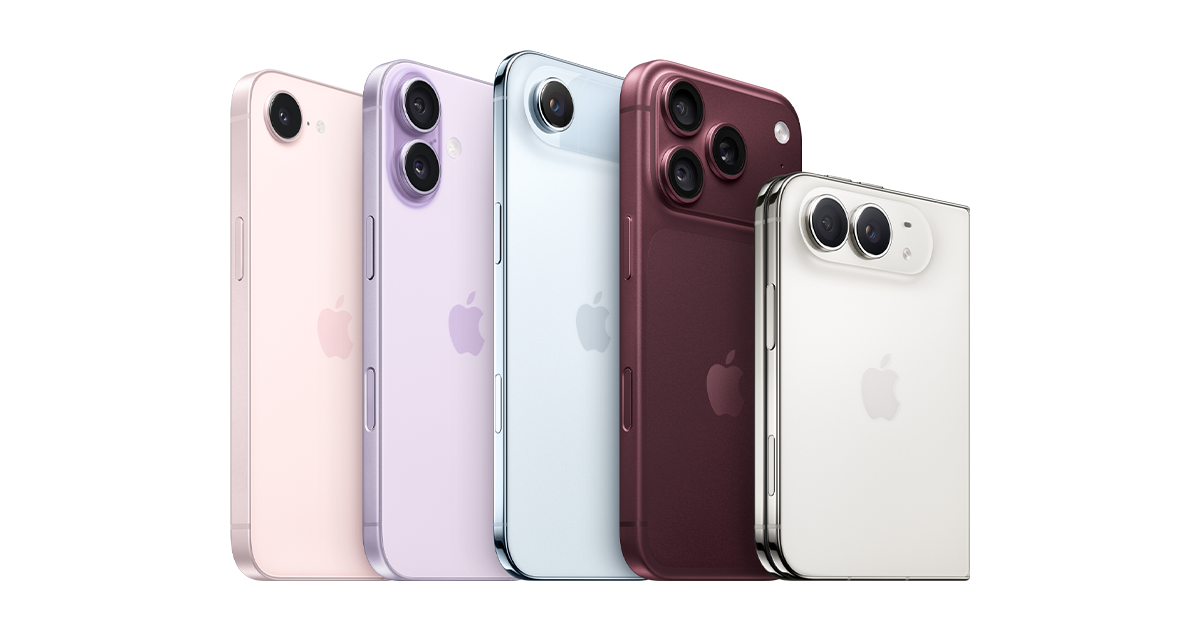
Detailed explanation of Apple iPhone models
Understand iPhone nomenclature and identify the exact model before comparing repair parts.

Detailed explanation of Samsung Galaxy series
Learn about the Galaxy product family and why the exact model number affects accessory compatibility.

Huawei and HONOR mobile phones
Understand the differences between the two brands and avoid equating similar appearances with universal accessories.
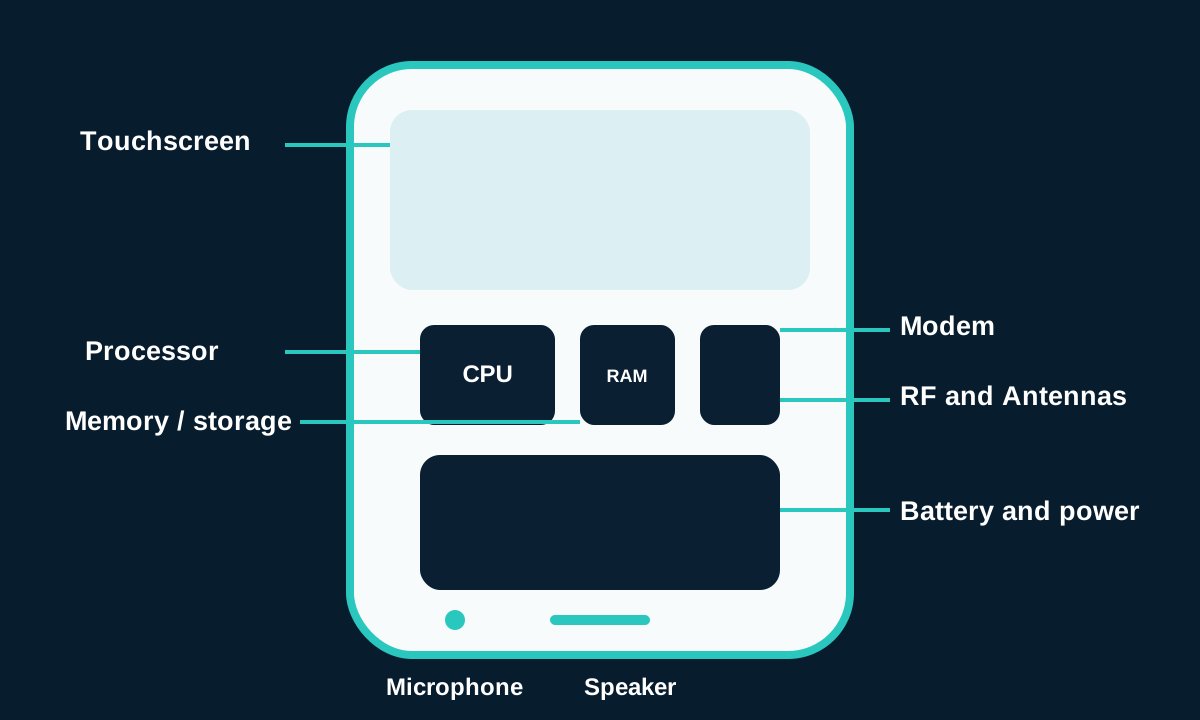
How do mobile phones work?
Learn how the major components work together to support communications and day-to-day functions.