
Samsung mobile phone series guide
Samsung Galaxy Series Explained: S, A, Z, FE & M Series Differences
Samsung Galaxy phone ranges include S, A, Z and, in selected markets, M and F; XCover serves rugged work needs. Galaxy S targets buyers who prioritize premium performance, cameras and features. Galaxy A covers entry-level to mid-range phones for everyday use. Galaxy Z offers foldable designs for buyers who want a compact Flip or a larger Fold workspace. FE means Fan Edition: Galaxy S FE models bring selected flagship features to a lower price point, although FE also appears in other Galaxy families. Galaxy M emphasizes value and, on some models, larger batteries for budget-conscious buyers. Choose a series by your budget and use, then verify the exact model, regional version, storage and remaining support; series names alone do not guarantee specifications.

Quick Reference
Galaxy Series Quick Reference
- S: premium flagship phones.
- A: entry-level and mid-range value.
- Z: foldable designs.
- S FE: selected flagship features at a lower price.
- M: regional value options; battery capacity varies.
At a glance
Samsung Galaxy Series Comparison
| Series | Positioning | Typical Buyer | Main Features |
|---|---|---|---|
| Galaxy S | Premium flagship | Users prioritizing performance, photography and premium features | Advanced processors, cameras and displays; capabilities vary across standard, Plus and Ultra models |
| Galaxy S FE | Value flagship / flagship-inspired | Buyers seeking selected S-series features at a lower price | A different balance of camera, processor, display and materials within an S-series experience |
| Galaxy A | Entry-level to mid-range | Everyday users and price-conscious mainstream buyers | Balanced price and everyday features across several specification levels |
| Galaxy Z | Premium foldable | Buyers prioritizing a folding design, portability or multitasking | Fold models open to a larger workspace; Flip models fold into a compact shape |
| Galaxy M | Value-focused, with battery emphasis on some models | Budget-sensitive buyers in markets where the model is supported | Competitive specifications and battery options; check capacity, bands and local availability |
FE is a version label, not a separate phone family. The FE row compares Galaxy S FE phones; Samsung also uses FE on other products. F and XCover remain relevant for selected regional and rugged-use requirements.
Overview
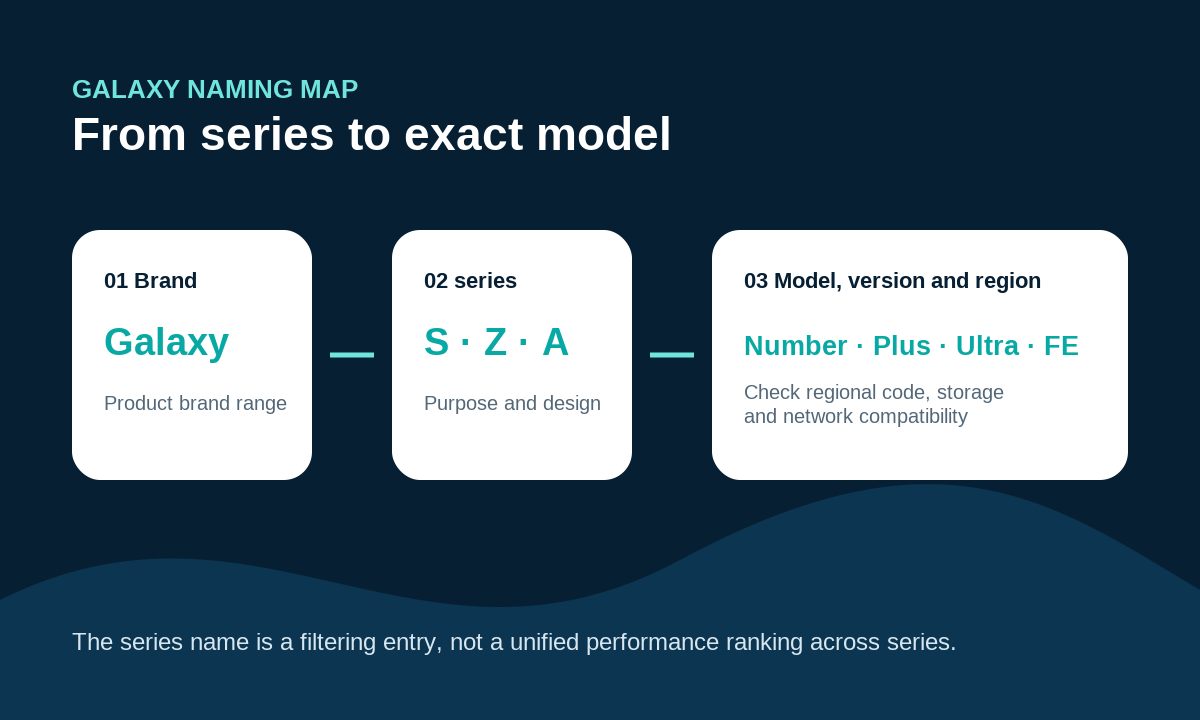
How to understand the Samsung Galaxy product line
- Galaxy Indicates a larger range of product brands.
- series lettersIndicates the general category of mobile phones.
- numbersHelps identify models or generations within the series.
- Suffixes and area codesFurther explanation of version and configuration.
| Name | product type |
|---|---|
| Galaxy S / Z / A / M / F / XCover | Smartphone series discussed in this article |
| Galaxy Tab | Tablet |
| Galaxy Watch | smart watch |
| Galaxy Buds | wireless headphones |
| Galaxy Book | computer |
The ”Tab S” is not a Galaxy S phone. Labels such as Ultra, FE, etc. may also appear on different product types. When choosing, check form factor, budget, features, local compatibility, and remaining support.
01 · High-end bar-style mobile phone
Samsung Galaxy S Series
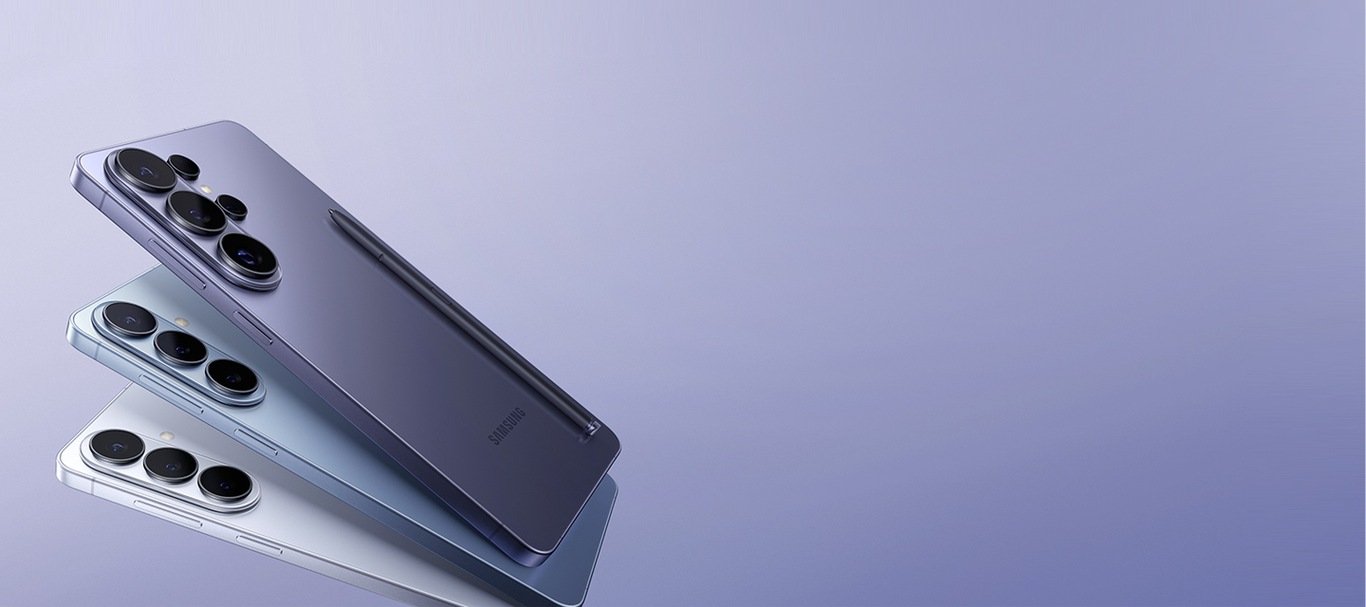
Galaxy S is Samsung’s high-end bar-style phone series, which usually prioritizes processing power, camera combination, display quality, connectivity and productivity features. The ”high-end” here is series positioning, which does not mean that every generation and every version is leading in all tasks.
| version | general purpose | Must check |
|---|---|---|
| Standard Edition | Core S Series experience in an easier-to-carry size | Screen, camera, storage and charging |
| Plus | Usually offers a larger screen or body | Actual specification differences from standard version |
| Ultra | Usually equipped with richer cameras and productivity features | S Pen, size, weight and price |
| Other official versions | Design or positioning for a specific generation | Don’t apply old generational meanings |
Plus often means a larger version, and Ultra is usually the more feature-rich version of the current generation, but the difference varies from year to year. The S Pen should only be confirmed by the exact model, including compatibility, whether it comes included, and whether it can be stored in the body.
Suitable for people who prioritize
- More flexible photo and video capabilities are needed.
- Frequently run high-load applications or games.
- Value screens, connectivity, or specific productivity features.
The old S doesn’t automatically outperform the new A or FE. Equipment status, price, remaining support, and actual demand may change conclusions.
02 · Folded form
Samsung Galaxy Z Series
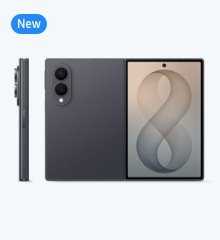
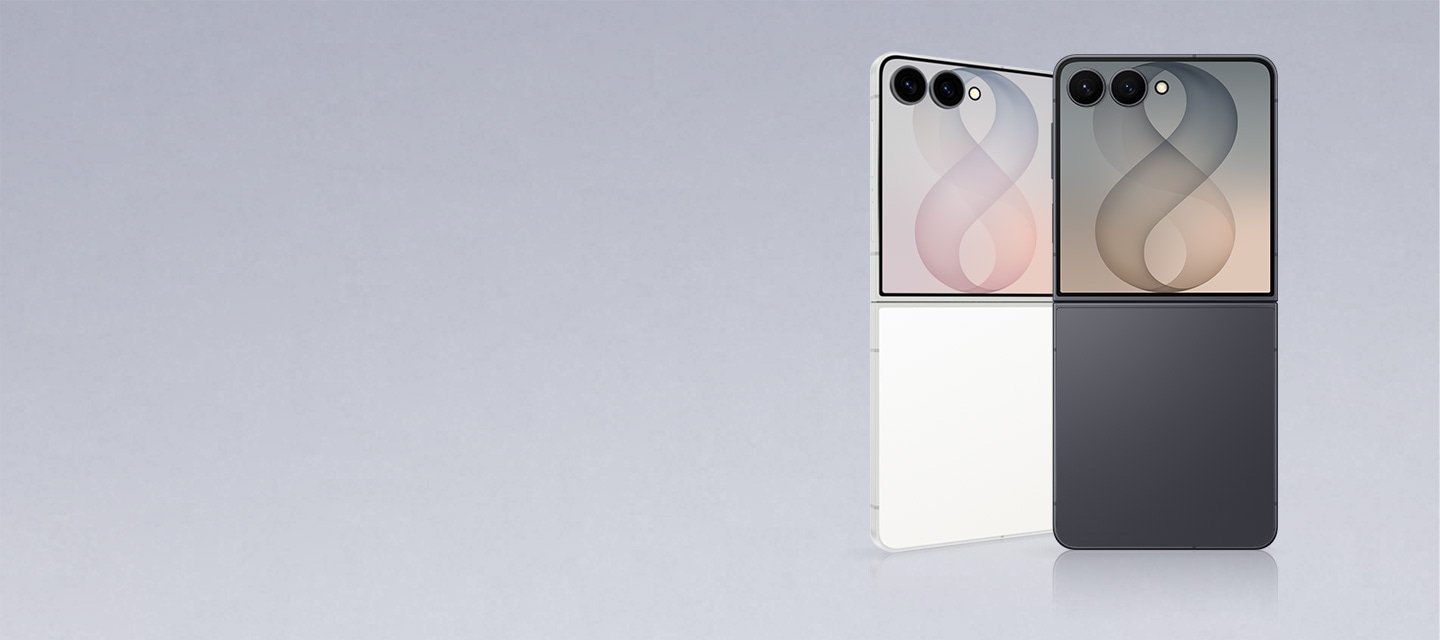
Fold-type mobile phones expand to form a larger workspace, suitable for reading documents, side-by-side applications and content browsing; Flip-type mobile phones emphasize the compact size after folding. Paying for the foldable form factor doesn’t automatically get you the best camera, gaming performance, or battery life.
| factors | Fold form | Flip form |
|---|---|---|
| main purpose | Expanded large-screen workspace | Portable volume after folding |
| open use | Reading, multitasking and the big picture | Close to regular mobile phone screen |
| Closed use | Relying on external screens to complete some tasks | Use external screen to view quick information |
| carry | Usually thicker and heavier | Shorter and more compact when folded |
| Select focus | Multitasking, proportion and weight | External screen, crease and unfolding frequency |
Check before buying
- App behavior on internal and external screens.
- Dimensions and weight in open and closed state.
- Screen & Hinge Care, Repair & Warranty.
- Accurate waterproof and dustproof rating.
- Model compatibility when stylus is required.
If other official folding forms appear in the target market, it should be considered as an additional version and checked separately, rather than being forced into the traditional dichotomy of Fold and Flip.
03 · Daily mainstream
Samsung Galaxy A Series
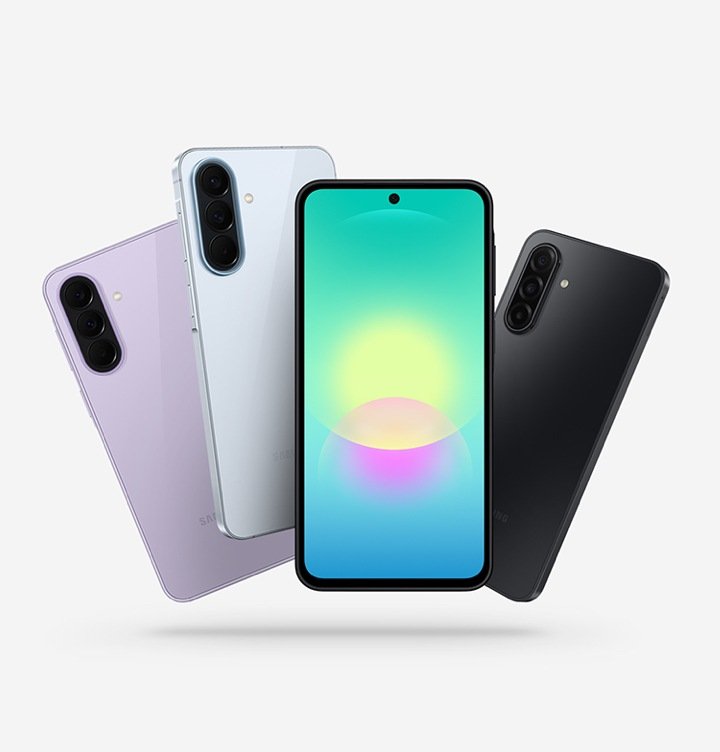
Galaxy A is not a fixed specification, but a broad series covering entry-level and mid-range. Some models focus on basic communications and common applications, while others add better screens, cameras, protection or longer support.
| Common levels within the series | Common highlights | should be compared |
|---|---|---|
| Getting Started | Communication, lightweight applications and controlling budgets | Processor, RAM, storage and network |
| Daily mainstream | Social networking, audio and video, photography and battery life | Screen, camera and charging |
| Higher order A | A more complete daily experience | Image Stabilization, protection, updates and price |
Processor and memory, screen type and refresh rate, camera image stabilization, storage expansion, charging, waterproofing, and software support should be checked separately when purchasing. Model numbers can help locate products in the same series. For example, different numbers in the A series often represent different product levels or generations, but each number cannot be turned into an eternal formula.
- Suitable for people who want to meet practical daily use.
- Ideal for those who control their spending without going for all the high-end features.
- Ideal for those looking for a balance between local warranty and long-term support.
Newer high-number A models also don’t automatically outperform all older Ss in every task; comparisons should be made at similar price and condition.
04 · Regional value type
Samsung Galaxy M Series
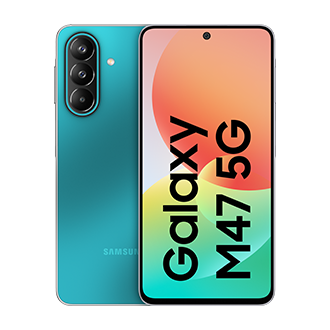
Samsung Galaxy M is a value-focused range sold in selected markets, often emphasizing battery capacity and practical specifications. Battery size is model-specific: Samsung’s Galaxy M35 5G, for example, launched with a 6,000 mAh battery; that figure does not apply to every M phone. Galaxy F is a separate regional range, and its price and specifications may overlap with M or A. Related models may share some components, but cannot be called renamed versions of the same phone without verification.
Samsung’s Galaxy M35 launch specifications provide a model-specific example.
How Galaxy M differs from Galaxy F
| Series | general positioning | Must be checked locally |
|---|---|---|
| Galaxy M | Value phones for select markets | Official supplies, complete models, networks and warranties |
| Galaxy F | Value phones in some markets and channels | Sales channels, SIM, NFC, updates and accessories |
- Is this model officially available from local Samsung?
- Complete region model code and carrier band.
- Warranty, repair, NFC, payment and SIM functionality.
- Confirm the software update commitment and whether charging accessories are included.
Sales channels will vary by model and market, and the entire F series cannot be described as globally unified and exclusive to a single retailer. Galaxy F is a phone series; FE (Fan Edition) is a version label.
05 · Version Label
What Does FE Mean in Samsung Phones?
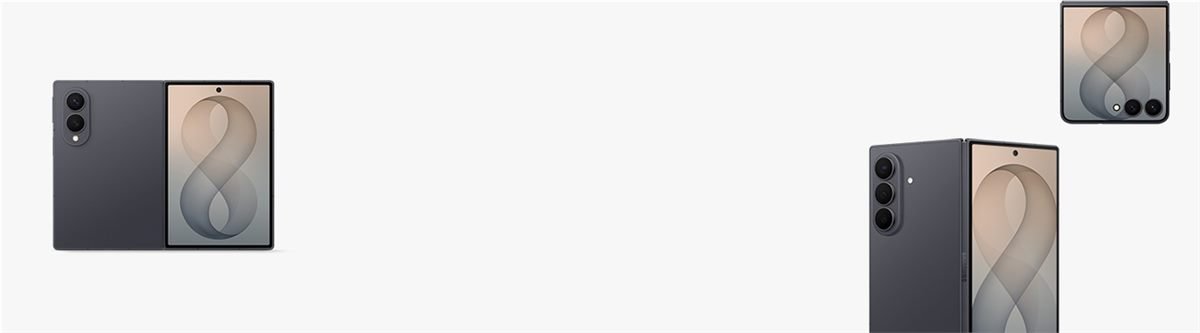
FE is Fan Edition. It often takes parts of the experience from a related high-end family and remixes them with a different balance of hardware, size, and price. The FE label does not describe whether a unit is new, used or refurbished, and it is not a fixed hardware grade parallel to S, Z and A. Samsung’s Galaxy Z Flip7 FE also shows that FE is not exclusive to S-series phones.
| Project | May differ from related models |
|---|---|
| Processor | Chip model, regional version and heat dissipation |
| Camera | Sensor, focal length, zoom and video |
| Display | Size, brightness, borders and refreshability |
| fuselage | Materials, dimensions, weight and protection |
| Batteries and charging | Capacity, protocols and wireless charging |
| Software | Feature eligibility and regional support |
| support | Exact model upgrades and security commitments |
It cannot be assumed that every FE uses cheaper materials, older chips, or shorter support periods. When choosing, you can put the S FE, the higher-end A, and the discounted older model S into the same candidate list, and check them one by one by local price, camera, performance, repair, warranty, and remaining support.
Samsung official FE descriptionIt is also emphasized that FE is a version concept that creates a specific balance between functionality and price.
06 · Rugged type and historical name
Galaxy XCover vs. Old Galaxy Series
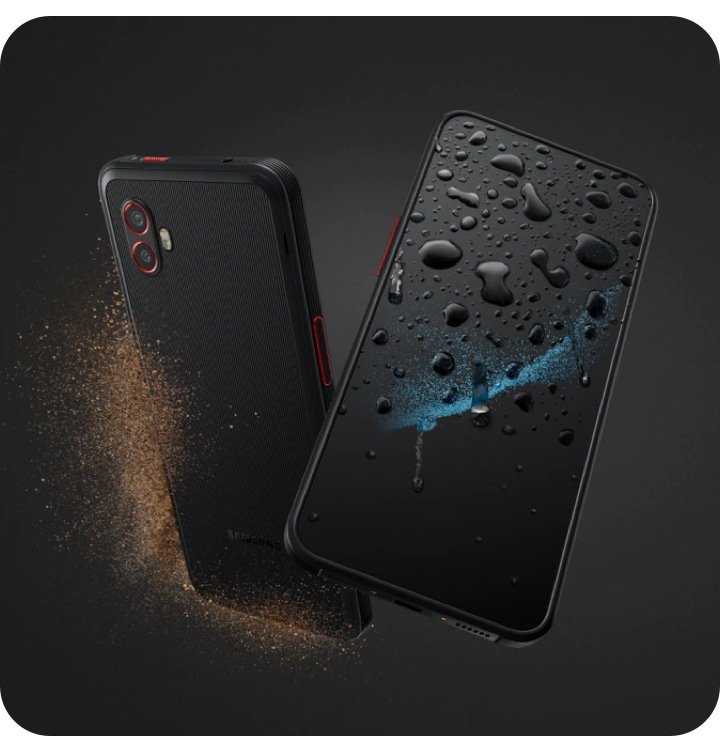
XCover focuses on the working environment and durability needs, but the ruggedness of one model cannot be applied to the entire series. Check for accurate IP or endurance testing, programmable keys, battery and service methods, enterprise deployment capabilities, and local parts and repairs.
| Series | historical positioning | Should know now |
|---|---|---|
| Galaxy Note | Large screen and stylus productivity | Its positioning influenced some of the subsequent S Ultra |
| Galaxy J | Past entry and mainstream series | It is a historical name and should not be recommended by default. |
| Galaxy W | Name used in some regional directories | Check with local official information |
The Galaxy S22 Ultra is a historical example of a built-in S Pen in the S series, illustrating that some of the Note’s ideas carried over into subsequent products; this does not mean that every S Ultra has the exact same pen, storage and remote control functions. Ruggedness also does not mean that it will not be damaged or that it will be waterproof in all environments.
Samsung rugged devices pagewithS22 Ultra historical release informationCan be used to check these positions.
07 · Name interpretation
How to read Galaxy model names and suffixes
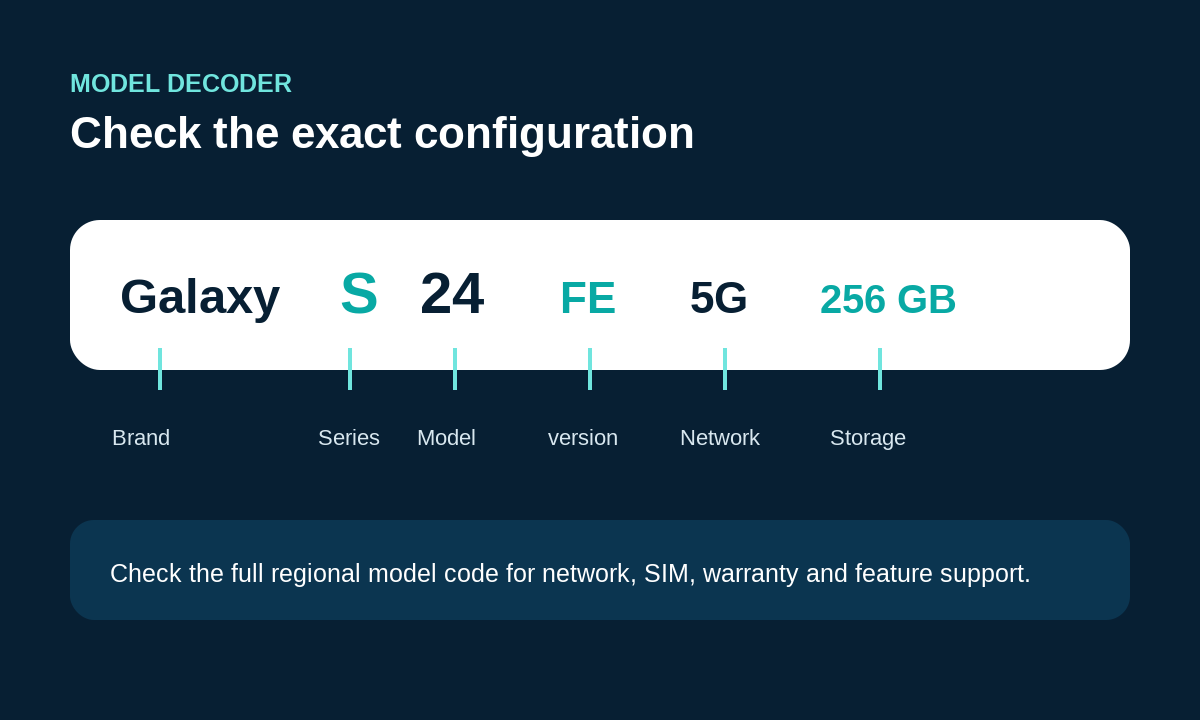
| name element | Usually stated | not guaranteed |
|---|---|---|
| S / Z / A / M / F / XCover | Approximate product family | Unified performance levels across series |
| numbers | Model or generation within the series | All specifications must be improved |
| Plus / Ultra | version in this generation | The difference is exactly the same every year |
| FE | Fan Edition version | Fixed material, chip or support period |
| Fold / Flip | folded form | Camera or battery life level |
| 5G | Supported mobile network categories | Global frequency bands compatible with operators |
| RAM/Storage | The capacity of the sales configuration | Available in all regions |
| Area model code | More accurate hardware and market identification | Configuration determined by marketing name alone |
For example, Galaxy S24 FE represents the S24 FE version in the S family; Galaxy Z Fold6 represents the book-style folding product of the Z family; Galaxy A55 5G represents the A55 5G model in the A family. These are examples of interpretations of published names and are not ”latest” statements.
Labels such as Edge should be understood according to the official description of the corresponding product, and old generational meanings cannot be permanently applied. Marketing names may also cover different regional configurations; ultimately you must match the full model code with local Samsung specifications, carrier and warranty information, do not invent your own SM code universal decoding method.
08 · Software and Support
One UI, Galaxy AI and software updates
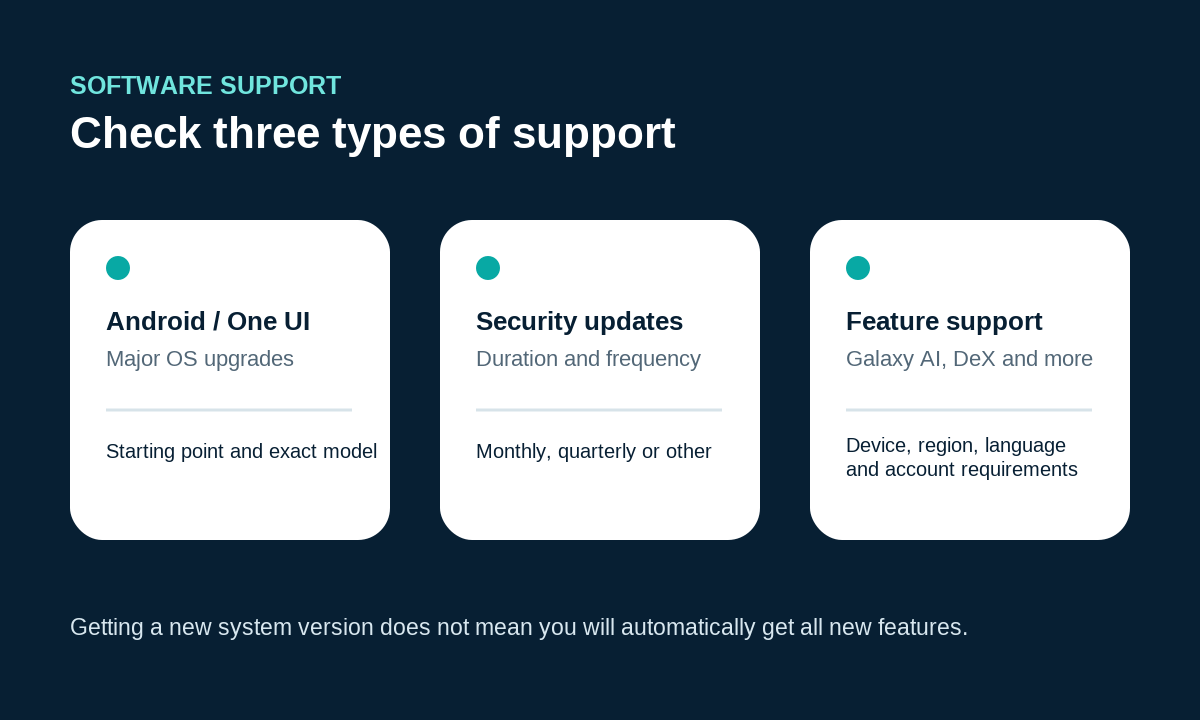
Android is the underlying operating system platform, One UI is Samsung’s software experience; Galaxy AI is a set of supported functions, which does not mean that every Galaxy has the same capabilities. Third-party AI services are also not automatically equivalent to built-in system functionality.
| software problem | Should be checked |
|---|---|
| Current software | Exact model supported Android and One UI |
| System upgrade | Commitment algebra and starting point |
| security support | Duration and remaining time |
| update frequency | Monthly, quarterly or other release scope |
| Galaxy AI | Specific features, devices, regions and languages |
| Accounts and Networks | Samsung Account, Google Account and Internet Requirements |
| DeX / Knox | Accurate models and organizational policy support |
New system versions do not guarantee that every new feature will be available, and AI capabilities may be limited by chip, language, region, account, and network.Samsung Mobile Security Update ScopeUpdate categories and supported models are listed, but longevity is assessed in conjunction with the model’s original commitment and related announcements.
The support period of a certain flagship cannot be extended to all S, Z, A or FE. When buying a used machine, it’s more about how much support is left today rather than the total commitment at launch.
09 · Requirements Comparison
Samsung Galaxy S vs A vs FE: Key Differences
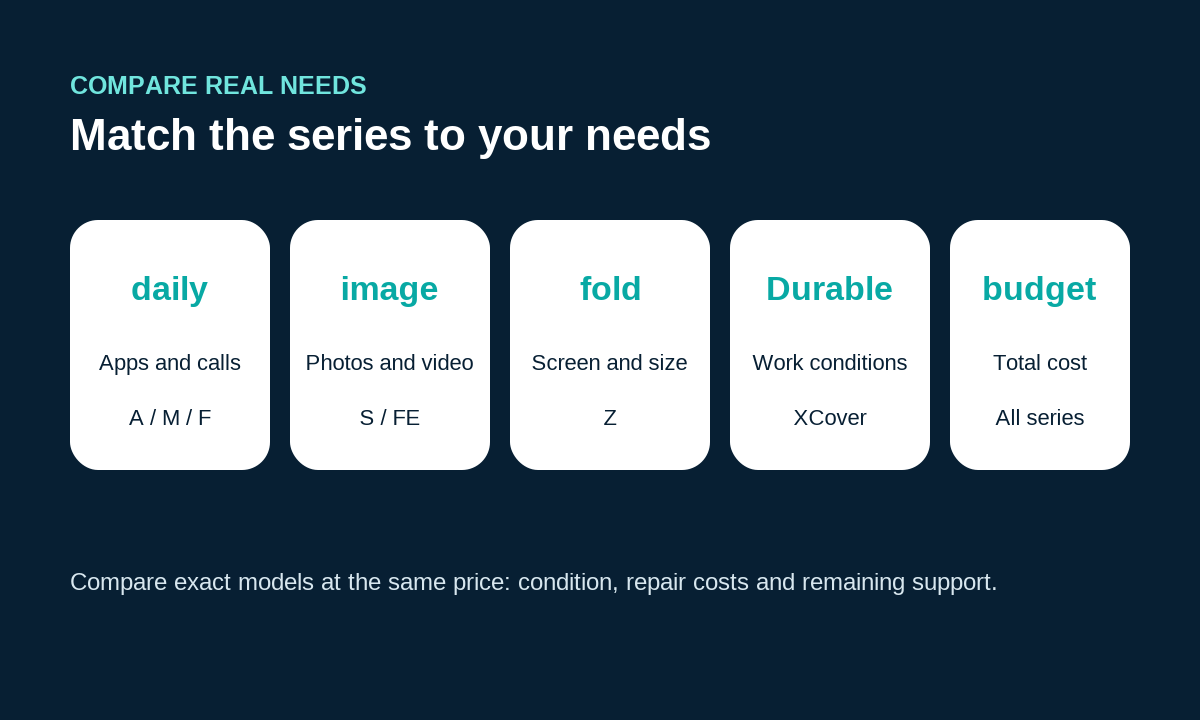
The main difference is positioning: Galaxy S prioritizes premium capabilities, Galaxy A prioritizes everyday value, and Galaxy S FE balances selected flagship features with price. For Galaxy S vs A comparisons, match the generation and regional model rather than assuming every S beats every A.
| Buying factor | Galaxy S | Galaxy A | Galaxy S FE |
|---|---|---|---|
| Positioning | Premium flagship | Entry-level to mid-range | Value-oriented S-family option |
| Performance and cameras | Typically the strongest emphasis on premium capabilities | Designed around the price tier and everyday use | Selected S features with model-specific compromises |
| Price comparison | Compare current offers and older generations | Often a lower new-device entry price | Compare against both higher-end A and discounted S models |
| Resale checks | Battery, screen, repair history and support on used stock | Local price tier, storage and supported networks | Exact FE generation, specifications and price gap to S/A |
These are range-level tendencies, not guarantees. Samsung’s range guide explains the positioning; individual specifications and local selling prices decide the purchase.
Match the series to your use
| priorities | Series worth considering | Main trade-offs |
|---|---|---|
| Communication and Browsing | A, M, F, you can also see other series | Price, support and basic features |
| Photography and Video | S, FE and specific high-end models | Focal length, image stabilization, video and price |
| game | Specific S, Z, FE or other models | Sustained performance, cooling and battery life |
| Large screen multitasking | Z Fold or large screen straight machine | Weight, proportions, application and repair |
| Portable | Small size bar-style or Z Flip | Battery, screen and thickness |
| stylus work | Confirmed compatible models | Pen, storage and functional differences |
| rugged environment | XCover | Levels, Enterprise Features and Accessories |
| years of use | Specific models with long residual support | Batteries, Repairs and Updates Commitment |
Neither the pixels, mAh, nor series labels alone determine the best choice. Exact models should be compared at similar local prices, taking into account storage, equipment condition, repairs, necessary parts and remaining support. There’s no need to pay more for high-end features you don’t use, and you can’t ignore long-term costs just because the price is lower.
B2B sourcing checklist
Which Samsung Galaxy Series Is Best for Wholesale and Resale?
The best Samsung series for resale is the one that matches your destination market, target selling price and verified stock condition. A series label does not establish local demand, resale margin or supply availability. KRLINK checks sourcing requests against an itemized model list and agreed acceptance requirements.
Build the mix around the destination market
- Price-sensitive retail: shortlist Galaxy A models within the local selling-price range, then validate storage preferences, network compatibility and competing offers.
- Premium and used-flagship retail: shortlist Galaxy S where buyers value cameras and premium features; compare the landed cost with battery, screen and warranty risk.
- Value-premium retail: compare S FE with higher-end A and discounted S stock. A narrow price gap can change which model is easier to sell.
- Foldable and regional stock: consider Z or M only after checking local customer demand, repair support and the exact regional specification.
These are purchasing scenarios, not measured country-level demand claims. Confirm the mix against your own sales history, customer orders and local price checks before committing to a batch.
Check new, used and older-model stock separately
- New stock: confirm activation status, factory seals, package contents, regional warranty and whether units are carrier-locked.
- Used or refurbished stock: agree cosmetic grades, battery acceptance, functional tests, repair history, screen condition and return terms. Check IMEI status and removal of Google/Samsung account locks or device-management restrictions.
- Older models: verify remaining security support, battery ageing, spare-part availability and compatible software. A discontinued model is not automatically good value or available in the required quantity.
Use our used phone grades guide and used-phone wholesale inspection checklist to define acceptance criteria. For condition terminology, see new, activated, open-box, used and refurbished phones.
Send a complete Samsung wholesale request
Confirm the full model code, regional version, quantity per SKU, RAM/storage, colour, new/used condition and grade, unlock requirements, battery standard, destination country and target delivery date. Check destination carrier bands, VoLTE/5G support, SIM/eSIM configuration and local service eligibility. “Unlocked” alone does not guarantee full network compatibility.
Start with the Samsung phone catalog or our multi-brand mobile phone sourcing page. Review China Version vs Global Version vs US Unlocked Phones and how to prepare a mobile phone RFQ list before requesting availability. For a concrete FE example, compare the listed Galaxy S24 FE specifications; a catalog entry is not confirmation of current stock.
10 · Selection process
How to choose the right Galaxy series
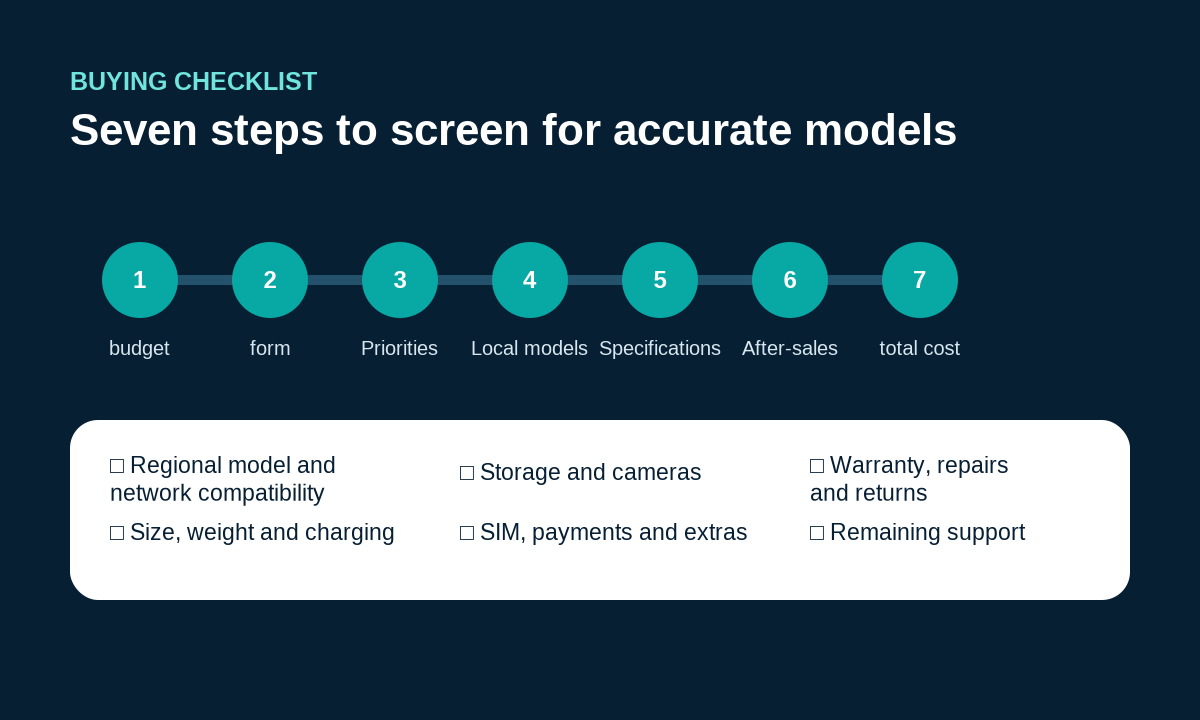
- Determine the total budget that includes provisions for parts and repairs.
- Choose from straight, foldable or rugged form factors.
- Write down the three most important features.
- Lists candidate models that are officially available locally.
- Verify accurate specifications with remaining software support.
- Verify carrier compatibility, SIM, warranty and repair.
- Compare purchase and long-term ownership costs.
Before buying
- Correct region model and storage.
- Required camera and connectivity features.
- Comfortable size and weight.
- Charging devices, payments and accessories.
Second hand or refurbished
- Appearance and functional status.
- Battery health.
- Account locked status.
- Remaining support and clear return terms.
Smart Switch can help migrate supported content, but it doesn’t guarantee that every app, login, purchase history, or mobile subscription will be transferred automatically. The correct approach is to narrow the search by series and then select the exact model based on verified needs.
FAQ
Samsung Galaxy Series FAQ
Quickly answer series positioning, version labeling, folding form, stylus, and support cycle questions.
What does FE mean in Samsung phones?
FE means Fan Edition. Samsung uses the label for devices that offer selected features from a related Galaxy family at a more accessible price. In Galaxy S FE phones, this usually means flagship-inspired features with model-specific trade-offs. FE is not the Galaxy F series or a label for a phone’s condition.
Is Samsung FE a flagship phone?
A Galaxy S FE phone is best described as a value flagship: it offers selected S-series features at a generally lower launch price. It does not necessarily match the processor, cameras or materials of the flagship released alongside it. FE also appears outside Galaxy S, so compare the complete model name and specifications.
What is the difference between Samsung Galaxy S and A series?
Galaxy S is Samsung’s premium flagship smartphone range, while Galaxy A spans entry-level and mid-range models designed around everyday value. S models generally emphasize performance, cameras and premium features; A models emphasize balanced cost and practical use. Compare specific generations, storage, regional versions and remaining software support before choosing.
Which Samsung Galaxy series is best?
There is no single best Galaxy series for every buyer. Choose S for premium performance and cameras, A for everyday value, S FE for selected flagship features at a lower cost, and Z for a foldable design. Consider M where locally available if price and battery capacity matter, then verify the exact model.
What is the Samsung Galaxy Z series?
Samsung Galaxy Z is the foldable smartphone range. Galaxy Z Fold models open into a larger workspace for reading and multitasking, while Z Flip models fold into a more compact shape. Screen durability, hinge condition, repair costs, battery performance and local warranty should be checked for the specific model, especially when buying used.
Which Samsung phones are better for wholesale and resale?
The best Samsung phones for resale depend on the destination market, selling price and buyer demand. Galaxy A can suit price-sensitive retail, Galaxy S can suit premium or used-flagship buyers, and S FE can bridge those segments. Confirm exact model codes, regional versions, network compatibility, unlock status, storage, quantities and condition before ordering.
What’s the difference between Galaxy Z Fold and Z Flip?
The Fold model provides a larger work area when unfolded, suitable for documents, reading, and multitasking; the Flip model is more compact after folding, emphasizing portability. The cameras, battery life, weight, external screens and protective capabilities of the two still need to be checked according to specific generations.
Are Galaxy M and F available globally?
It cannot be assumed. M and F model numbers, sales channels, and warranty coverage vary by country. Before purchasing an imported machine, you should check the complete model code, frequency band, operator features, SIM, NFC, payment, updates and local repair support.
What series succeeded the Galaxy Note?
The Note has become a historical series, with its large screen productivity and stylus positioning influencing some of the subsequent S Ultra products. The Galaxy S22 Ultra is a historical example of an integrated S Pen, but that doesn’t mean every S Ultra or Galaxy S has the same stylus capabilities.
Do all Galaxy S or Galaxy Z support S Pen?
No. Compatibility, whether it comes included, whether it can be stored in the body, whether it supports remote control function, and Fold-specific pen requirements may vary. It is essential to check the official Samsung specifications and accessory instructions for the exact model.
Do all Samsung Galaxy phones have seven-year updates?
No. System upgrade generations, security support duration, and update frequency are model specific items. Also confirm when commitment starts and how much support is left at the time of purchase; the new system isn’t guaranteed to bring all new features.
Is the higher the Galaxy model number, the better?
You can’t compare like this across series. Numbers can help identify models or generations within a series, but different series are positioned differently, and higher numbers don’t automatically guarantee better processors, cameras, or support. Full specifications and regional configurations should be compared.
Is the older Galaxy S a better deal than the new A or FE?
The answer depends on actual price, device condition, battery health, remaining support, repair costs, and required features. The old flagship might have high-end hardware, the new A or FE might be a better fit in terms of support, power efficiency, or warranty; there’s no universal winner.
Summary
Start with the Galaxy family, then check for exact models
- S stands for high-end traditional mobile phone.
- Z stands for foldable design.
- A, M and F offer different mainstream and regional value options.
- Labels such as FE describe versions and do not represent fixed specifications.
- The exact model, region, status and support policy determine the final choice.
If your work environment requires extra durability, consider XCover. In the end, just keep a small number of models and compare them one by one based on real tasks, local prices and verified compatibility information.
Reader questions
Still have questions about the Samsung Galaxy series?
Please indicate which Galaxy series, exact model, regional version or compatibility issue you are interested in. If comparison is involved, please provide candidate models and main uses; please do not submit passwords, verification codes, or other sensitive account information.
Related Reading
Check out more smartphone guides
Continue with buying requirements, regional compatibility and the technical guides below.

Android vs. iOS: Key differences and how to choose a phone
Compare device selection, apps, personalization, update support and cross-device connectivity.
SIM card vs. eSIM: Differences, pros, cons and how to choose
Learn about activation, device compatibility, number portability, dual SIM and travel use.

How do mobile phones work?
Describe how the hardware, wireless signals, base stations, and carrier networks provide mobile services.